
Participating Frequently
December 8, 2021
Question

Remove edge of clipping mask

  • December 8, 2021
  • 3 replies
  • 2407 views

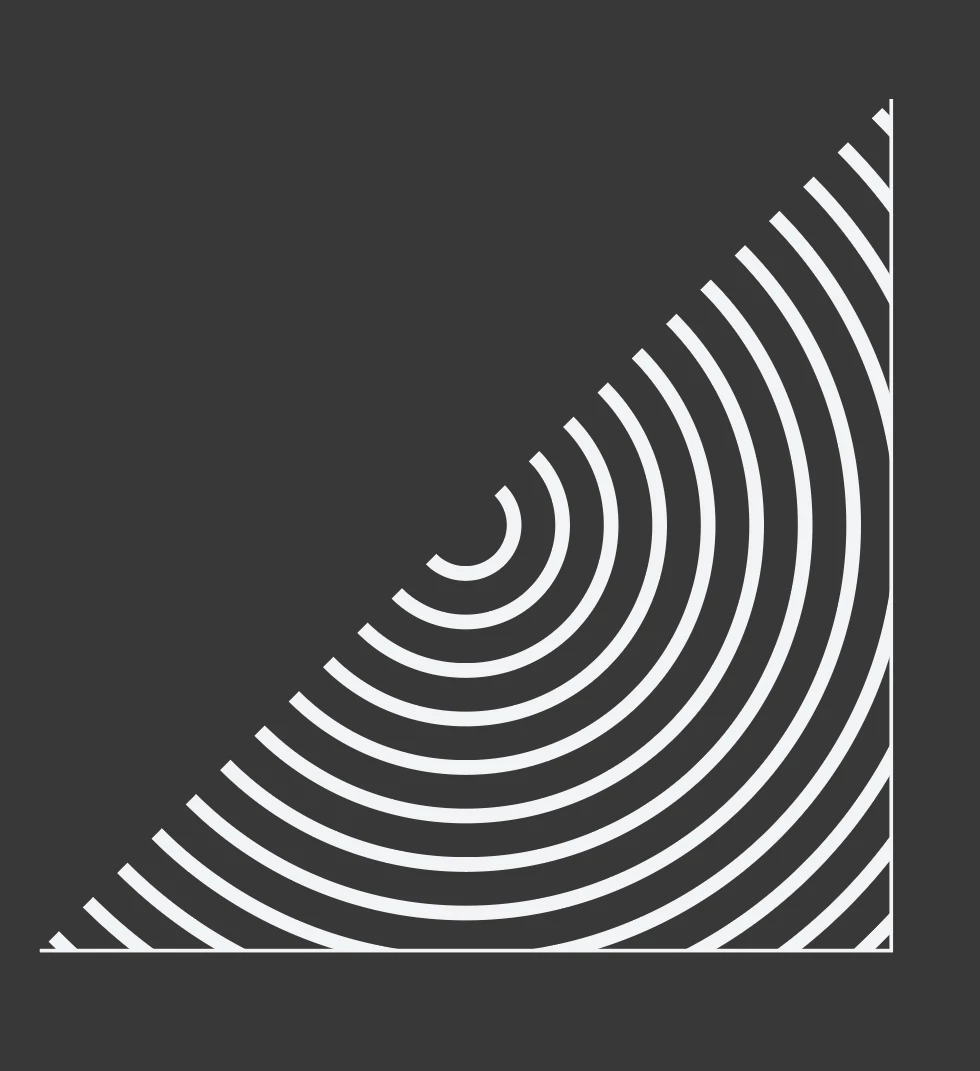
Hey there, I have my concentric circle and I'm trying to remove the edge/border of the square that was used for the mask so that it's just circle lines and for the life of me I cannot figure out how to do it. It's hidden when I first apply the mask but whenever I change the stroke or color it becomes visible again.


So I was wondering if I could get a little help or be pointed in the direction of how to achieve this look different way, I'd greatly appreciate it.
 

This topic has been closed for replies.

3 replies

Ton Frederiks
Community Expert
Community Expert
December 9, 2021

Can you share that file?

CC filesharing, Dropbox, WeTransfer, Google...

dragon.Author
Participating Frequently
December 9, 2021
Hi Ton,

I actually found out the issue just now through testing. The circles are
grouped by default and after ungrouping them I was able to delete each
individual line. All the same, thank you for willingness to look into this
🙏
barbara_a7746676
Community Expert
Community Expert
December 9, 2021

That's great that ungrouping worked for you. I mentioned in my instructions that the objects would be grouped. Ungrouping is one option. The other option, the one I mentioned, is to use the Direct Selection tool. Either would work equally well.

barbara_a7746676
Community Expert
Community Expert
December 8, 2021

Another way to do this would be to put a triangle on top of the circles.

In Pathfinder panel, click Divide.

The objeccts will be grouped. Use the Direct Selection tool to delete unwanted parts.

dragon.Author
Participating Frequently
December 8, 2021
Hi Barbara

Thanks I tried your tips as well and it gave me the same result. I can
remove the line that cuts the circles in half with the direct selection
tool but I can’t delete the edges without deleting the circles as well
Kurt Gold
Community Expert
Community Expert
December 8, 2021

It may be one of the obscure side effects when previewing with GPU.


Does it get better if you change it to CPU Preview in the View menu?


dragon.Author
Participating Frequently
December 8, 2021
Hey Kurt,

Thanks for the suggestion. Viewing it with the CPU still shows the border
as well. It just seems making the lines thicker or changing the color in
stroke after masking triggers it