
Participant
August 2, 2022
Answered

remove specific shape

  • August 2, 2022
  • 1 reply
  • 270 views

Hello adobe community!


I am trying to remove a region with a very specific shape - basically like the reverse of a clipping mask (but most similar issues point me to an opacity mask, which doesn't seem to help). Basically I want to remove a specific shape (shape 1 = island below) from another shape (shape 2 = ocean below). It's important the island is completely removed, only surrounding ocean ('box') is left. Such as:
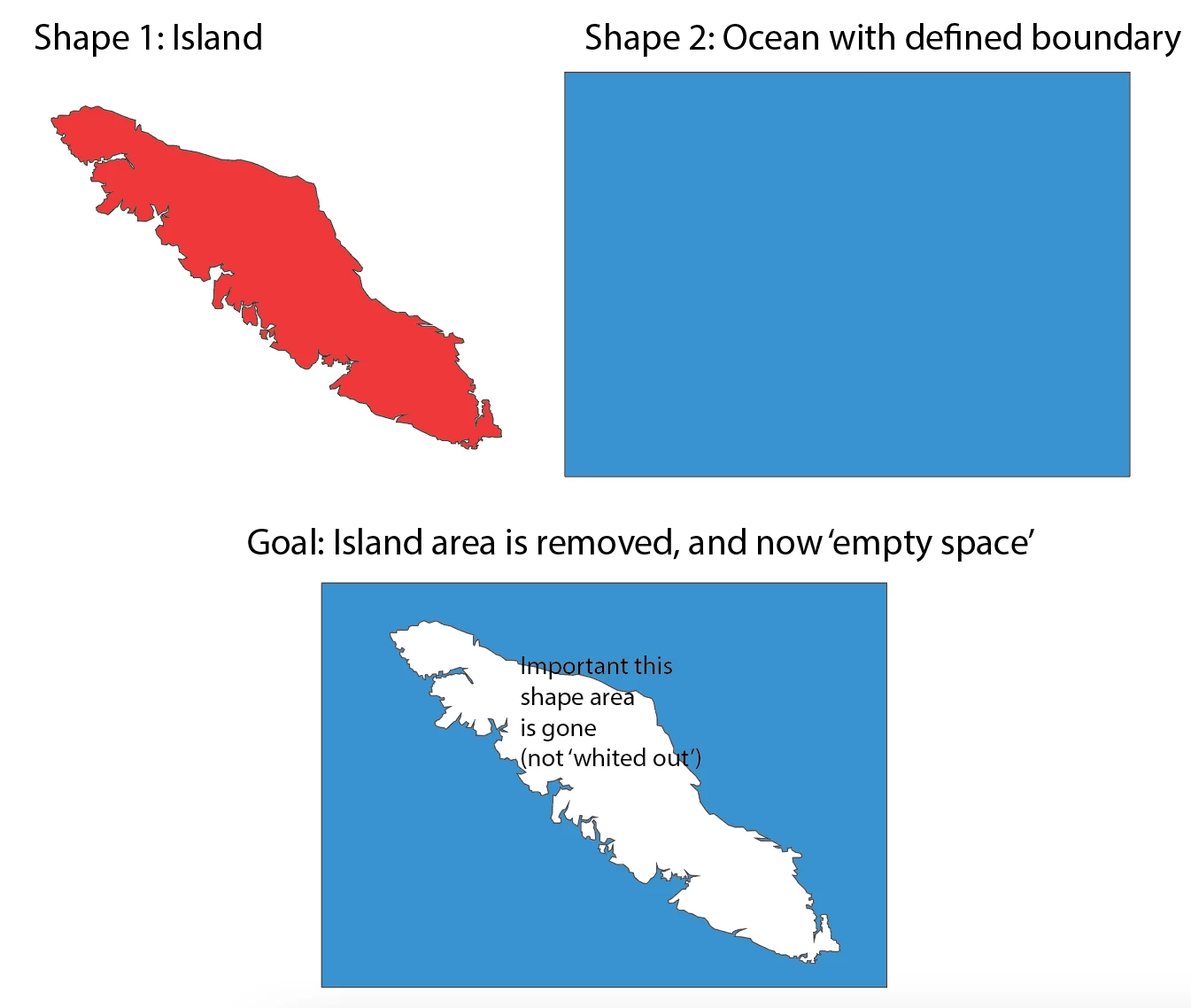


Thanks for any tips! I will keep looking for resources in the meantime. 

This topic has been closed for replies.
Correct answer Jacob Bugge

Rebecca,


With the white island on top of the blue ocean as in your bottom image, just select everything, then in the Transparency panel click Make (Opacity) Mask with Clip unticked and Invert Mask ticked.

1 reply

Jacob Bugge
Community Expert
Jacob BuggeCommunity ExpertCorrect answer
Community Expert
August 2, 2022

Rebecca,


With the white island on top of the blue ocean as in your bottom image, just select everything, then in the Transparency panel click Make (Opacity) Mask with Clip unticked and Invert Mask ticked.

Participant
August 2, 2022

Hi Jacob! Thank you!!! Huge help (i had both 'ticked')....


Jacob Bugge
Community Expert
Community Expert
August 3, 2022

You are welcome, Rebecca.