

MahaB82A
September 20, 2025
Answered

Removing hard edge of the image

  • September 20, 2025
  • 4 replies
  • 489 views

This is fire image. You can see there are hard edges around. It it possible remove it? file is uploaded as well
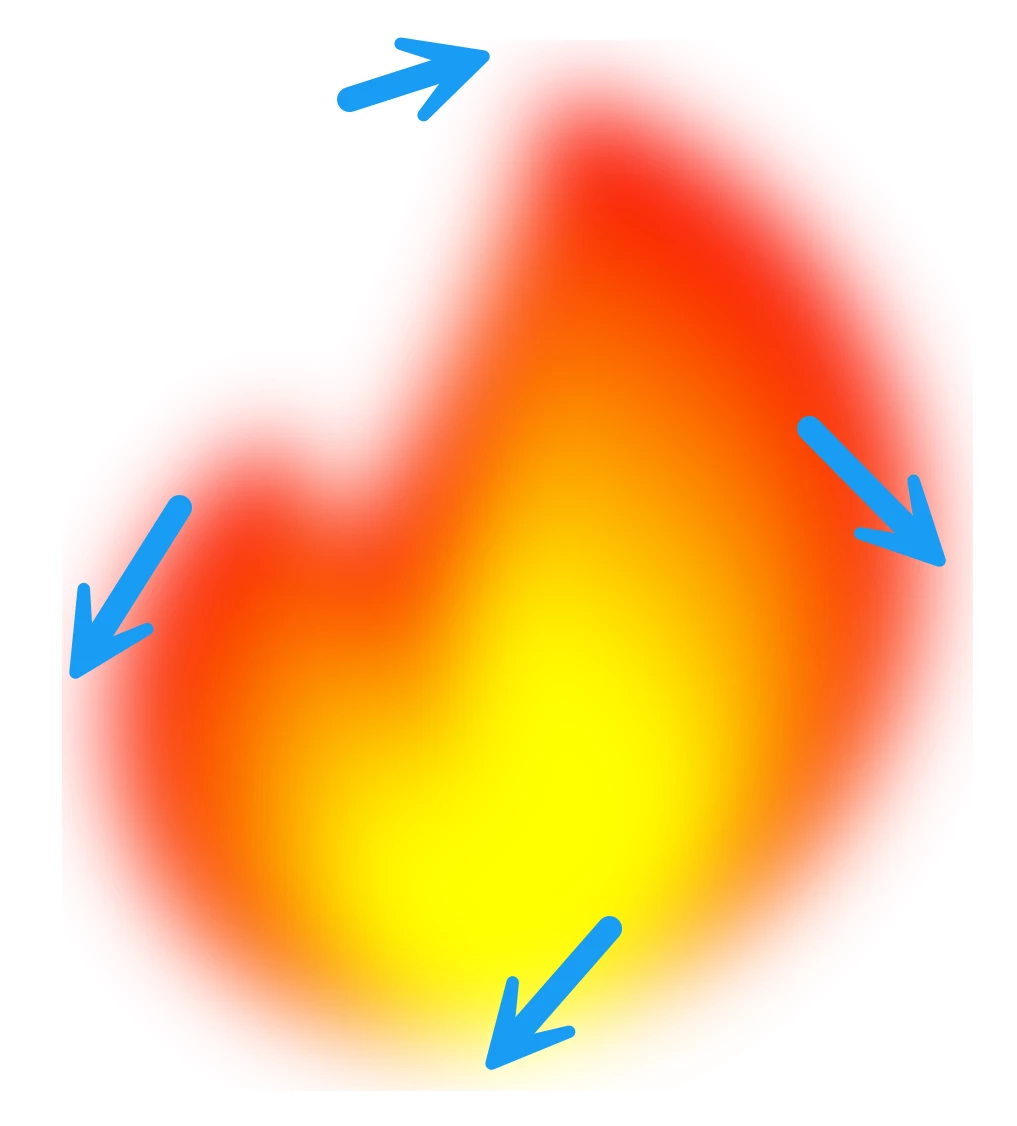

Fire


Correct answer Ton Frederiks

Like this

4 replies

MahaB82A
MahaB82AAuthor
September 20, 2025

Thanks for all.

Jacob Bugge
Community Expert
Community Expert
September 20, 2025

For my part you are welcome, Maha.


Jacob Bugge
Community Expert
Community Expert
September 20, 2025

Maha,


It looks as if you have a Clipping Mask or other boundary that is to small to show the whole transition, in other words the artwork extends past it.


You could enlarge the boundary to fit the artwork, or scale down the artwork to fit the boundary.


Ton Frederiks
Community Expert
Community Expert
September 20, 2025

Check if the Document Raster Effects Settings give enough space around the object (you may need to open the blur effect after that).

Ton Frederiks
Community Expert
Ton FrederiksCommunity ExpertCorrect answer
Community Expert
September 20, 2025

Like this

Dave Creamer of IDEAS
Community Expert
Community Expert
September 20, 2025

I would extend the canvas then either use the clone tool to fill in the soft edge, the eraser tool with a soft brush to remove the hard edges, or try feathering the edge. This is assuming the background is transparent (I did not download the file).


Edit: I would do the the edits above in Photoshop.


David Creamer: Community Expert (ACI and ACE 1995-2023)
MahaB82A
MahaB82AAuthor
September 20, 2025

I have Ps app but I wish to know whether there is anything possible in Ai.

Dave Creamer of IDEAS
Community Expert
Community Expert
September 20, 2025

Like this:

David Creamer: Community Expert (ACI and ACE 1995-2023)
