
Participant
September 23, 2023
Question

removing squares from outside of circle
  • September 23, 2023
  • 3 replies
  • 317 views

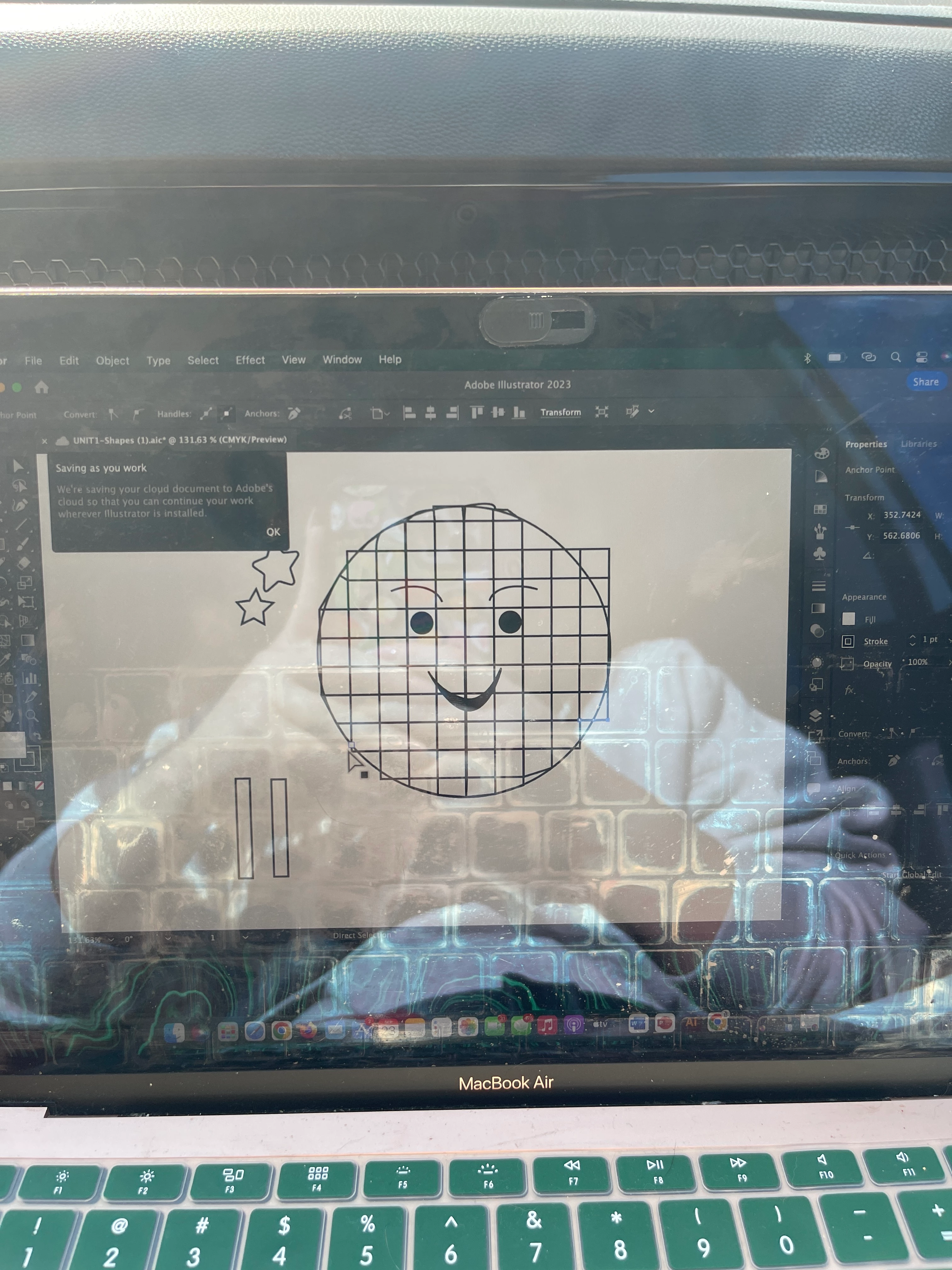
have project due soon and i have absolutely zero idea how to remove the squares from outside everyrhing i do messes with the shape of the circle i've already made. it's suppose to be a little disco ball with legs and hopefully some boots if i can ever figure it out 

This topic has been closed for replies.

3 replies

Jacob Bugge
Community Expert
Community Expert
September 23, 2023

Dreama,


You might like this way, starting with the circle and the gride of squares (some of which look a bit funny):


1) Select the circle and Ctrl/Cmd+X+F+C+F (hold Ctrl/Cmd and press X then F then C then F, to make sure the circle is on top of the squares and make a copy of it in front of itself;

2) Lock the copy circle in the expanded Layers panel, it will be the topmost object;

3) Select the original circle and all the squares, the Pathfinder>Divide and delete all the bits of squares outside the circle (deselect and then ClickDrag over each (set) of the bits without including the circle and press delete twice each time to also get rid of stray end points).


Now you can add the legs and boots (will it become a bootlegger?), either working with the Group from 3) and leaving the copy circle from 2) out, or you can lock the Group and unlock the full circle from 2) and then work with that.


In the former case, you can skip the copy circle altogether.


Always backup your artwork before changing i irreversibly beyond Undos.

Ares Hovhannesyan
Community Expert
Community Expert
September 23, 2023

Can you show your layer structure? Probably, easier to find them in layers and delete.

Monika Gause
Community Expert
Community Expert
September 23, 2023

Does a clipping mask work in your situation? It will not "really" cut it off, just hide it.


https://helpx.adobe.com/illustrator/using/clipping-masks.html