Madina1967
Participant
July 26, 2022
Answered

Repeat pattern

  • July 26, 2022
  • 2 replies
  • 989 views

Hello,

Does anyone have any tips on how to create that 'line'/stripe pattern in that swirl pattern? I have the swirl repeat print pattern but I am trying to figure out quicker and easier way to make that stripe swirl.

Thank you 

This topic has been closed for replies.
Correct answer Jacob Bugge

Madina,


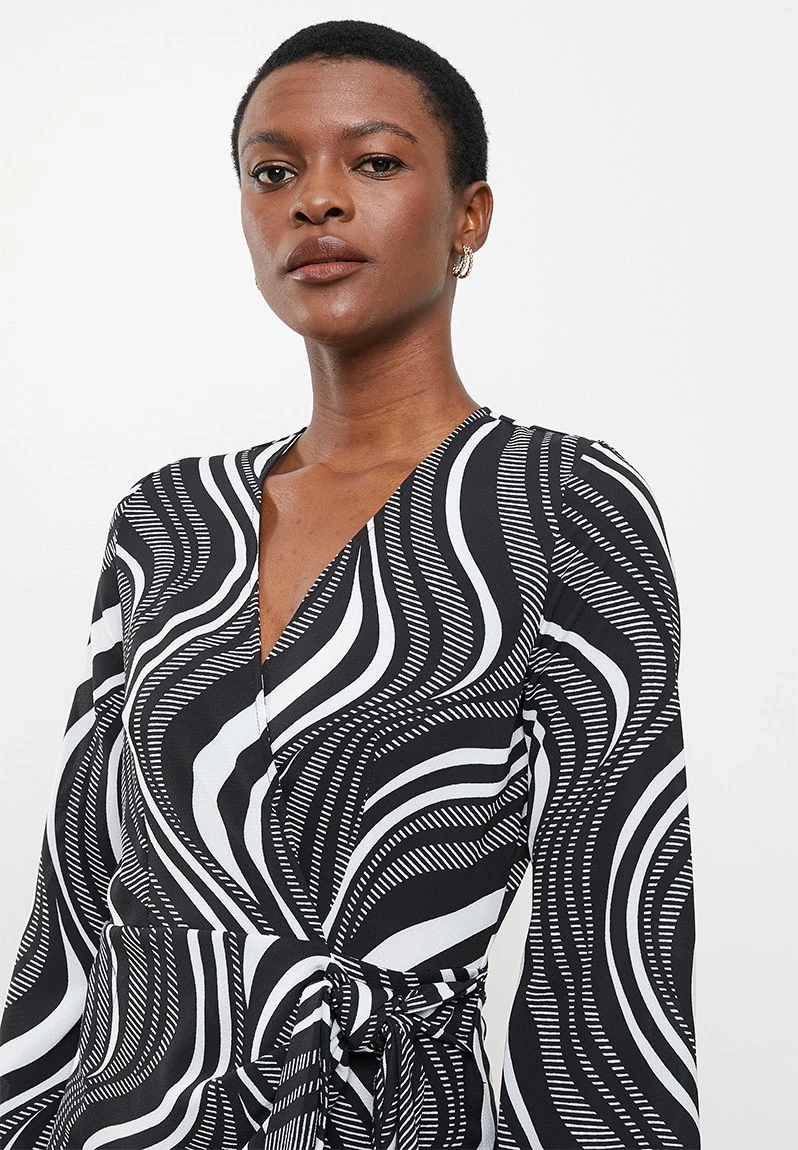
I believe it is, or could be, built as follows from the bottom up, backgrounds being a rectangle or other path larger than the artwork:


1) A background of solid black, preferably locked and unlocked after 4),

2) A background of parallel white stripes at the desired angle,

3) Either;

3A) Swirly closed paths forming a Compound path and applied as a Clipping Mask/Path (only) to the white stripes in 2), thereby forming the clipping set that appears as all the striped swirlies, or

3B) Swirly open paths of varying width (Width Tool) with black stroke forming a Group or Compound path and applied as an Opacity Mask (Transparency panel) with Clip ticked (only) to the white stripes in 2), thereby showing as all the striped swirlies,

4) Swirly closed paths with a white fill forming a Compound path or Group.


When everything is done, you can reduce the (visible) size of the black background from 1), maybe with a(nother) Clipping Mask/Path.


Edit: I was delayed in answering, and this reply was based on the appearance of the cloth with both striped and solid white swirly shapes, all the stripes seemingly parallel.


Edit edit: I returned to add another option (3B), maybe more suitable for gentle width variations as in the cloth, but unsuitable for yours in blue and green.

 

2 replies

Jacob Bugge
Community Expert
Jacob BuggeCommunity ExpertCorrect answer
Community Expert
July 26, 2022

Madina,


I believe it is, or could be, built as follows from the bottom up, backgrounds being a rectangle or other path larger than the artwork:


1) A background of solid black, preferably locked and unlocked after 4),

2) A background of parallel white stripes at the desired angle,

3) Either;

3A) Swirly closed paths forming a Compound path and applied as a Clipping Mask/Path (only) to the white stripes in 2), thereby forming the clipping set that appears as all the striped swirlies, or

3B) Swirly open paths of varying width (Width Tool) with black stroke forming a Group or Compound path and applied as an Opacity Mask (Transparency panel) with Clip ticked (only) to the white stripes in 2), thereby showing as all the striped swirlies,

4) Swirly closed paths with a white fill forming a Compound path or Group.


When everything is done, you can reduce the (visible) size of the black background from 1), maybe with a(nother) Clipping Mask/Path.


Edit: I was delayed in answering, and this reply was based on the appearance of the cloth with both striped and solid white swirly shapes, all the stripes seemingly parallel.


Edit edit: I returned to add another option (3B), maybe more suitable for gentle width variations as in the cloth, but unsuitable for yours in blue and green.
 

Madina1967
Participant
July 26, 2022

Thank you for the step-by-step 🙂 

Jacob Bugge
Community Expert
Community Expert
July 26, 2022

For my part you are welcome, Madina.


I returned to add an option, and edited my first reply (again).


Monika Gause
Community Expert
Community Expert
July 26, 2022

Can you please show what you have and then tell us what you need?

Madina1967
Participant
July 26, 2022

I have this pattern to use as a repeat pattern (expanded) 

And I do have a 'stripe' swatch pattern that I've created out of few lines, but it doesn't allow to create pattern over a pattern.


(that's the swirl I've applied stripe pattern for or a clipping mask and the small block is the pattern I've created)


I tried pathfinder as well to 'crop' but it doesn't allow me that either. 


What other ways can I use to make those lines? 


Monika Gause
Community Expert
Community Expert
July 26, 2022

First do Object > Expand on the striped shape. Then apply the pathfinder Crop to that expanded pattern. And then copy it into your pattern. Does that work?