


Participant
May 22, 2026
Question

Repeat Patterns and Layers Showing Incorrectly in Acrobat when saving ai file to PDF

  • May 22, 2026
  • 1 reply
  • 17 views

Hello! I am creating vectored line drawing sketches and filling them with either raster or vectored repeat patterns in Illustrator. These are part of a 10 page document that has about 6 of these sketches per page. I make these documents all the time, and save them as PDFs using the PDF/X-1a:2001 preset saving option. I usually have no issues with this, but this time when I open the file in Acrobat, the whole document has areas where the pattern is missing and back layers that should be behind front layers are showing through. Here’s an example:
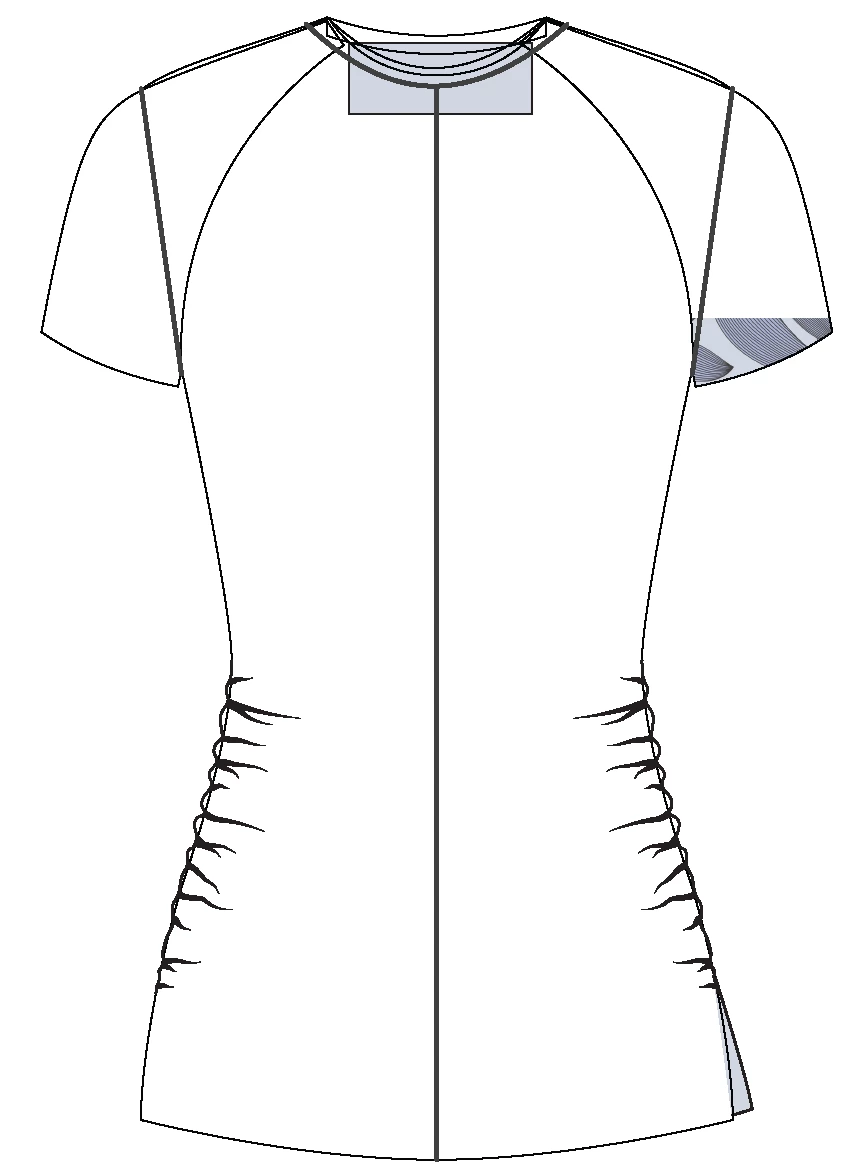
In the illustrator file, this sketch is filled with a print, except for the blue box you see here, that should be in the very back.  All the layers are showing with a transparent fill. I can’t figure out why this is happening all of a sudden. It is an issue with both the vector and raster patterns. I would appreciate any suggestions for ways to troubleshoot this!

(Note that others are seeing the same issues when they open the file in Acrobat on their computers. When I zoom in and out on Acrobat some of the print reappears, but not all.)

    1 reply

    Ton Frederiks
    Community Expert
    Community Expert
    May 22, 2026

    @Gene28247821a9zq Do you need that PDF/X-1a:2001 preset? It flattens the transparency. You may want to check the flattener preset options. And check in Acrobat  if Overprint Preview is On.

    Participant
    May 22, 2026

    Hi Ton.  Thank you for responding! I don’t need that preset, but the file needs to be compressed somehow. It needs to be easily emailed, but still look decent printing. If I can get the file to around 10 mb, that is ideal. If I save it without compressing anything, the file is almost 100 mb. I am not very knowledgable about compression, I just found that saving with that preset usually works for these files. I am open to any suggestions! What are the flattener preset options?

    I checked, and overprint preview is on in acrobat.  Thank you for the suggestion.

    Ton Frederiks
    Community Expert
    Community Expert
    May 22, 2026

    @Gene28247821a9zq The PDF/X-1a:2001 preset has jpeg compression, the same as the High Quality Print preset. But the PDF/X-1a:2001 preset will flatten all transparency, which can result in many small images, adding to the file size.

    What makes it smaller is that the option to Preserve Illustrator Editing Capabilities is turned off. This prevents that the entire Illustrator file is embedded in the PDF.

    The High Quality Print preset has it turned on, but if you save your file as .ai for editing and turn it off when saving a copy as PDF, you will get a smaller file too.