Participant
November 28, 2020
Answered

Represented in black and white when selecting colors in gradient tools.

  • November 28, 2020
  • 3 replies
  • 1139 views

Applying gradient to an object basically allows it to select two colors. If I choose one color by using color picker from there, it expressing in black and white in the gradient. If I reboot the program or return from another operation, express the correct color for the previous operation again. Usually, the program needs to be rebooted before it can be resolved. What's the matter with this?

This topic has been closed for replies.
Correct answer Simmer1

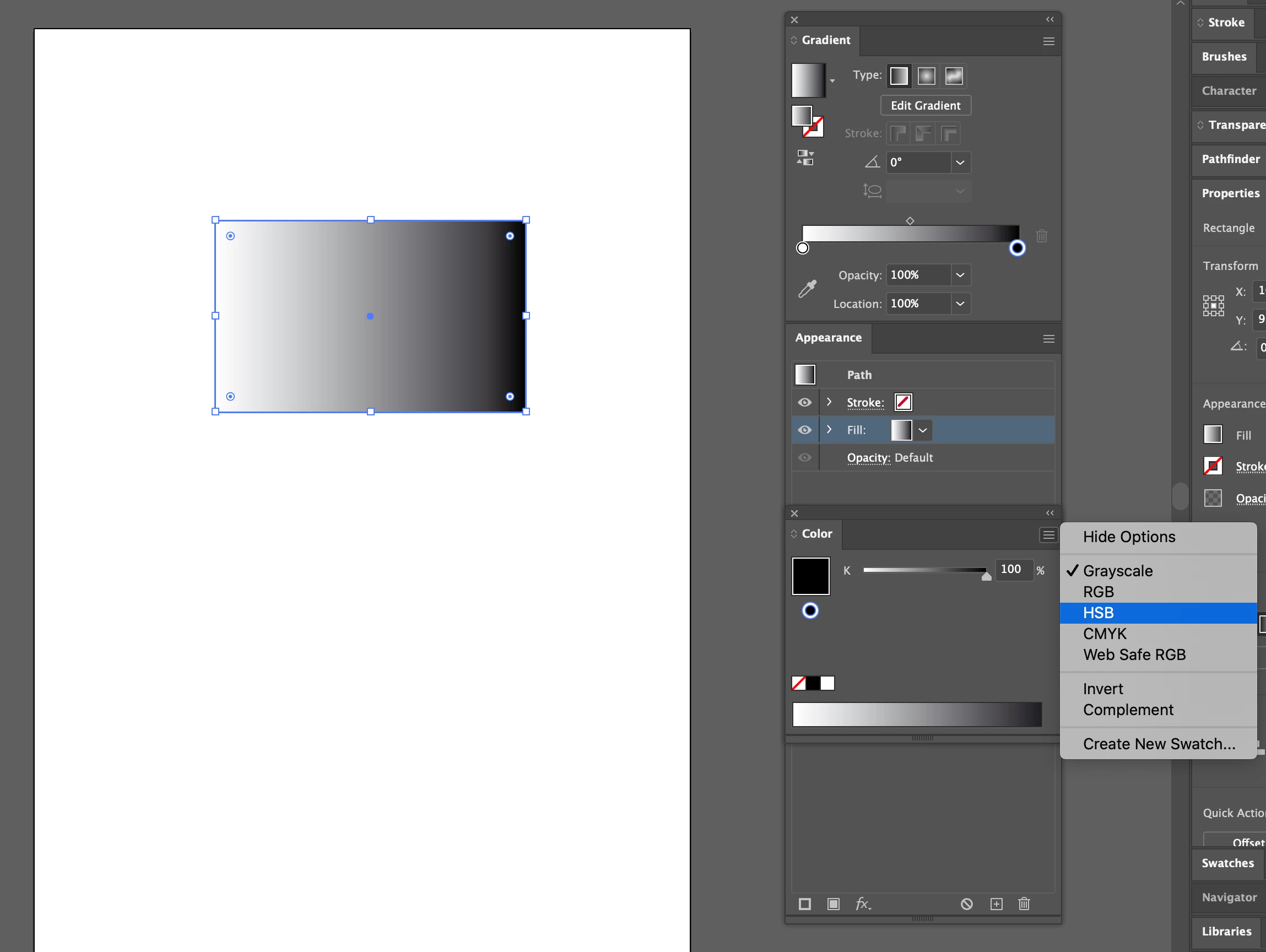
Check that your colour mode is not set to grayscale: 

3 replies

Participant
November 30, 2020

I see. Thank you all for your replies.

Simmer1
Community Expert
Simmer1Community ExpertCorrect answer
Community Expert
November 29, 2020

Check that your colour mode is not set to grayscale: 

Participant
November 29, 2020

Thank you for your answers. This temporarily solved the problem mentioned. However, if I close the program and turn it on again, then apply the gradient, it will be expressed in black and white mode again. Is there no way to set the default value by RGB mode?

Monika Gause
Community Expert
Community Expert
November 29, 2020

The default gradient is back and white.

Don't use the color picker (for several reasons).

Just use the gradient panel or the gradient annotator to define colors.

Monika Gause
Community Expert
Community Expert
November 28, 2020

Can you perhaps post screenshots and describe this step by step.

Participant
November 29, 2020

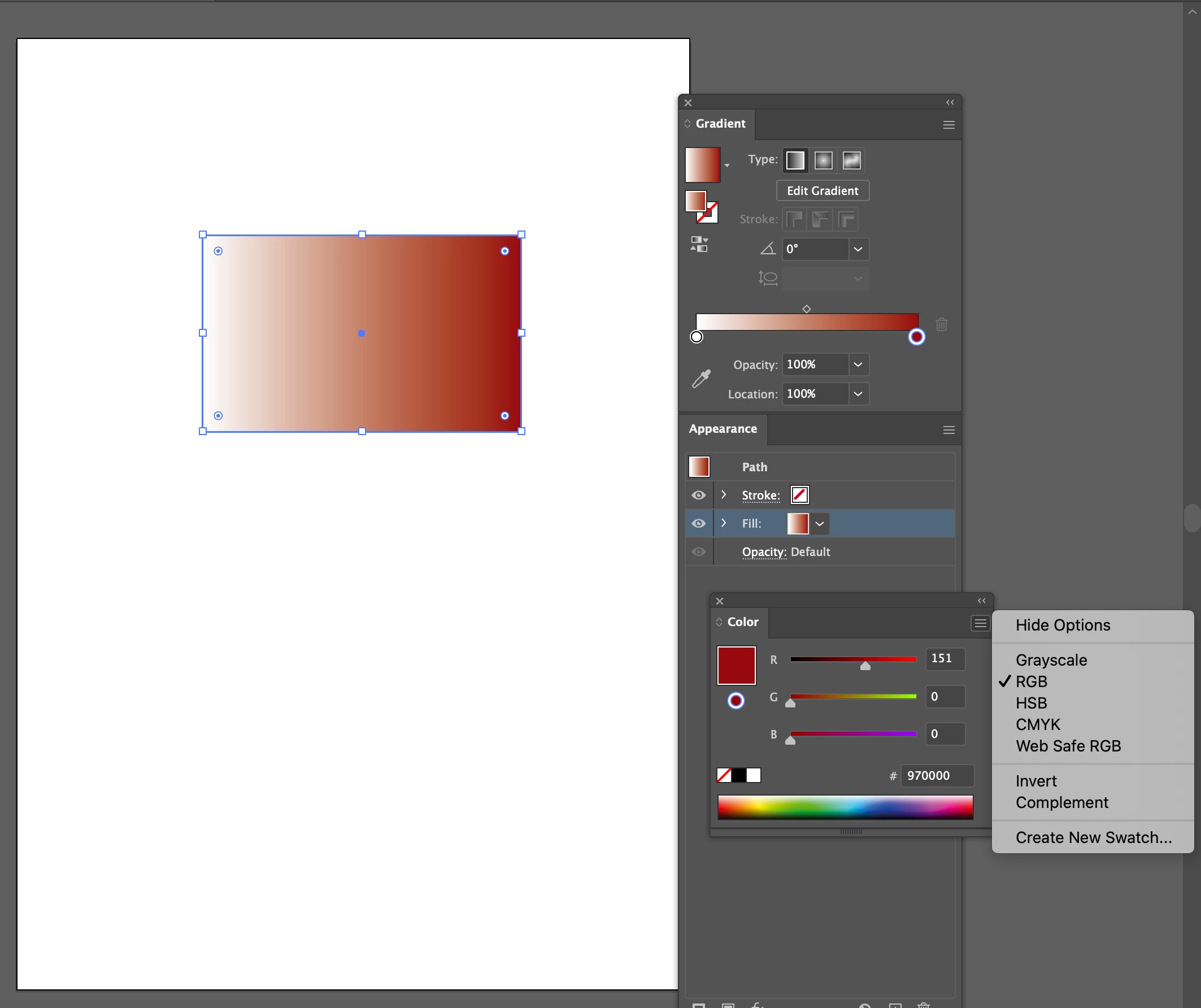
1) A rectangle. That is an example object.


 2) Select Gradient tool and applying


3) Editing color at right side with Color Picker


4) Result. Red is expressed in gray.

In addition, this problem seems to occur randomly. Or maybe I'm not good at using tools.