
Participating Frequently
February 22, 2022
Answered

Reset bounding box! why has such a simple thing that worked before gone stupid!

  • February 22, 2022
  • 4 replies
  • 21015 views

I draw a octagon shape. I've rotated it.


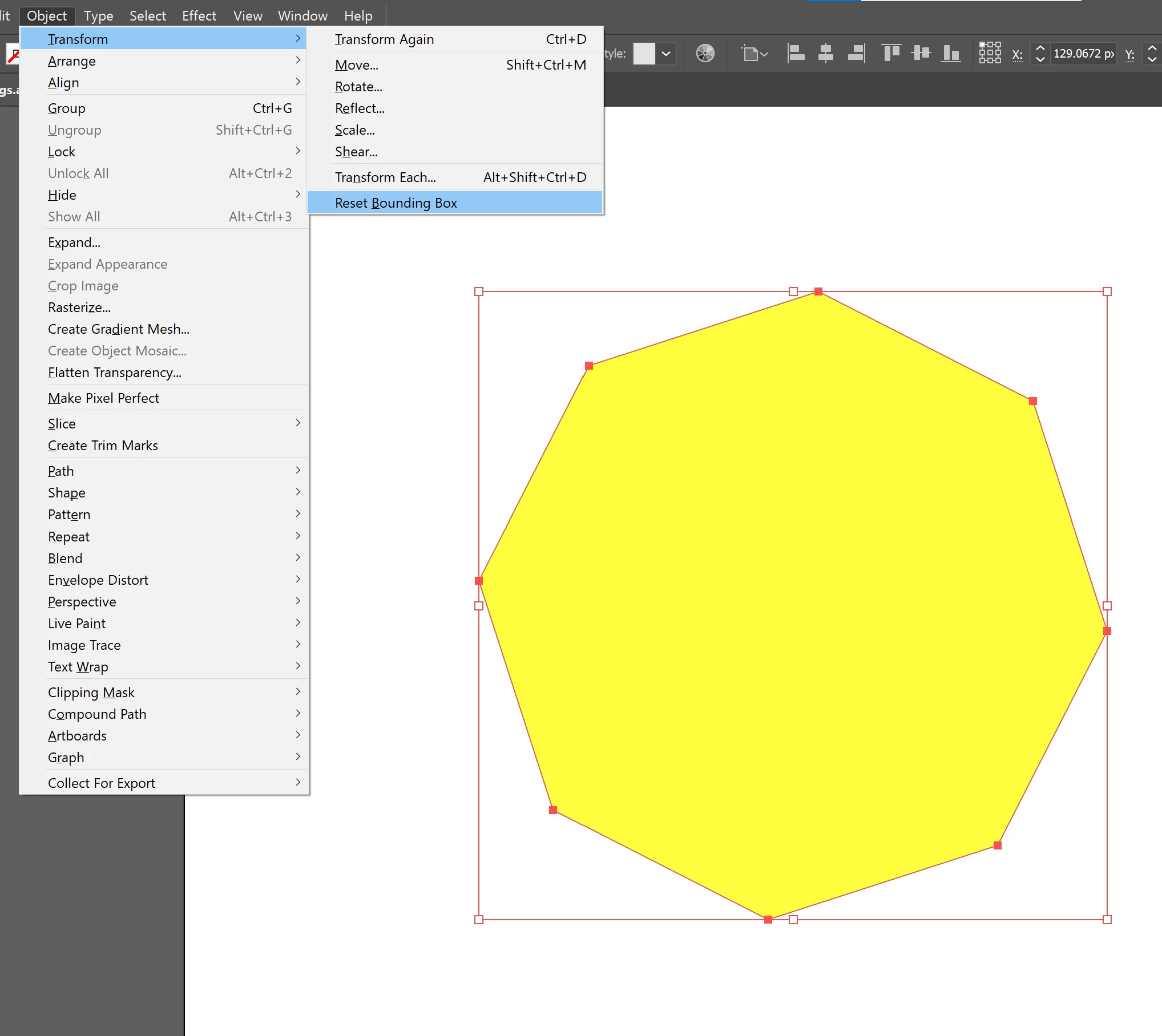
I now want to reset bounding box. Previously this was simple. You just reset bounding box.


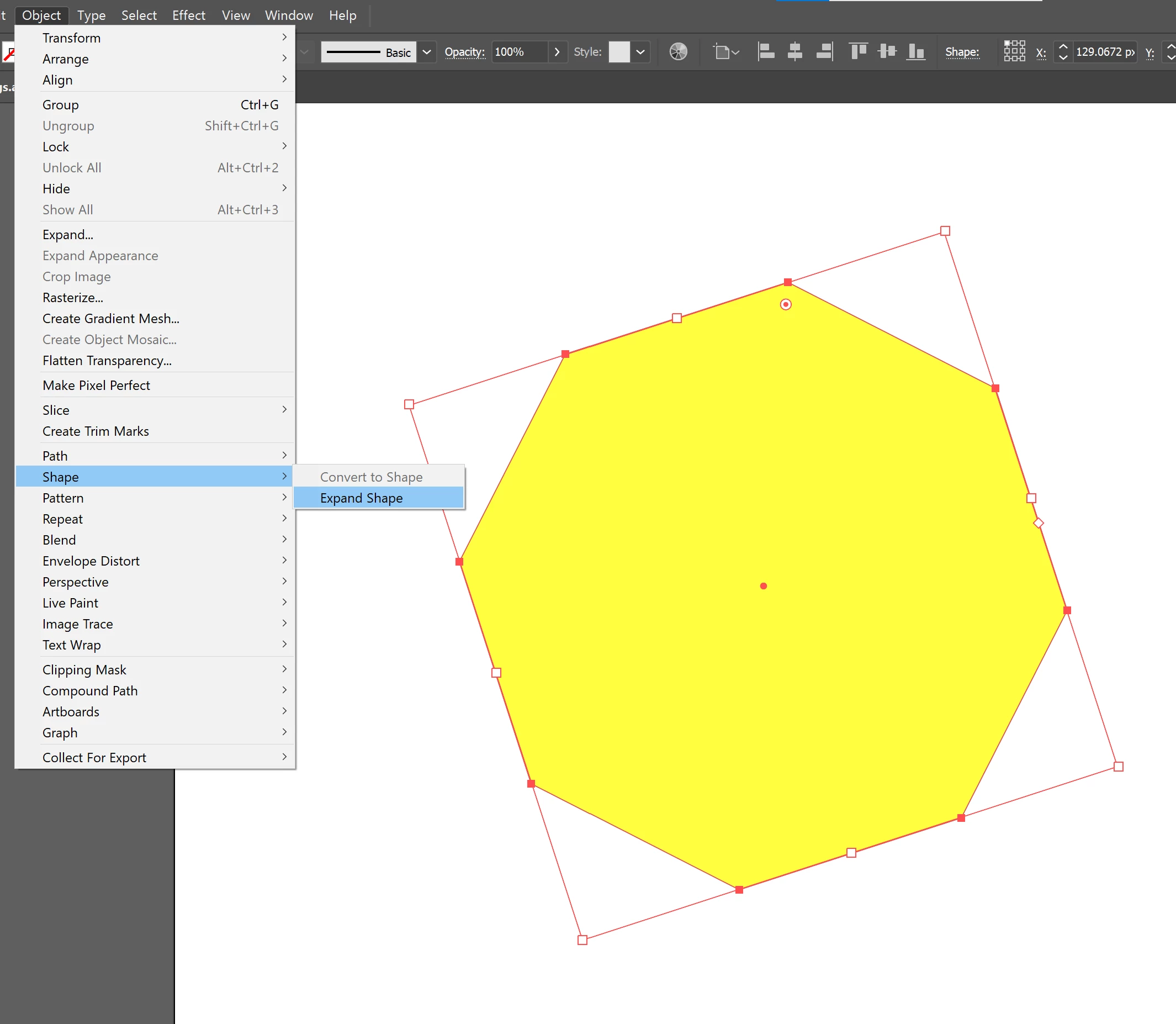
now - I can't reset. I also cant expand shape - to reset, as some forums suggest.


Why Adobe? Why? Like what idiot thought whatever the current way to reset bounding box is in ANYWAY logical? Typical Adobe - instead of improving basic workflows, they forever complicate sh**. And I'm a professional working in design for 20 years.
Correct answer Doug A Roberts

Just to be sure we're talking about the same thing:

Can you carry out these steps on a new shape? In a new document?

4 replies

shueb0D45Author
Participating Frequently
April 8, 2024

new file, drew hexagon, rotate, RESET Bounding box - greyed out. I can't do this without expanding object first now. was fine how it was for last 17 odd years. Latest everyhing - latest cs, M1 macbook

Ton Frederiks
Community Expert
Community Expert
April 8, 2024
Monika Gause
Community Expert
Community Expert
February 22, 2022
quote

 instead of improving basic workflows,


By @shueb0D45


Well, with live shapes they *did* improve basic workflows by introducing shapes that have logical attributes like the number of corners of a polygon.


Most users have been eagerly waiting for this feature for 25 years.

shueb0D45Author
Participating Frequently
February 22, 2022

yeh dont get me wrong - thats feature thats defo great.


But why cant adobe just make Reset bounding box automatically happen on request from the menu - why fade it out and add an extra step.


If I'm resetting bounding box - then clearly thats the only thing I want to do at that time... why add an additional step. And why have two "expand"options - have it under one menu - just no logic.


Thats my issue 

Doug A Roberts
Community Expert
Community Expert
February 22, 2022

There are actually three 'Expand' options, each subtly different.

shueb0D45Author
Participating Frequently
February 22, 2022

I'm on latest everything fyi

Doug A Roberts
Community Expert
Community Expert
February 22, 2022

Does Object > Shape > Expand Shape not work?

The difference is live shapes, which have behaved this way since 2015.

shueb0D45Author
Participating Frequently
February 22, 2022

unfortunately not - even expand shapes if faded out.


Just tried now - expand shape doesn't do anything. Reset bounding box still faded out.


Doug A Roberts
Community Expert
Doug A RobertsCommunity ExpertCorrect answer
Community Expert
February 22, 2022

Just to be sure we're talking about the same thing:

Can you carry out these steps on a new shape? In a new document?