

Question
Resetting Illustrator Preferences made easy!
Now you can reset the Preferences to default from within the application. It is a helpful step to fix performance-related issues and corrupt settings.
Simply perform the following steps:
- [Windows] Go to Edit > Preferences > General or [macOS] Go to Illustrator > Preferences > General
- Click Reset Preferences.
Note: Before you proceed, create a backup copy of your existing preferences file. Preferences will reset only when you restart Illustrator.
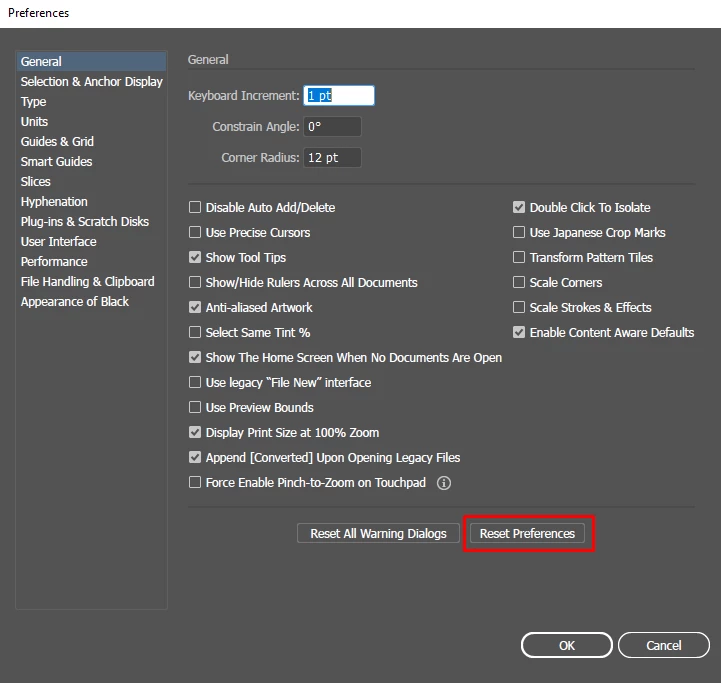
Check out the Troubleshooting issues with Illustrator Preferences article more details.
Feedback and questions:
Reply to this post to share your feedback on this feature, and any questions you have around using it. Our team of experts here will do their best to assist you.
Regards,
Om


 AdChoices