
Participant
May 19, 2017
Question

Resize type - Keep the weight

  • May 19, 2017
  • 2 replies
  • 2115 views

Hello community,

I am looking for some guidance about type/font and its weight when being resized.

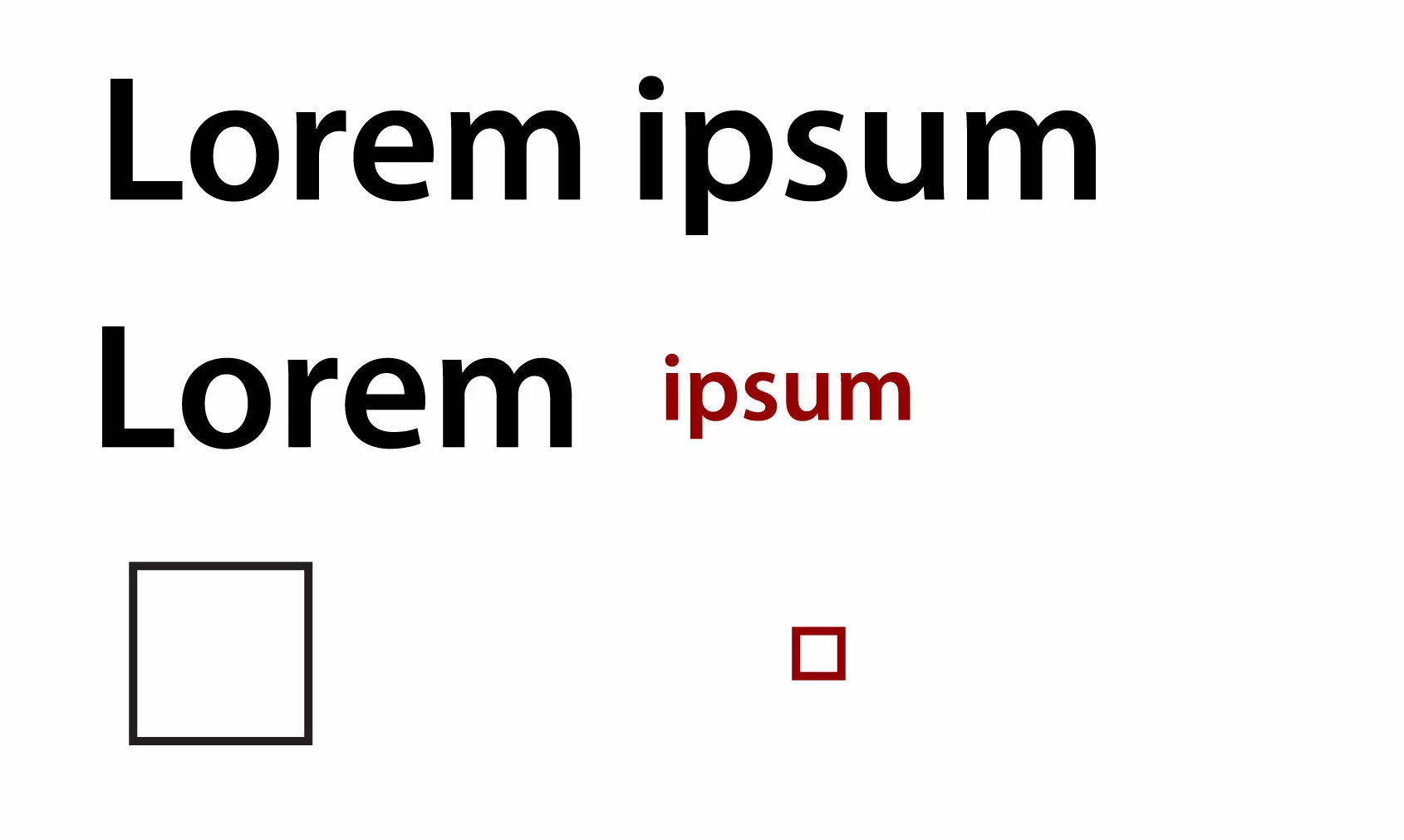
As you will see in my attached mock, I would like to decrease the font size but keep the same weight of the type, much similar to when resizing a stroke.

The stroke keep its weight regardless of the size of the rectangle but the type changes its weight.

Help much appreciated.
2 replies

Participant
May 19, 2017

Thanks guys!!

Its not that I dont like Dan solution. I just wanted to explore if there was any other options than outline/stroke or heavier font weight.

cheers

Mikael

Dan Rodney
Community Expert
Community Expert
May 19, 2017

When you reduce type size, the letterforms get thinner. To increase the thickness, here are two options:

  • Switch to a bolder version of the typeface if one is available.
  • You can fake a thicker appearance by adding a stroke to the scaled down text. It's not ideal, but it can work in some cases. Just keep an eye on the letterforms to make sure they still look good (the thicker the stroke, the worse it can look).
— Adobe Certified Expert & Instructor at Noble Desktop | Web Developer, Designer, InDesign Scriptor
Participant
May 19, 2017

Hi Dan

Thank you for the advise although I was looking for more accurate solution, hence my query. If possible I would like the "convert" the type so I can resize in the same way as strokes.

Thanks

Mikael

Monika Gause
Community Expert
Community Expert
May 19, 2017

You probably can't do what you like.

At least the type will look very awkward after just making it thicker.

Use a different font.