


Question
Resizing artboard skews text/text becomes uneditable
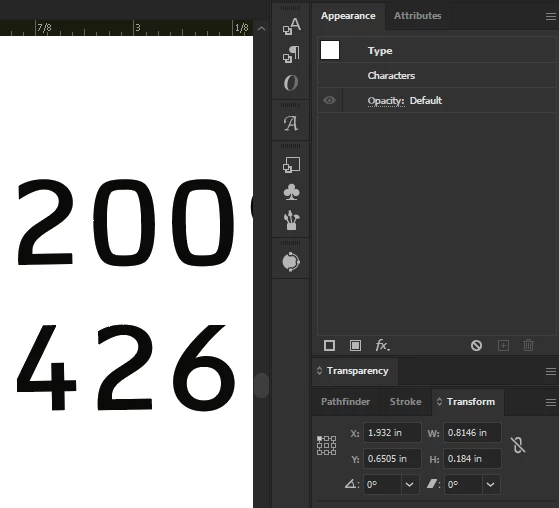
I noticed all of the text in a project has a slight backward slant. This happened once before over the previous month. I can only attribute this to having been the result of resizing the Artboard without constrain proportions enabled and having the Scale artwork with Artboard option enabled, but not sure why that would skew anything. This bothers me - wondering how much previous work has this flaw that I missed…. Anyway, it doesn’t look like the in place text can be fixed… I’m not finding evidence of paths being affected, only text - has anyone experienced this or understand what is causing this, and if it only affects text?
- Selecting the text displays the character properties
- Changing any of the character properties has no affect on the selected text.
- Selecting text using the Type Tool has no affect either, and does not produce the typical cursor displayed when editing text.
- Pressing the delete key deletes one character at a time, and undo does not restore the deleted characters.
- Attempting to type in any of the affected text regions causes Illustrator to freeze, requiring kill process.
- No settings are reflected in the appearance and transform panels.
- Shear is showing 0.
Illustrator 29.3.1
 AdChoices