MahaB82A
Legend
December 28, 2022
Answered

Retaining the drop down menu

  • December 28, 2022
  • 1 reply
  • 601 views

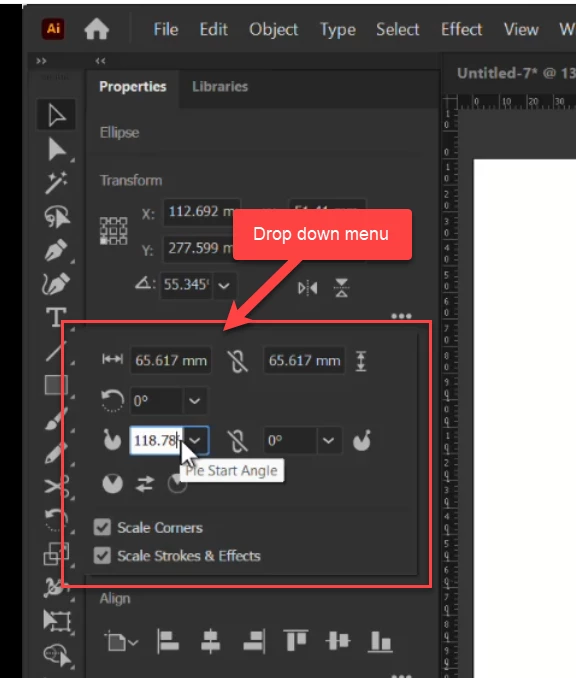
Tranform drop down menu disappears when shape is active. In the artboard when I change the value of the Pie Start Angle by rotating the point on the line, drop down menu disappears. How to retaining the drop down menu?

Retaining the drop down menu


This topic has been closed for replies.
Correct answer Monika Gause

In my file there is a drop down window. But in the tutorial there is no drop down window. I wish to know whether it is possible to have a setup to get rid of drop down window.
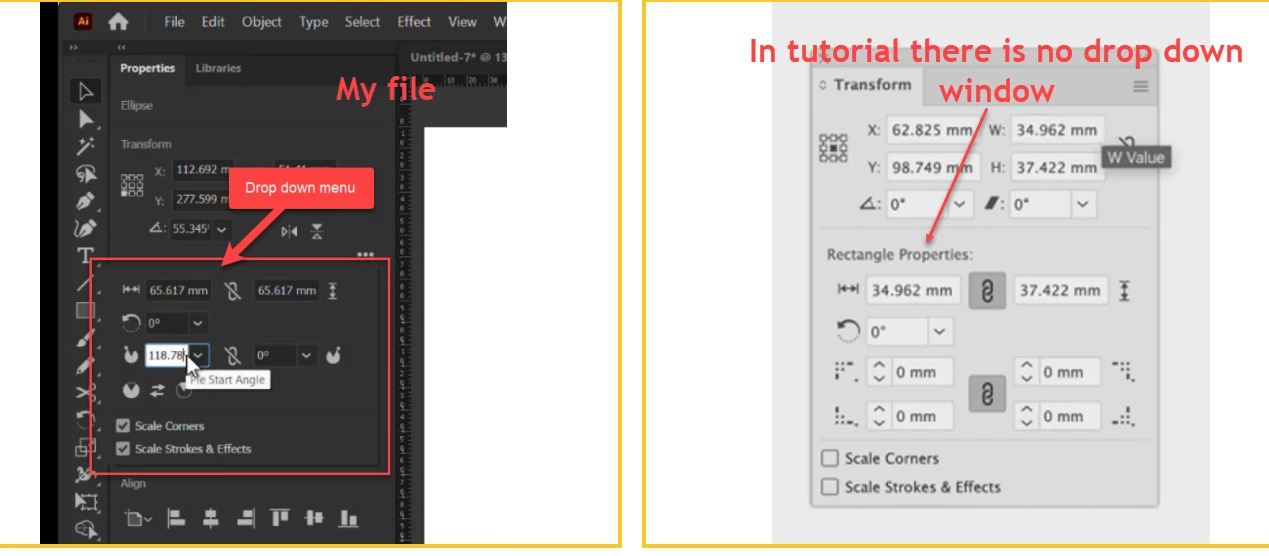


You are still opening the Transform panel from the Properties panel.

Go to Window > Transform to open it.

The Transform panel has a menu in the upper right (button with "Hamburger" symbol). You might need to use it to turn on all options.


Please read about the Illustrator interface here: https://helpx.adobe.com/illustrator/using/workspace-basics.html

and how to customize it here: https://helpx.adobe.com/in/illustrator/using/customizing-workspace.html

1 reply

Monika Gause
Community Expert
Community Expert
December 28, 2022

That's the transform panel.


Window > Transform

MahaB82A
MahaB82AAuthor
Legend
December 28, 2022

There is a drop down window in the transform panel. How to retaining this drop down window?

Monika Gause
Community Expert
Community Expert
December 28, 2022

Dropdowns will always vanish after use.