
teaalixin-
Participant
May 7, 2023
Answered

Right side isn't appearing?

  • May 7, 2023
  • 4 replies
  • 1704 views

Hey,


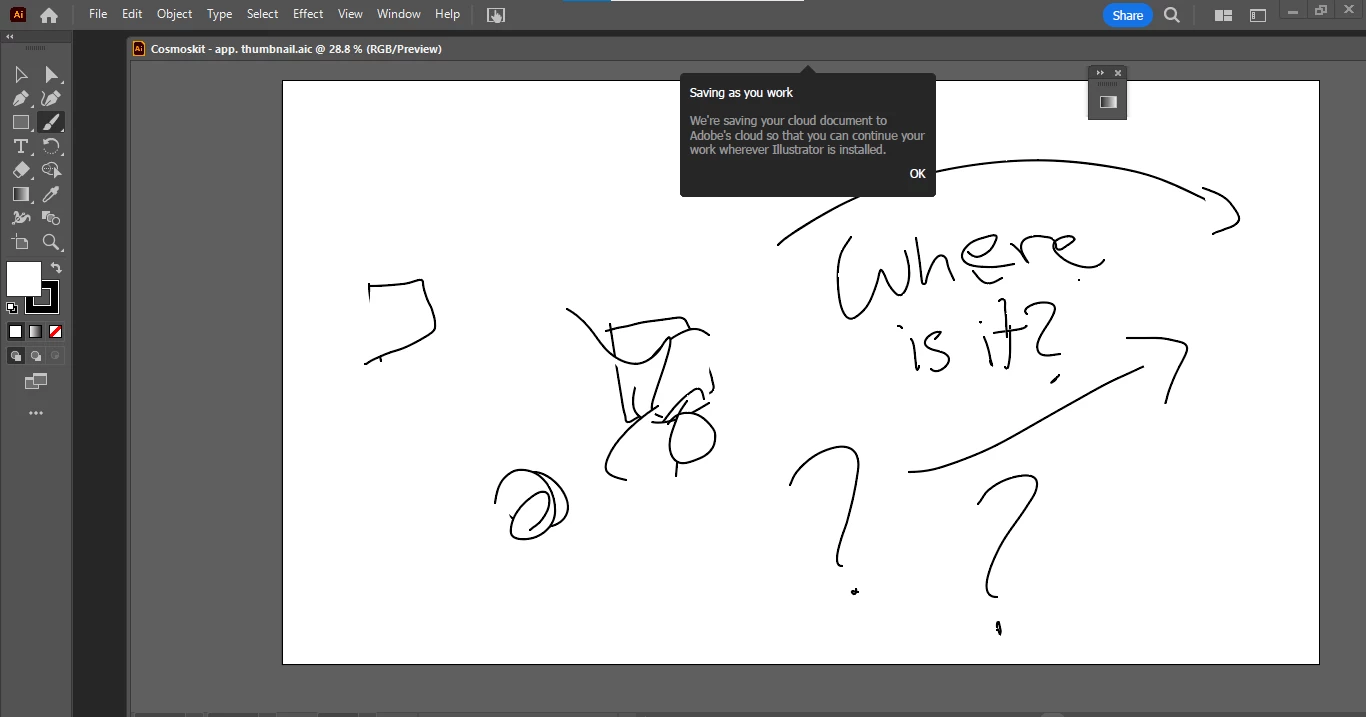
You know how on the right side of the workplace it shows a grey box with options to see the properties, layers of your drawing, or libraries? 


Today that simply dissapeared. Any idea on how to fix it? 


This topic has been closed for replies.
Correct answer teaalixin-

Update: 


First of all, thank you to everyone who tried to fix the problem for me 😊

But finnaly, I figured it out! 

I'll attach the steps so anyone who has the same problem can fix it without struggle. 


- near the blue share button, there are two rectangles. Click the second one. > go through the different workspaces until you find one that brings back your right side > lots of workspaces bring back the right side, but each one does different things, so make sure your on the right one 


Thanks again to everyone who tried to help, and I hope this helps some people in the future! 😁

4 replies

teaalixin-
teaalixin-AuthorCorrect answer
Participant
May 9, 2023

Update: 


First of all, thank you to everyone who tried to fix the problem for me 😊

But finnaly, I figured it out! 

I'll attach the steps so anyone who has the same problem can fix it without struggle. 


- near the blue share button, there are two rectangles. Click the second one. > go through the different workspaces until you find one that brings back your right side > lots of workspaces bring back the right side, but each one does different things, so make sure your on the right one 


Thanks again to everyone who tried to help, and I hope this helps some people in the future! 😁

Participant
May 8, 2023

I was having the same issue, try Edit > Preferences > General > Reset Preferences


not sure if you have custom workspaces so it might erase those but it brought back the left side for me

Monika Gause
Community Expert
Community Expert
May 8, 2023

Maybe you need to consolidate the Windows?

teaalixin-
Participant
May 9, 2023

I would love to try that, but I'm actually not sure what you said means. Could you give me a brief explanation on what to click? 🙂

Ton Frederiks
Community Expert
Community Expert
May 7, 2023

Maybe Window > Workspace > Reset Workspace helps?

teaalixin-
Participant
May 7, 2023

It didn't work,, thank you for trying though ❤️ 

Ares Hovhannesyan
Community Expert
Community Expert
May 8, 2023

Try Reset Preferences from Preferences Panel
