


Participant
December 4, 2025
Question

Risco Branco na exportação em Mockups nas versões mais novas

  • December 4, 2025
  • 1 reply
  • 62 views

Comparação, Nota-se a existência de uma linha branca

Tudo bem pessoal? Venho enfrentando esse problema desde versões que vieram pós a 28.4.1 com meus mockups.
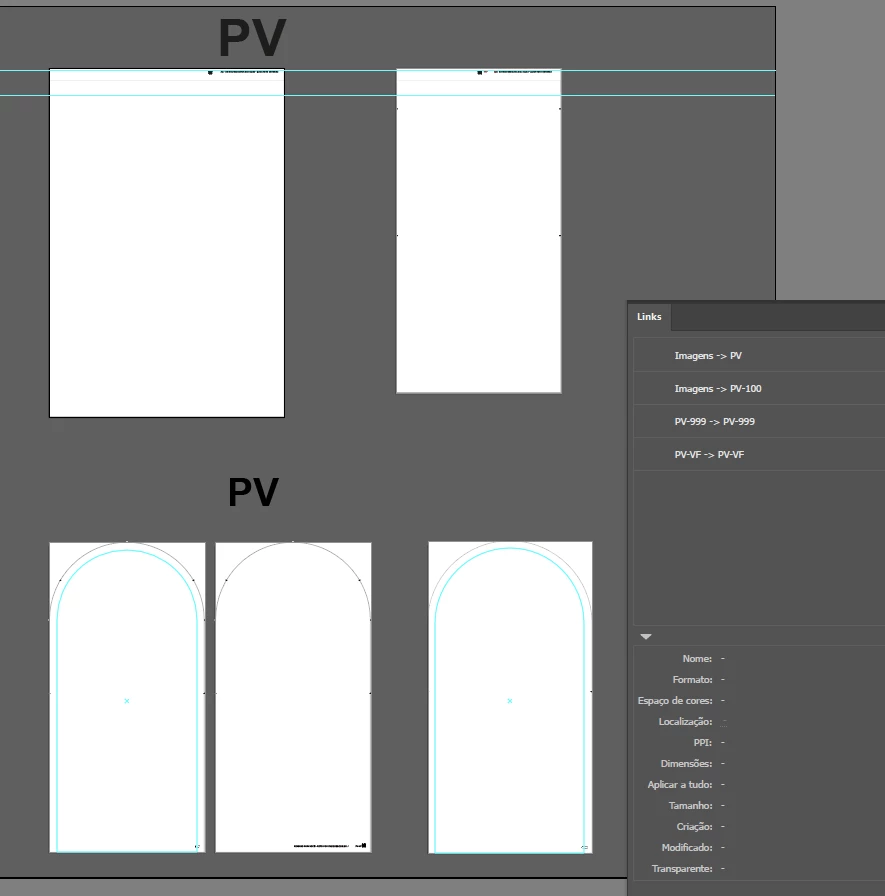
Captura de tela 2025-12-04 105417.png

Como podem ver, eu rasterizei algumas formas nas medidas originais dos arquivos que utilizo no trabalho, e depois de rasterizadas fiz cópias baseadas no tamanho que são impressas para agilizar o processo e não precisar redimensiona-las toda vez. Usando a versão 28.4.1 e anteriores, o processo segue sem problemas, após exportar as imagens estão prontas, porém pós esta versão, os arquivos que eu exporto seguindo essa receita começaram a vir com linhas brancas que não são visiveis dentro do programa, apenas após exportar.
Noto também, que isso não acontece caso eu tente exportar imagens diretamente colocadas no Illustrator, mas acontece com qualquer mockup criado a partir de uma forma rasterizada, alguém sabe me dizer o que é?

1 reply

Abhishek Rao
Community Manager
Community Manager
December 4, 2025

Hi @Pedro32802811mvk0,

Thank you for sharing the detailed screenshots, and I completely understand how frustrating it is to see those white lines i the export. I tried rasterizing and exporting(both to .PNG and .JPG) on my side using the latest Illustrator build, but I wasn't able to reproduce the issue yet.

To help narrow this down, could you please confirm the exact Illustrator version you are currently using along with your Windows or macOS version. It would also be helpful to know if this happens with all mockups or only specific ones. If it is specific, please share one sample file, so we can test it here.

In the meantime, try toggling GPU Performance in Illustrator Preferences and let me know if that makes any difference in the export result.

Also, if possible, please share a screenshot of your export settings, so I can match the same workflow and check further.


Looking forward to your update.

Abhishek