stacys94042621
Participant
November 3, 2020
Answered

Rotate canvas in Illustrator

  • November 3, 2020
  • 2 replies
  • 3791 views

Hi Adobe,


Some great new CC updates. Still can't rotate the canvas in Illustrator though, why is that one so difficult? Photoshop, check, InDesign, check, Illustrator, nope, not important.


Arg.

This topic has been closed for replies.
Correct answer rama_ai11751598

If you do not want unintended rotation of the artboard, you can revert the same by pressing Esc. key

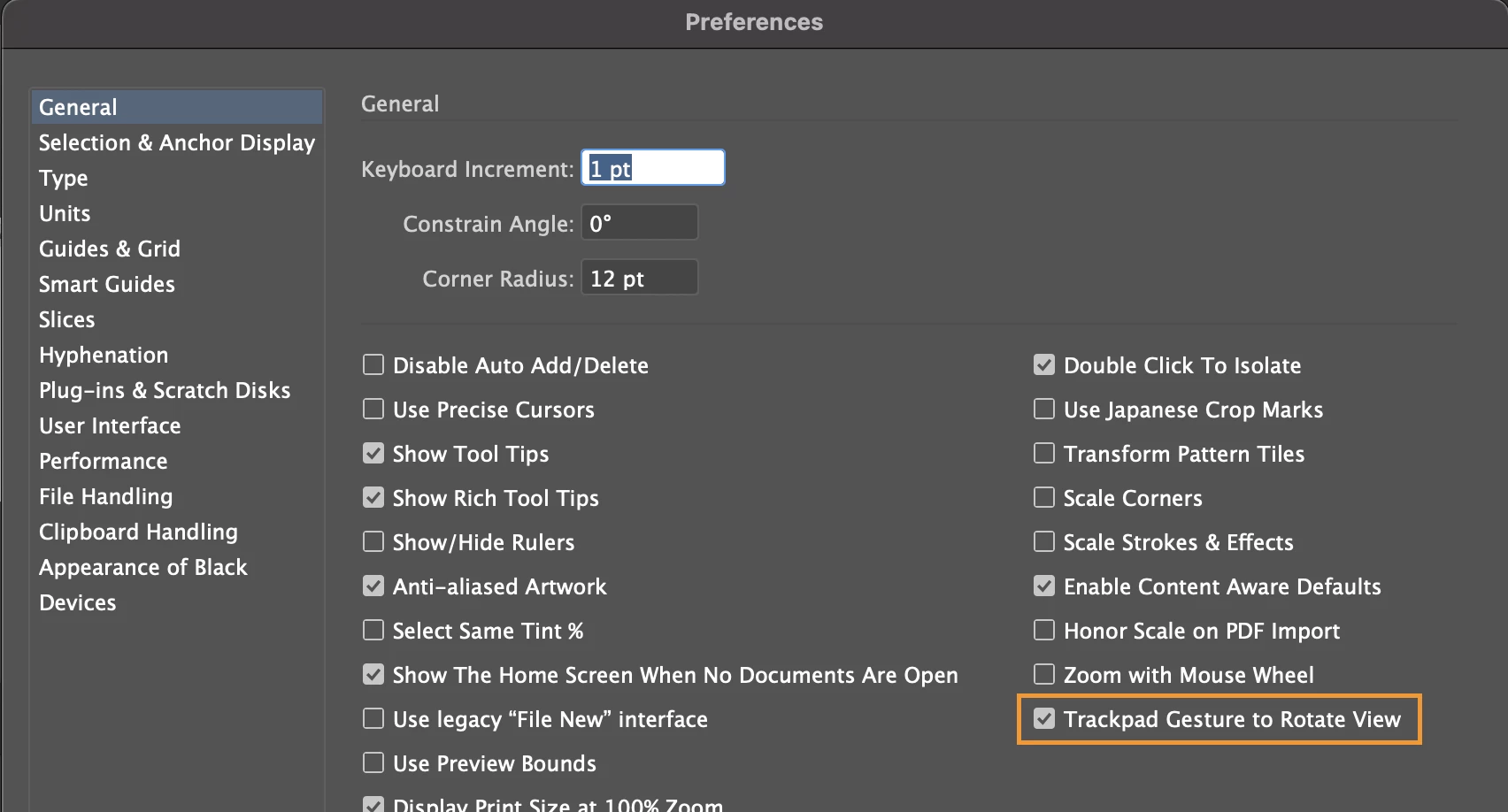
If you do not use Rotate Canvas in your workflow then you can disable the preference to Rotate the canvas through track pad with Edit > Peferences > General and uncheck "Trackpad Gesture to Rotate View". This preference is available in AI 25.4 and above
 

2 replies

rama_ai11751598
Community Manager
Community Manager
June 24, 2021

This feature is now part of Illustrator 25.3.1 release available in Creative Cloud Desktop from 21 June 2021 - https://helpx.adobe.com/in/illustrator/using/rotate-view.html

stacys94042621
Participant
June 24, 2021

Finally! woot! So happy this is finally here, it's such a game changer for packaging. Still some bugs to work out but well done.

Participant
August 23, 2021

I totally understand this can be helpful for package designers, but is there a way to turn this off. I've again just wasted time trying to understand what I accidentally touched to rotate my canvas back, and now I don't know how to make it exaclty at 0 degrees without re-doing a bunch of work from my previously saved document. 

Myra Ferguson
Community Expert
Community Expert
November 3, 2020

The good news is the Illustrator Team is working on it. You can upvote and add your comments to the feature request here:  https://illustrator.uservoice.com/forums/333657-illustrator-feature-requests/suggestions/19196641-illustrator-rotation-of-the-artboard. There's also an update about it there from Avinash Singh Kotwal, Senior Product Manager for Adobe illustrator.