


Participant
July 3, 2026
Question

Rotate perspective grid (two-point perspective)

  • July 3, 2026
  • 1 reply
  • 29 views

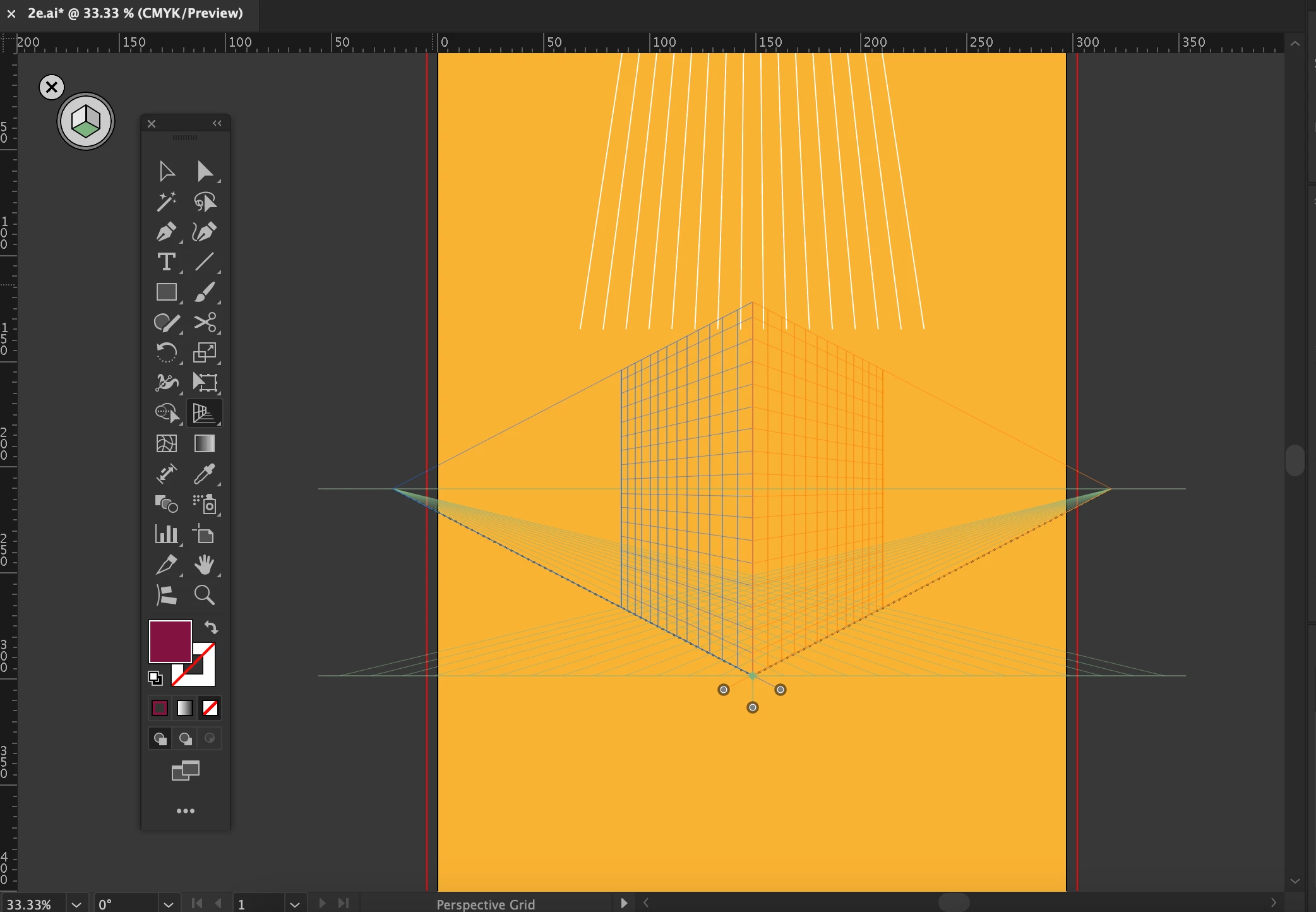
Hi, hoping someone can help, is there any way to rotate the perspective grid in illustrator using 2 point perspective? When in 2-point perspective the “non perspective” plane is default up and down, I need this “non perspective line” i.e the straight plane to be left and right which would put the vanishing points top and bottom rather than left and right. 


For further clarification if you see the image attached below id need the grid to be rotated 45degs to match my images perspective. Ive been using the perspective grid for so long now and there really doesn’t seem to be an option to sort such basic functionality. Thanks!
 

1 reply

Monika Gause
Community Expert
Community Expert
July 3, 2026

I don’t think I understand this, sorry, can you sketch it?


If nothing helps, can you rotate the canvas? and then draw that way and when you’re done, make a copy of everything and just use it without perspective?

Participant
July 3, 2026

Thanks for the reply! Currently the vanishing points are left and right- as standard in Adobes 2-point perspective grid preset, in 2-point perspective you have 2 out of 3 possibly planes that recede towards the horizon, the 3rd on that doesn’t stays straight. 

With the default 2-point perspective grid the vanishing points are left and right which means the up/down plane (Y axis) is straight. However I need the vanishing points to be top and bottom and the “fixed’ plane to be the X axis (left to right). If you just look at the screen shot above then rotate the grid 90degs you’ll see what I mean.

I have thought of rotating the image and working this way but that would make me lose all feel for the piece as this is really not optimal. This really is such basic cad perspective implementation id be astounded if Adobe haven’t implemented a way to do this?