
Rotation precision issue (MINDF*** LEVEL = 10/10)
Hi Guys,
I'm reaching out to you because I'm struggling with a problem. Here's the data:
1. I have a set of three circles (diameter 485 mm, 490 mm and 495 mm) that are dead-on concentric. Ruler has been zeroed on the center.
2. Their sizes are evenly distributed: +5mm in diameter each time, so 0.25mm in radius from one to the next. This means, the space between the inner and outer circles is 5 mm.
3. There's another small circle at 3 o'clock (5mm in diameter) whose center is vertically aligned with the center of the three big circles.
- THE GOAL: I need the small circle to be positionned 8° above his original 3 o'clock position, following the perimeter of the circles, so that the small circle remains exactly between the inner and outer circles.
- THE PROBLEM: When i realize a parametric rotation of 8° using the center of the three circles, the small circle is slightly OFF the inner and outer circles (see printscreens). IT DOESN'T MAKE ANY F SENSE: everything is correctly aligned and concentric. All three circles are perfectly round. THIS IS DRIVING ME MAD. This will be laser cut parts that need to be perfectly concentric, that's why I need precision.
MY PROCESSS
1) Overall situation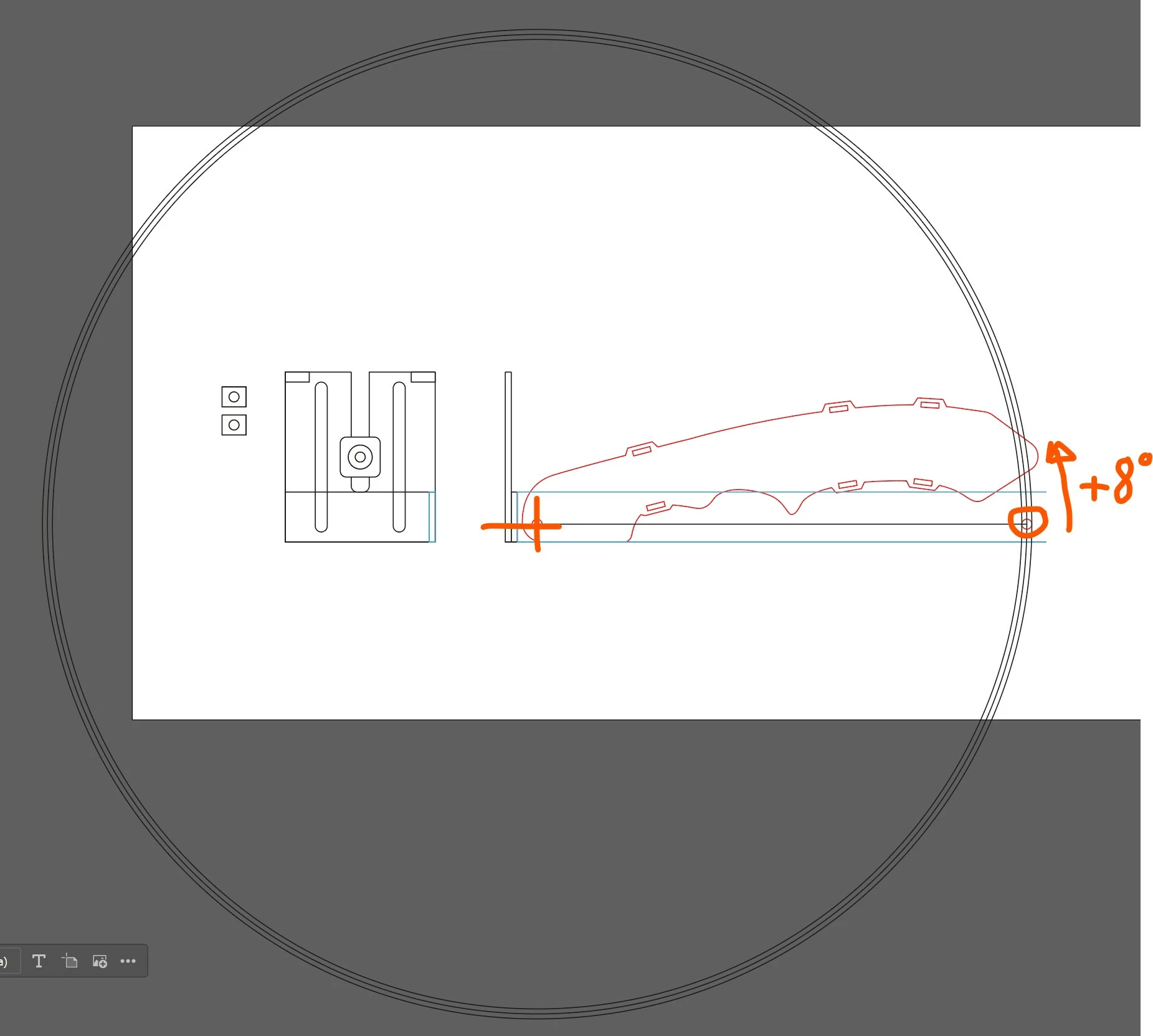
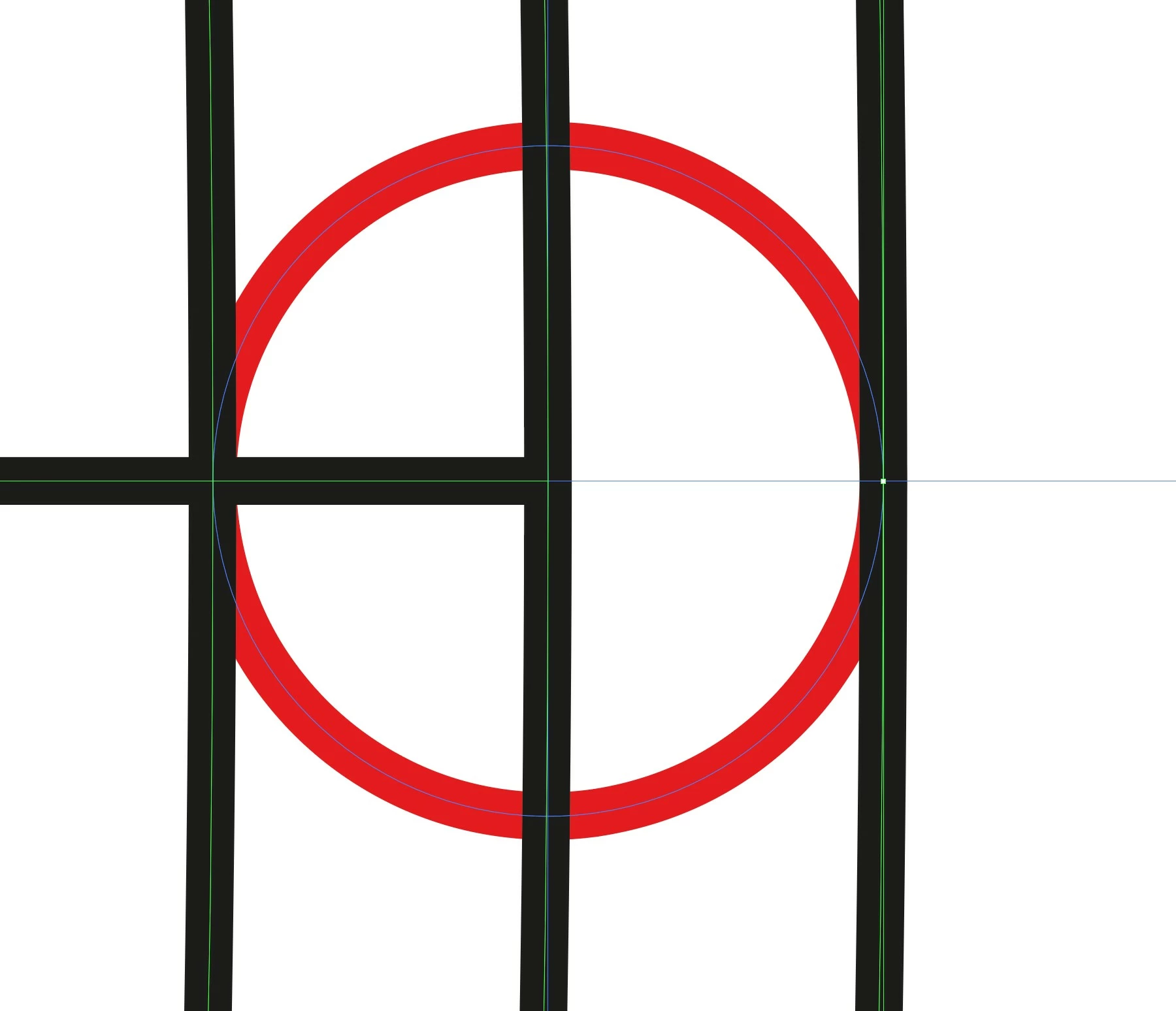
2) Small circle starting point: perfectly aligne between the inner and outer circles.
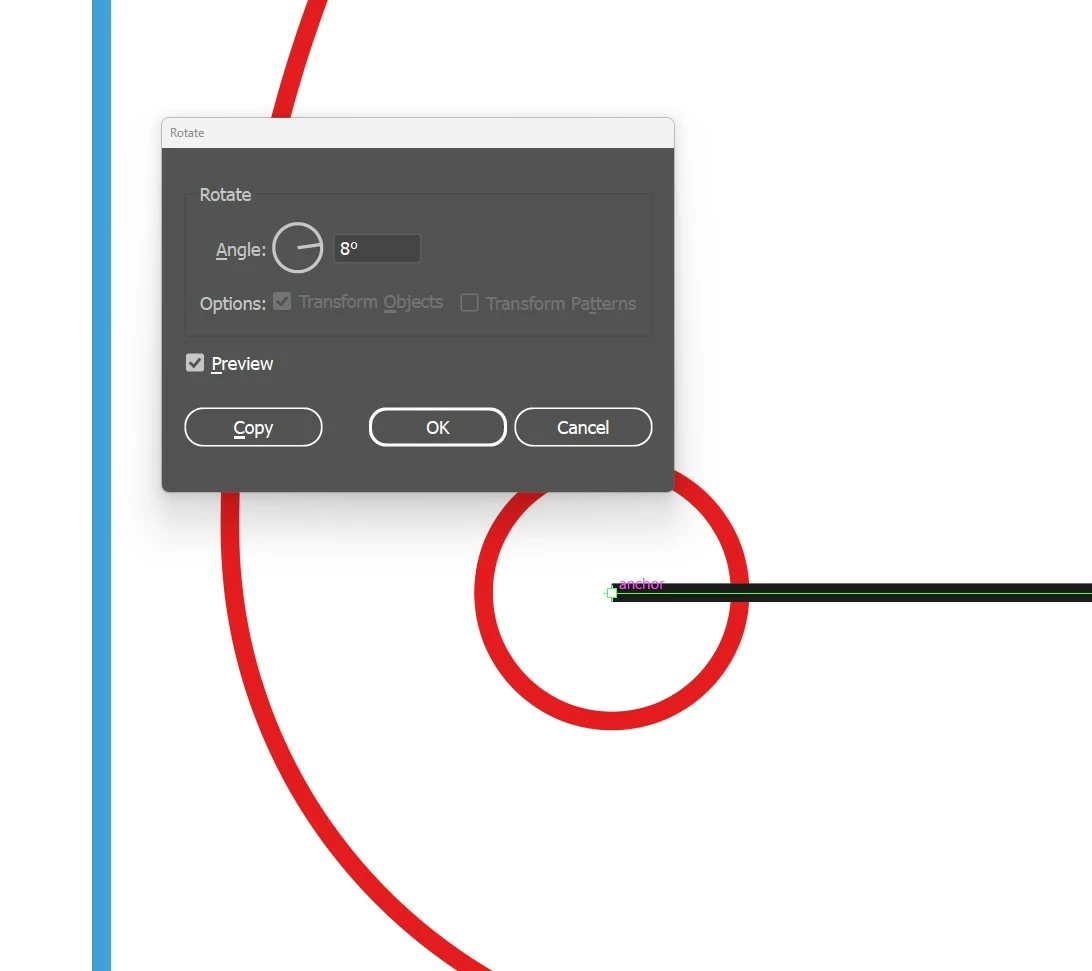
3) I select the small circle, select the rotation tool and ALT-CLIC on the origin of the three circles, set 8 degrees and clic OK.
4) the small cercle seems to be at the right location at first glance but when you zoom, you see it's off.
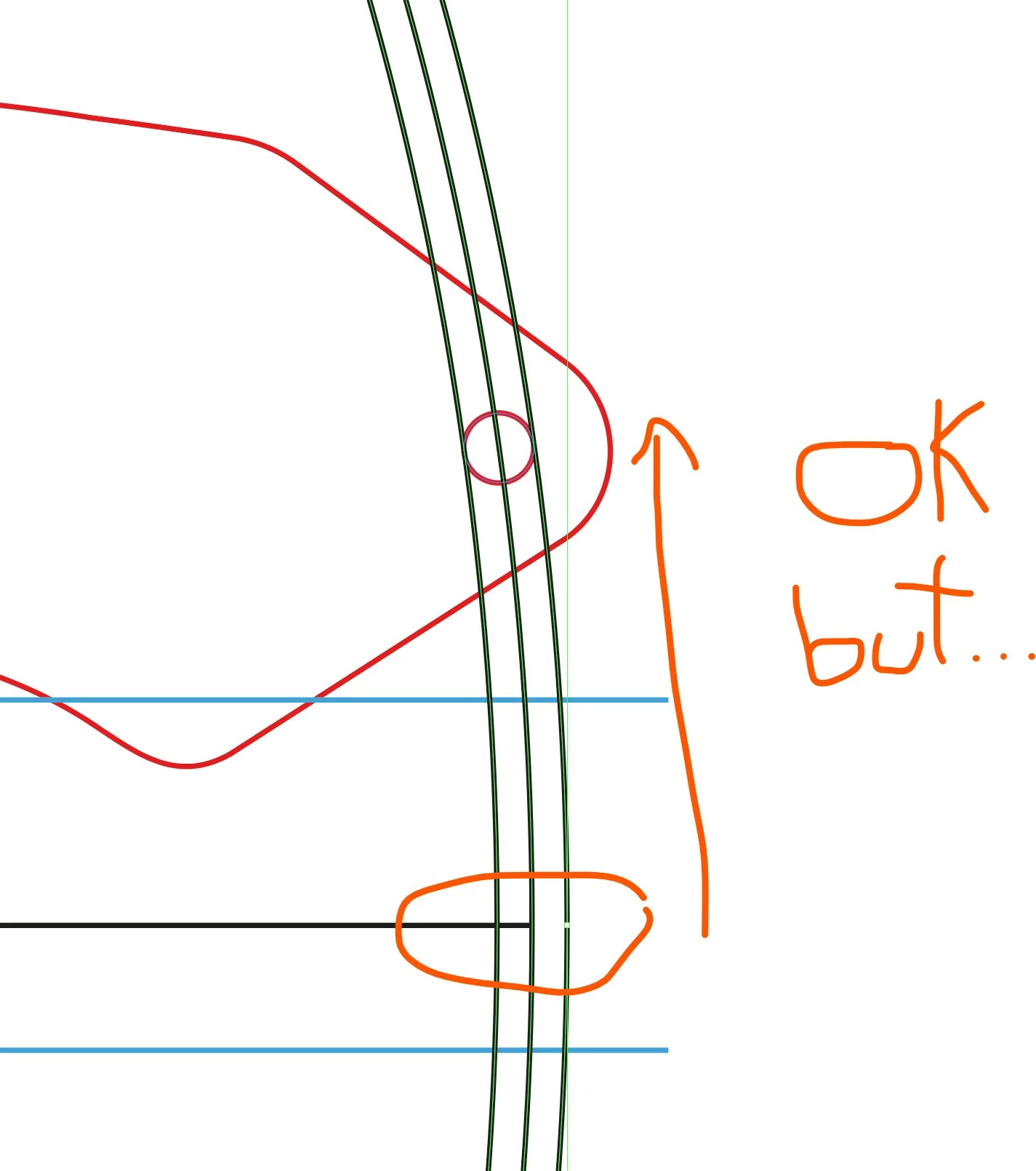
5) the result: I tried everything...
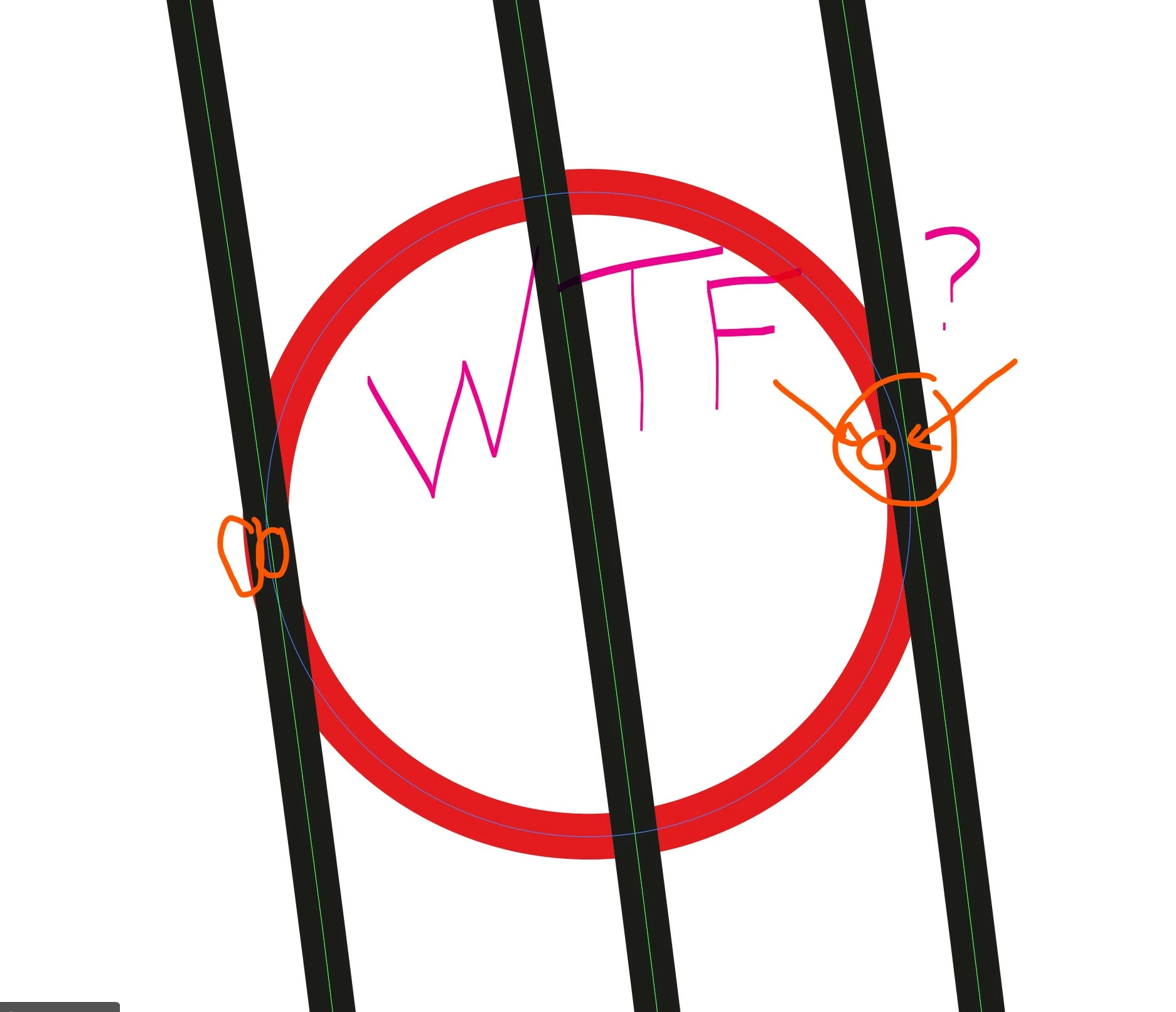
Can somebody tell me WHY is it? I just don't understand and I've tried other rotation methods, grouping the small circle with a straight horizontal line etc. Nothing works.
My conclusions: either I'm missing something super obvious or there's something wrong with Illustrator. PLEASE HELP ME!!! Thanks in advance!
[abuse removed by moderator]


 AdChoices