Participant
September 17, 2025
Answered

Rotational grid vortex

  • September 17, 2025
  • 1 reply
  • 187 views

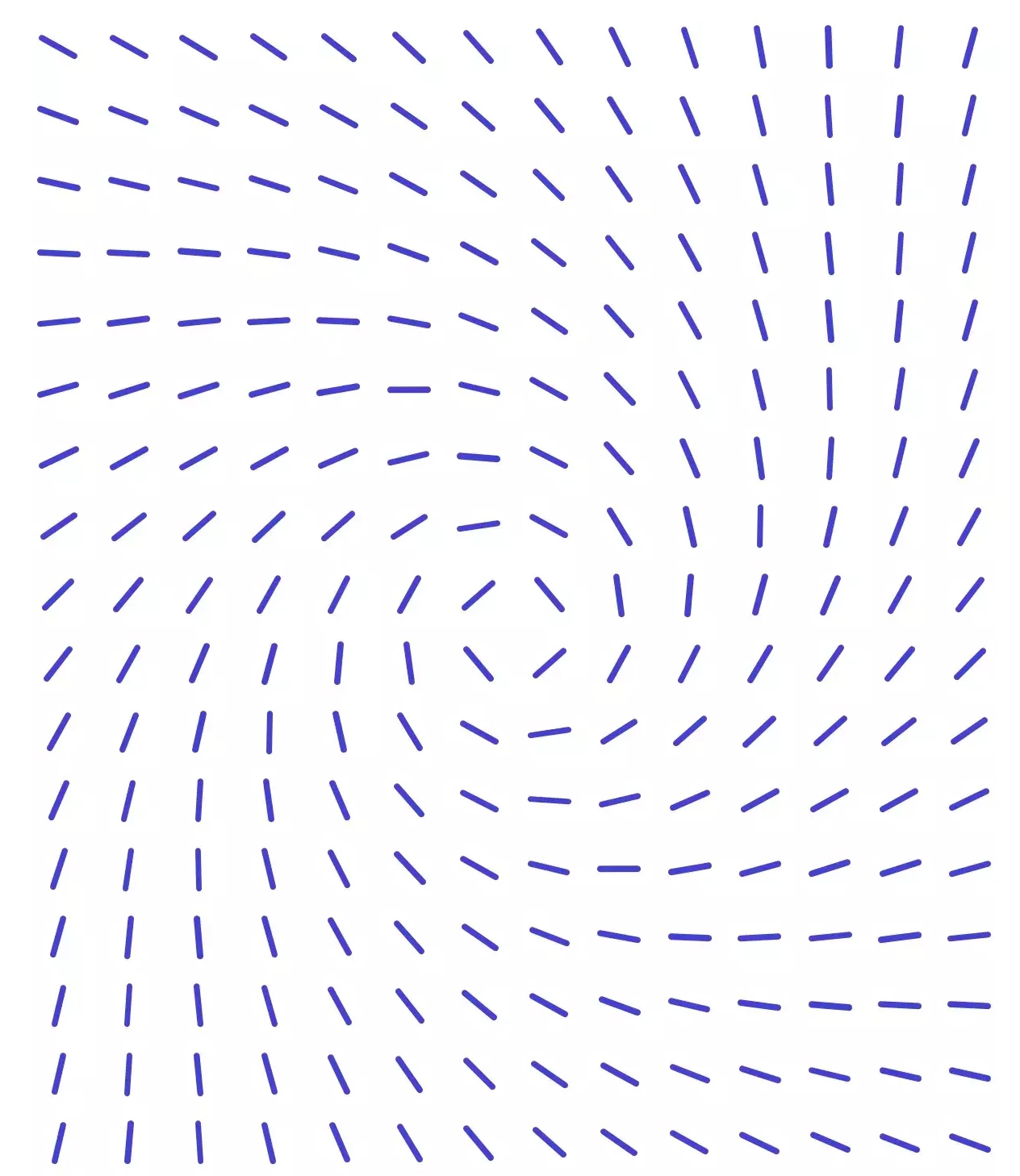
Can anyone tell me how I can achieve the efffect shown in the attached image in Illustrator?  Rather than rotate each dash individually it would be good to be able to find a quicker easier way.

Correct answer Ton Frederiks

You can use a Blend with spacing set to a specified number of steps for the top row (you can set that in the Blend optiond before you make the blend.)

Duplicate the result and rotate it 180 degrees for the bottom row.

Expand the Blends and ungroup the results.

You need to manually blend the top and bottom items for each column (check where to click for the right result start of the line in the top row, end of the line in the bottom row).

Expand the Blends, Select All , Ungroup All

Object > Shape > Convert to Shape.

In the Transform Panel give them al the same line lenght in the Line Properties section.

1 reply

Ton Frederiks
Community Expert
Ton FrederiksCommunity ExpertCorrect answer
Community Expert
September 18, 2025

You can use a Blend with spacing set to a specified number of steps for the top row (you can set that in the Blend optiond before you make the blend.)

Duplicate the result and rotate it 180 degrees for the bottom row.

Expand the Blends and ungroup the results.

You need to manually blend the top and bottom items for each column (check where to click for the right result start of the line in the top row, end of the line in the bottom row).

Expand the Blends, Select All , Ungroup All

Object > Shape > Convert to Shape.

In the Transform Panel give them al the same line lenght in the Line Properties section.

rusjohnsAuthor
Participant
September 19, 2025

Thanks so much Tom, that worked perfectly...genius!!!


Ton Frederiks
Community Expert
Community Expert
September 19, 2025

Good to hear that helped.
