
Known Participant
August 29, 2023
Answered

Rounding only specific corners using the Effect > Stylize > Round Corners

  • August 29, 2023
  • 1 reply
  • 734 views

Hi there,


I am trying to create an isometric rectangle with only 2 corners rounded.


When I go to Effect > Stylize > Round Corners, i only have the option to round all of them .


This is what I have:
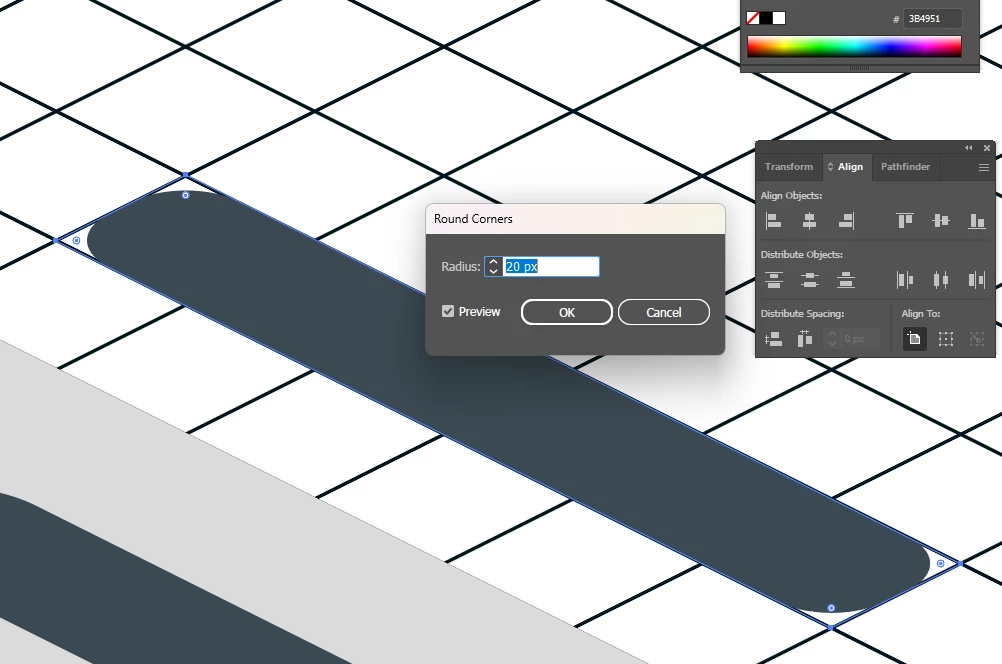


What is the best way to acheive something like this:
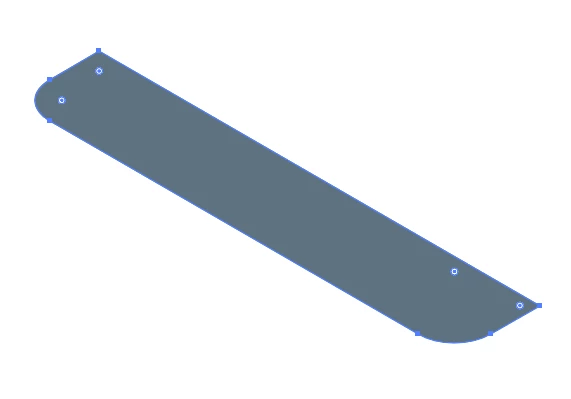
I only want to round the bottom left and bottom right corners. If I drag the corner node, it doesn't keep the perspective.


Any suggestions as to what to do?


Many thanks!


This topic has been closed for replies.
Correct answer Ton Frederiks

I see, thank you.


Where do I find this option? I have looked under Object > Rotate.


Also, I'm guessing it would be easier to traw the object "flat"/ straight and then apply this rotation effect to create the isometric effect?


Thanks!


Just create a rectangle and use: Effect > 3D and Materials > 3D  (Classic) > Rotate (Classic)... > Position Isometric Top.


1 reply

Ton Frederiks
Community Expert
Community Expert
August 29, 2023

Instead of the round corners effect, you could use the regular round corners for only these two corners and apply the classic 3D Rotate > Isometric Top.

Ton Frederiks
Community Expert
Community Expert
August 29, 2023

Known Participant
August 29, 2023

I see, thank you.


Where do I find this option? I have looked under Object > Rotate.


Also, I'm guessing it would be easier to traw the object "flat"/ straight and then apply this rotation effect to create the isometric effect?


Thanks!