
Participant
May 24, 2022
Answered

Run existing script from command line or any other automated way

  • May 24, 2022
  • 1 reply
  • 2833 views

I have an existing script that works great.  The current steps are: Open Illustrator, click File -> Scripts to run the script, copy a string of parameters from an external source,  paste values in a text field and click Done.  Below is a screenshot of this dialog:
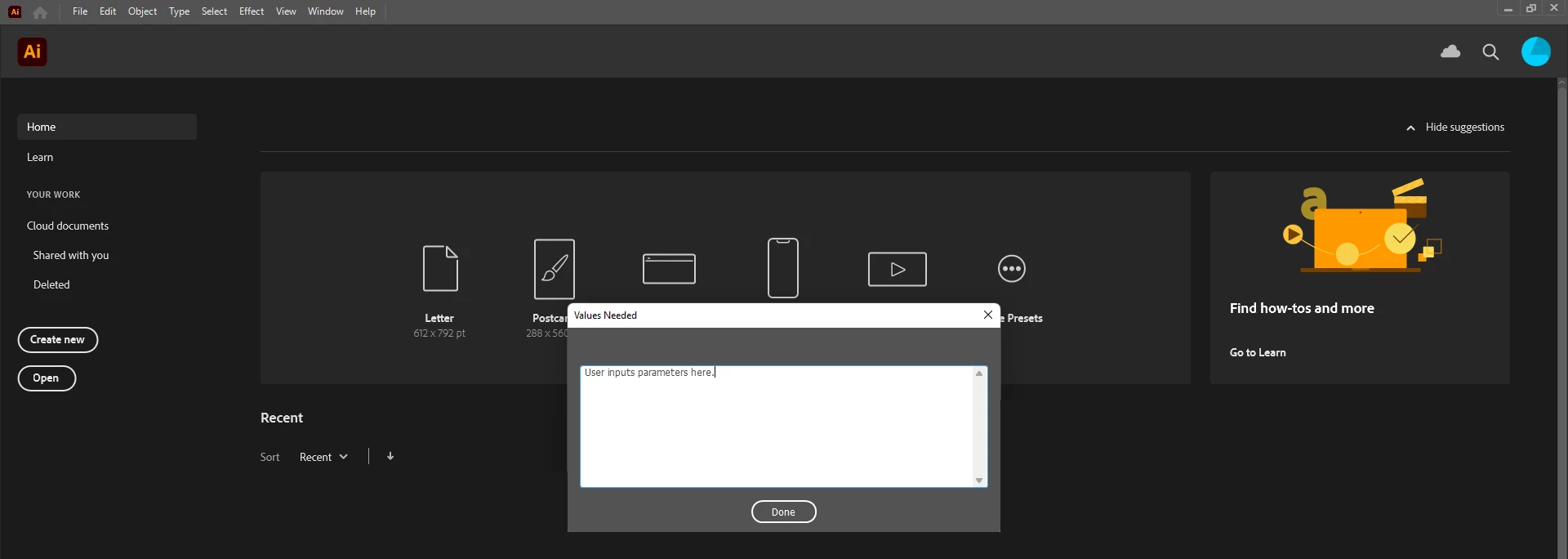
While the script is working great, it is still a manual process to do the ~10 clicks to open Illustrator, run the script, provide it with values and wait the ~5 seconds for the script to finish.  Ideally at night the computer itself would be able to do all of these steps. 


*As the script is now, the provided values get passed into a function so the dialog part can easily be skipped when automated.


Windows 11 64-bit

Illustrator 25.4.6


Thanks.

This topic has been closed for replies.
Correct answer m1cmdrpitch

I did come across that link that you provided and I felt that I needed to ask a much simpler question to get a much simpler answer before digging into the extremely well detailed posts within that thread.


Your post most certainly got me in the right direction, because of it I ended up in the "Photoshop Ecosystem" where there was a thread that basically provided what I was looking for.  Here is the link that has a great example of the VBS calling script as well as the JSX called script.


Solved: Re: Passing arguments to the jsx file from command... - Adobe Support Community - 1087954


Even though I used the link's implementation I did snag the syntax you provided to do a sleep before the appRef.DoJavaScriptFile call, I need to do a sleep for ~10 seconds as Illustrator boots up otherwise the script does not run correctly.


Thanks, couldn't have come up with the answer without your post.

1 reply

Community Expert
May 25, 2022

I used a VBScript with a timer to execute a jsx in Illustrator periodically. You can take that reference and either create a cron job or use the timer as I use. You will have to launch the vbs once. I am quoting my code below to give you an idea


Set appRef = CreateObject("Illustrator.Application")
scriptdir = CreateObject("Scripting.FileSystemObject").GetParentFolderName(WScript.ScriptFullName)
'Change the value of inPath and outPath to absolute value of the path if needed
arg1 = "input args one"
arg2 = "input args two"
While 1
appRef.DoJavaScriptFile scriptdir + "\\cron.jsxbin", Array(arg1, arg2)
WScript.sleep 300000	'Time in milliseconds
Wend


Simliarly you can stitch something up using Applescript on a MAC. See the following post as well, this might be interesting

https://community.adobe.com/t5/illustrator-discussions/2-questions-how-to-run-a-script-from-windows-command-and-how-to-run-a-script-within-an-action/m-p/10951958#M167847

If it works you can wrap the command up in a shell script and the create a cron job.

I hope these ideas get you on path to something that will work for you

-Manan

-Manan
m1cmdrpitchAuthorCorrect answer
Participant
May 25, 2022

I did come across that link that you provided and I felt that I needed to ask a much simpler question to get a much simpler answer before digging into the extremely well detailed posts within that thread.


Your post most certainly got me in the right direction, because of it I ended up in the "Photoshop Ecosystem" where there was a thread that basically provided what I was looking for.  Here is the link that has a great example of the VBS calling script as well as the JSX called script.


Solved: Re: Passing arguments to the jsx file from command... - Adobe Support Community - 1087954


Even though I used the link's implementation I did snag the syntax you provided to do a sleep before the appRef.DoJavaScriptFile call, I need to do a sleep for ~10 seconds as Illustrator boots up otherwise the script does not run correctly.


Thanks, couldn't have come up with the answer without your post.