
Known Participant
November 30, 2020
Answered

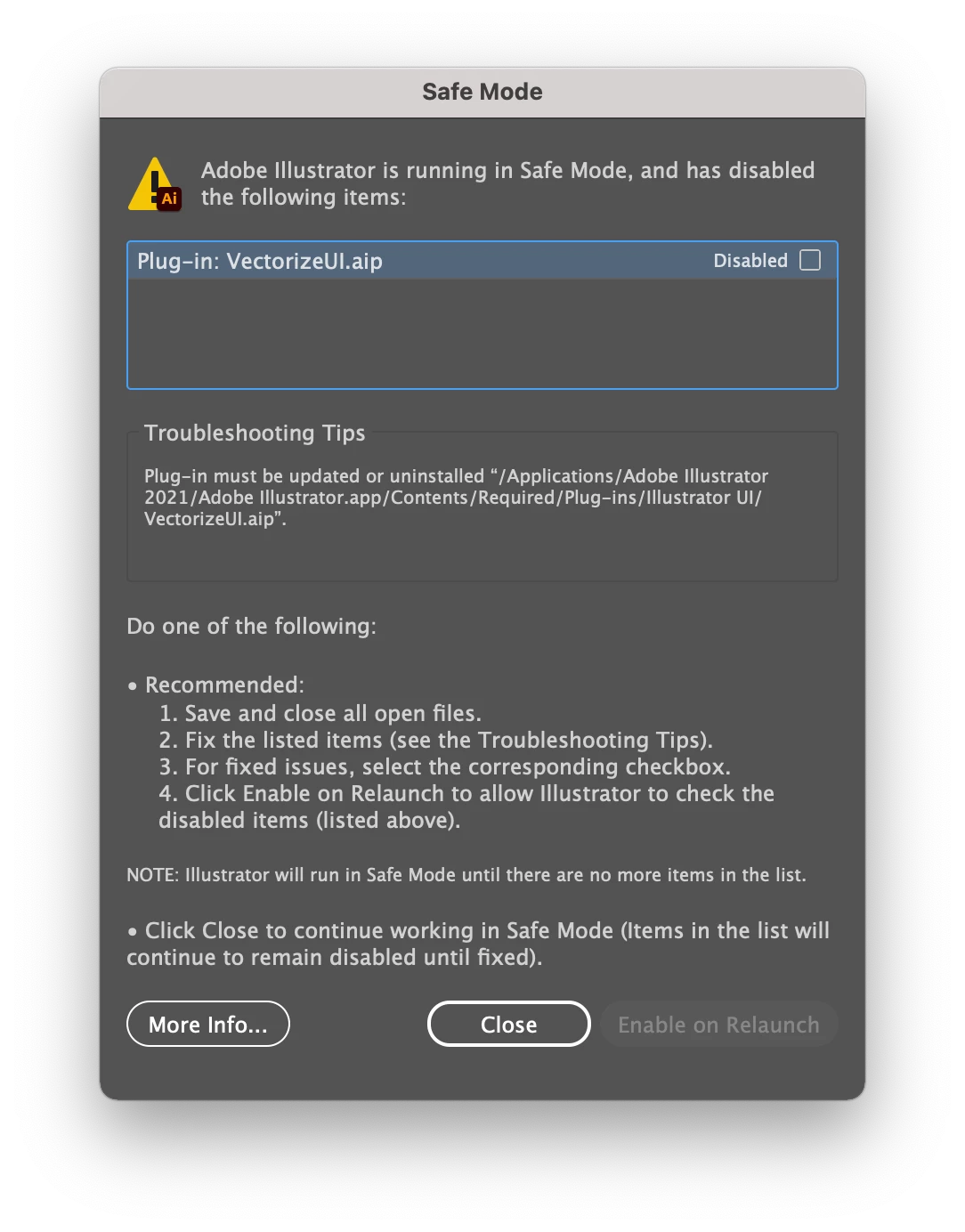
Safe Mode on Startup - Due to VectorizeUI.aip Plugin

  • November 30, 2020
  • 1 reply
  • 3204 views

Every time I start up Illustrator in the past week or two I get this popup dialog saying that there is an issue with the plugin VectorizeUI.aip and that it must be updated or uninstalled. In the meantime my Illustrator will run in Safe Mode. I don't have any updates available in Creative Cloud app. Can anyone offer support on how to find an update or how to properly uninstall this plugin?
 

This topic has been closed for replies.
Correct answer Monika Gause

There have been a lot of reported issues with Big Sur in the forum.

You might try and search for the cause in your system (some old extension or driver, most of the time). You might try and reset the preferences or even uninstall, run the Creative Cloud Cleaner tool and reinstall.

You might also try and contact Customer Care. They can log in to your system and check it out.

https://helpx.adobe.com/contact.html

1 reply

Monika Gause
Community Expert
Community Expert
November 30, 2020

Which version?

Which system?

Did you change anything in that time?

bryanuaAuthor
Known Participant
December 1, 2020

Hi @Monika Gause thanks for your reply. I'm using the latest available versions to me of both Illustrator (v 25.0.1) and MacOS (11.0.1). I have not changed anything, no.

Monika Gause
Community Expert
Monika GauseCommunity ExpertCorrect answer
Community Expert
December 1, 2020

There have been a lot of reported issues with Big Sur in the forum.

You might try and search for the cause in your system (some old extension or driver, most of the time). You might try and reset the preferences or even uninstall, run the Creative Cloud Cleaner tool and reinstall.

You might also try and contact Customer Care. They can log in to your system and check it out.

https://helpx.adobe.com/contact.html