Participant
November 3, 2016
Question

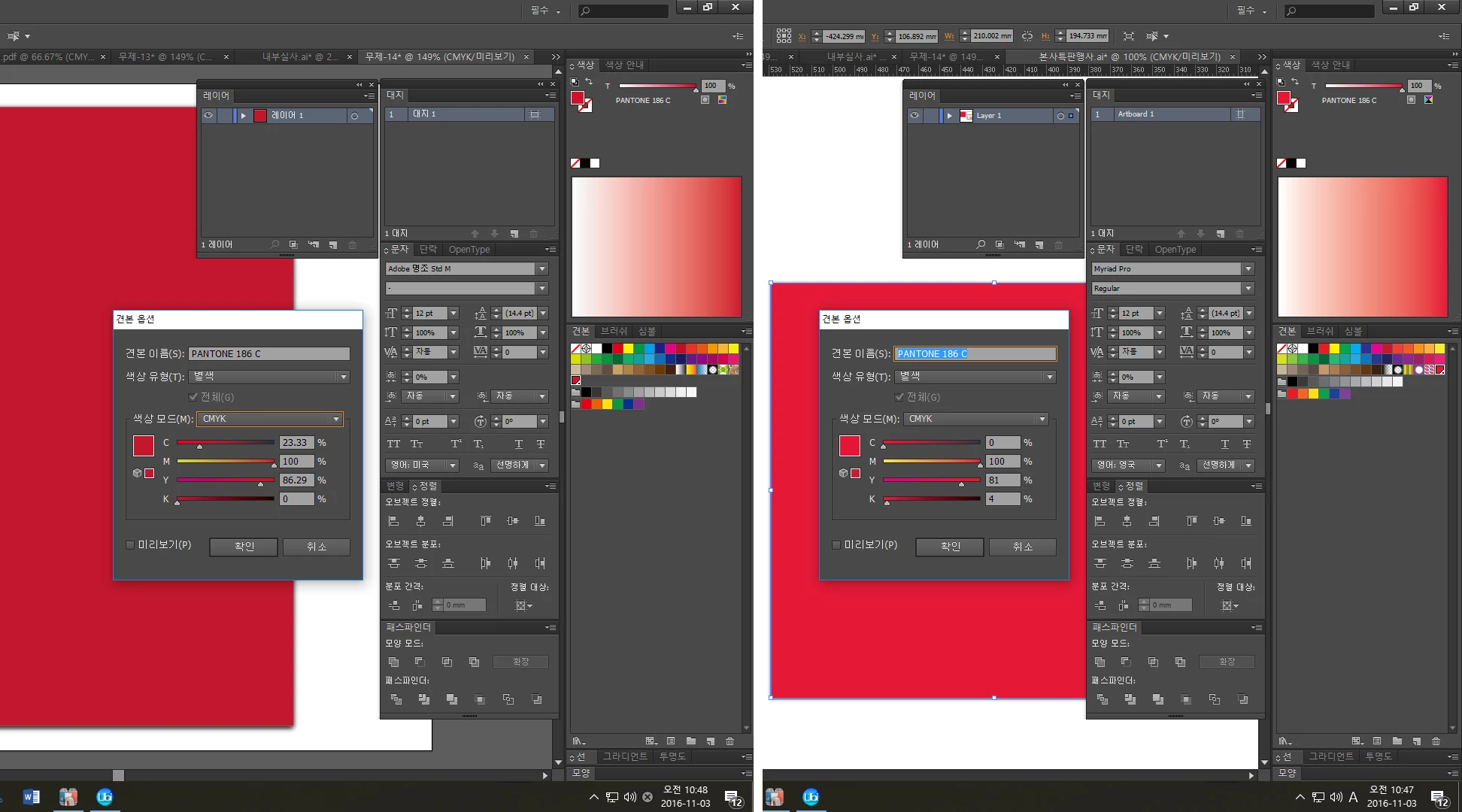
Same PC and program but different Color value

  • November 3, 2016
  • 2 replies
  • 800 views

I'm using Window10 and illustrator cs6.

We use specific colors on every works like every company.

But I have a problem.

We seted some PANTONE chips for our identity color.

After I changed my computer, I realized colors are pretty different compare with works before i changed

So I checked the color value, and I saw CMYK value was different

How can be this happen?

I thought color chips have intrinsic value but why it doesn't

So I'm really confused, somebody please help me

I really can't figure out what's wrong.

thank you for reading.

( When I open the file which wasnt made from this PC, Color value is right, but If I copy the color and paste on new file,

  same color chip's value change. It's rediculous. )

This topic has been closed for replies.

2 replies

Ton Frederiks
Community Expert
Community Expert
November 4, 2016

Your files were created in an older version of Illustrator.

Pantone used to give fixed CMYK values for their colors.

That's what you see in your older file.

Nowadays (I believe since CS6) these fixed CMYK values are no longer provided by Pantone, but the CMYK conversion is based on the CMYK color profile from you Color Management settings.

That's what you see in your newer file.

See:

Pantone Plus color libraries

Mylenium
Legend
November 3, 2016

You need to read up on color management and how it effects color conversions, even if only for monitor preview. Otehrwise there's nothing to worry - spot colors are based on fixed formulas, even if they appear different o ndifferent screens, which is the whole point. however, for a proper print woirkflow you really should learn about CM.

Mylenium

heypinAuthor
Participant
November 4, 2016

thanks a lot to your answer. !