
Question
Same RGB Colour looks different in identical files (2022)
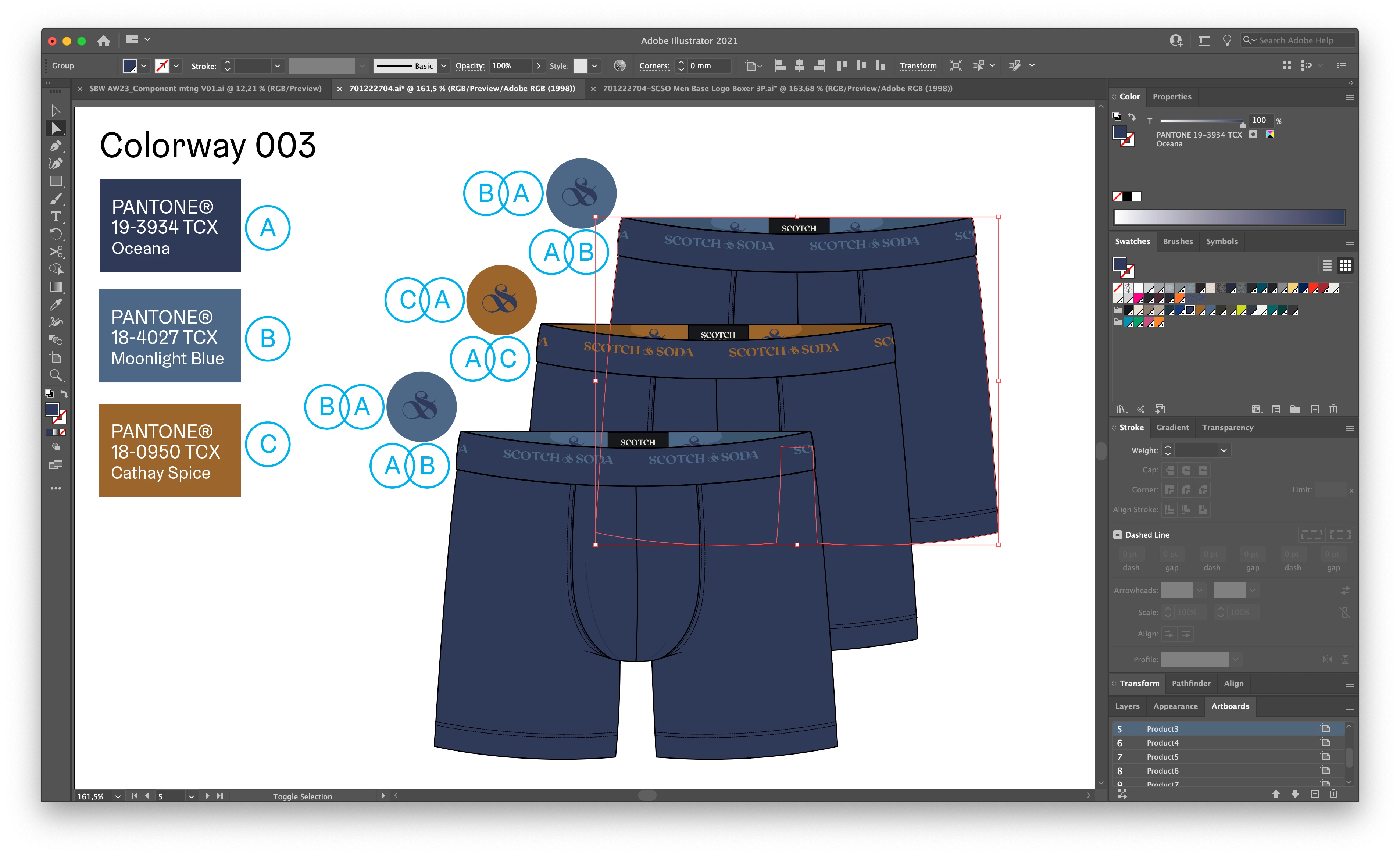
If I copy a graphic from 1 file to the other the colour looks very different. Things I've already tried and checked are:
-Both same document colourmode (RGB)
-Both same colour profile (and to be sure assigned Adobe RGB (1998))
-in Colour settings everything is the same for both files (also in "extra options")
-Proof settings are the same for both files
-Proof colour is ticked on in both files
And to be sure, both are in the same illustrator version and the from the same monitor
What other options could cause this issue? 🤷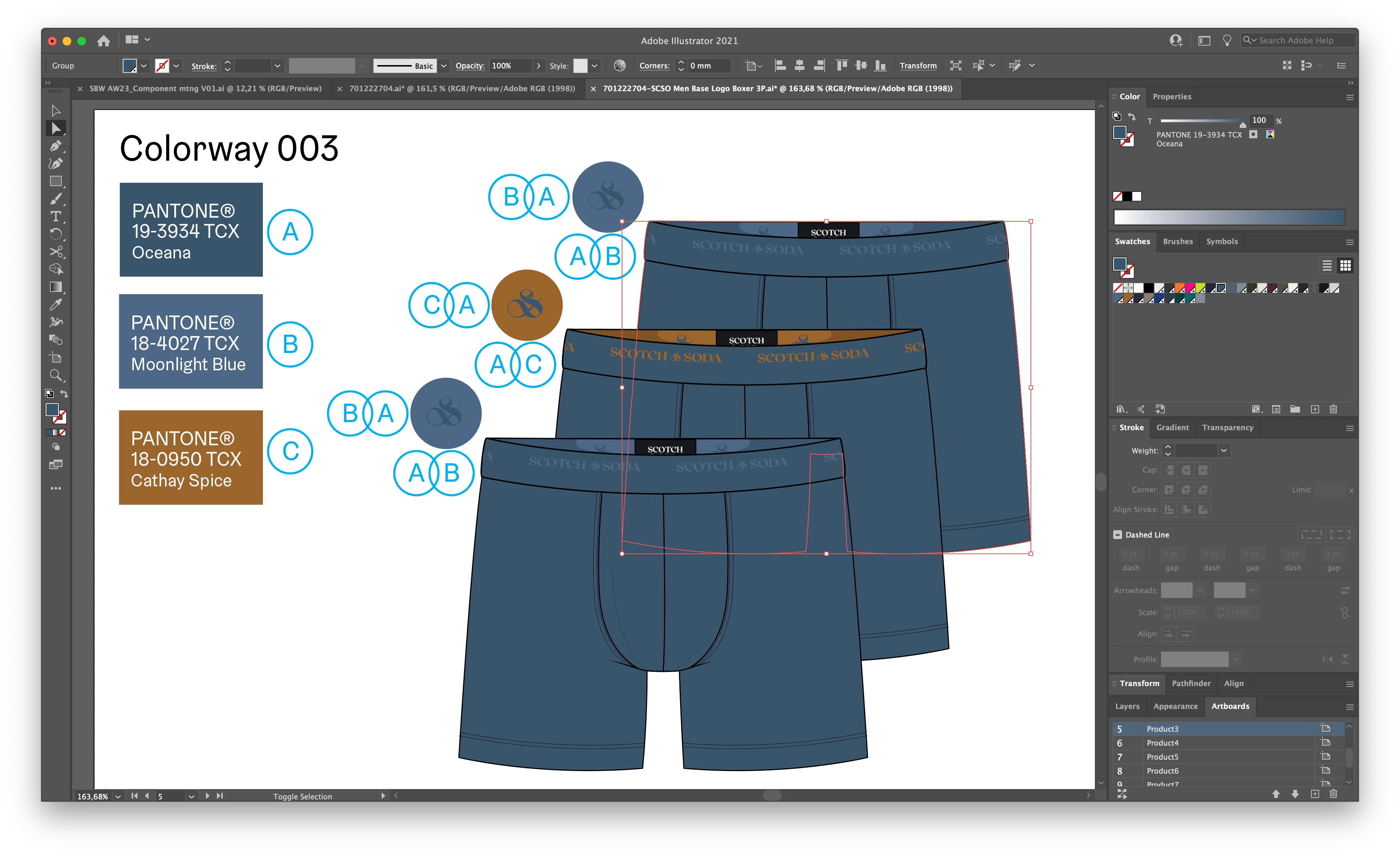
 AdChoices