
"Save As" acting like "Search" on Windows 10 Pro
I am running Illustrator 27.0 on Windows 10 Pro 21H2. Every time I try to "Save As" it opens Explore and acts like I am trying to search for a file.
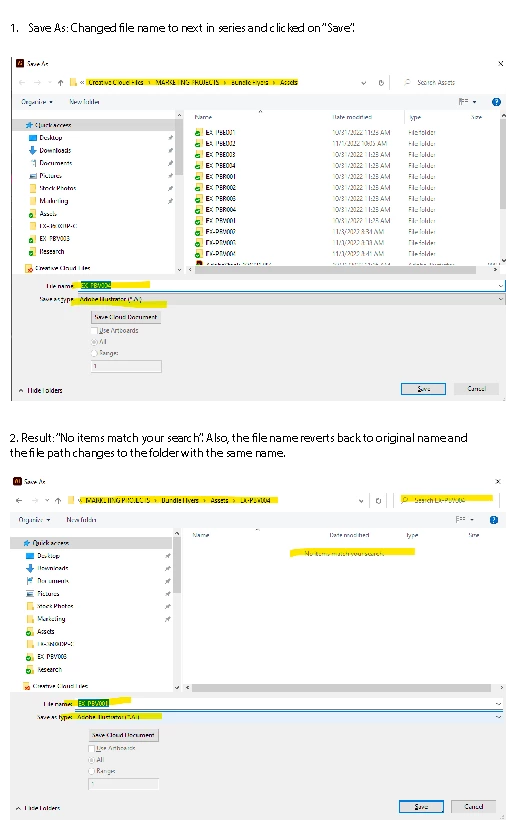
I do have folders within the folder I am saving to with the same name as the file. So there are folders that are named in a series from 001 to 004 that contain the images I am using in the ai files named with the same names in the series. Each ai file is named the same as the folder that contains the images. It seems that Windows or Illustrator is getting confused by this. It's never been an issue before.
The only way I can "Save As" is if, after I get the "No Items Match Your Search" message, I don't change anything in the dialog box and hit "Save" a 2nd time. But then, the file name reverts back to the original name and is saved to the folder with the "new" file name. For example, If I "Save As" file named, "EX-PBV001" to EX-PBV002" and get the "No Items match..." message. I then hit "Save"--without changing anything in the dialog box. It saves the file as "EX-PBV001" to the folder named, "EX-PBV002".
What is going on?
 AdChoices