
Known Participant
February 13, 2020
Answered

Save & Close Alert Dialogue

  • February 13, 2020
  • 2 replies
  • 1163 views

This alert pops up during my batch process whenever saving & closing is part of an involved action set (or the batch settings).

Is there any way to prevent or bypass this, at least during batch processes?
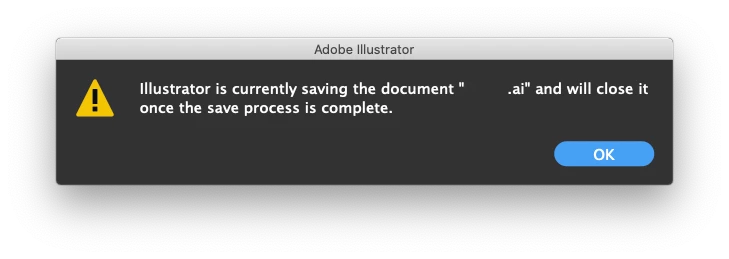
Ai v24.03 on macOS 10.15.2, if it helps. Thanks.

This topic has been closed for replies.
Correct answer CarlosCanto

try disbling displaying alerts with a script.


UserInteractionLevel.DONTDISPLAYALERTS;

2 replies

CarlosCanto
Community Expert
CarlosCantoCommunity ExpertCorrect answer
Community Expert
February 14, 2020

try disbling displaying alerts with a script.


UserInteractionLevel.DONTDISPLAYALERTS;

Known Participant
February 14, 2020

That did the trick. Placed that at the beginning of my action and DISPLAYALERTS at the end.  (Immediately realized that defeats the purpose).  Thanks!

thobgood
Known Participant
June 10, 2023

Hello! Sorry to trouble you, but can I ask exactly what you did that solved your problem? I'm trying to do something similar and am having similar issues. Reading through this thread, I thought that what you did was to create a script that was just that one line that CarlosCanto offered you ("UserInteractionLevel.DONTDISPLAYALERTS;"), saved that into your scripts folder so that it would show up in the Scripts menu in Illustrator, then used the Insert Menu Item in the Actions editor to insert a call to that script as the first step of your Action. I tried doing that, but still got alerts interrupting my Action. Did you do something different than this? I thought maybe I messed up at some step.


I've started my own thread trying to figure out how to suppress these interrupting alerts here: https://community.adobe.com/t5/illustrator-discussions/trying-to-suppress-alerts-while-running-a-batch-action/m-p/13856044#M369775


Thanks!

Ten A
Community Expert
Community Expert
February 14, 2020

Probably, You need to unset Background Save in your Preferences panel.

Known Participant
February 14, 2020

This addresses my question, so thank you. Unfortunately, disabling this halts batch processes [at the save step] when Ai is not the app in focus.