regnalm48125995
Participant
March 12, 2019
Question

Save dialogue box in same spot
  • March 12, 2019
  • 2 replies
  • 316 views

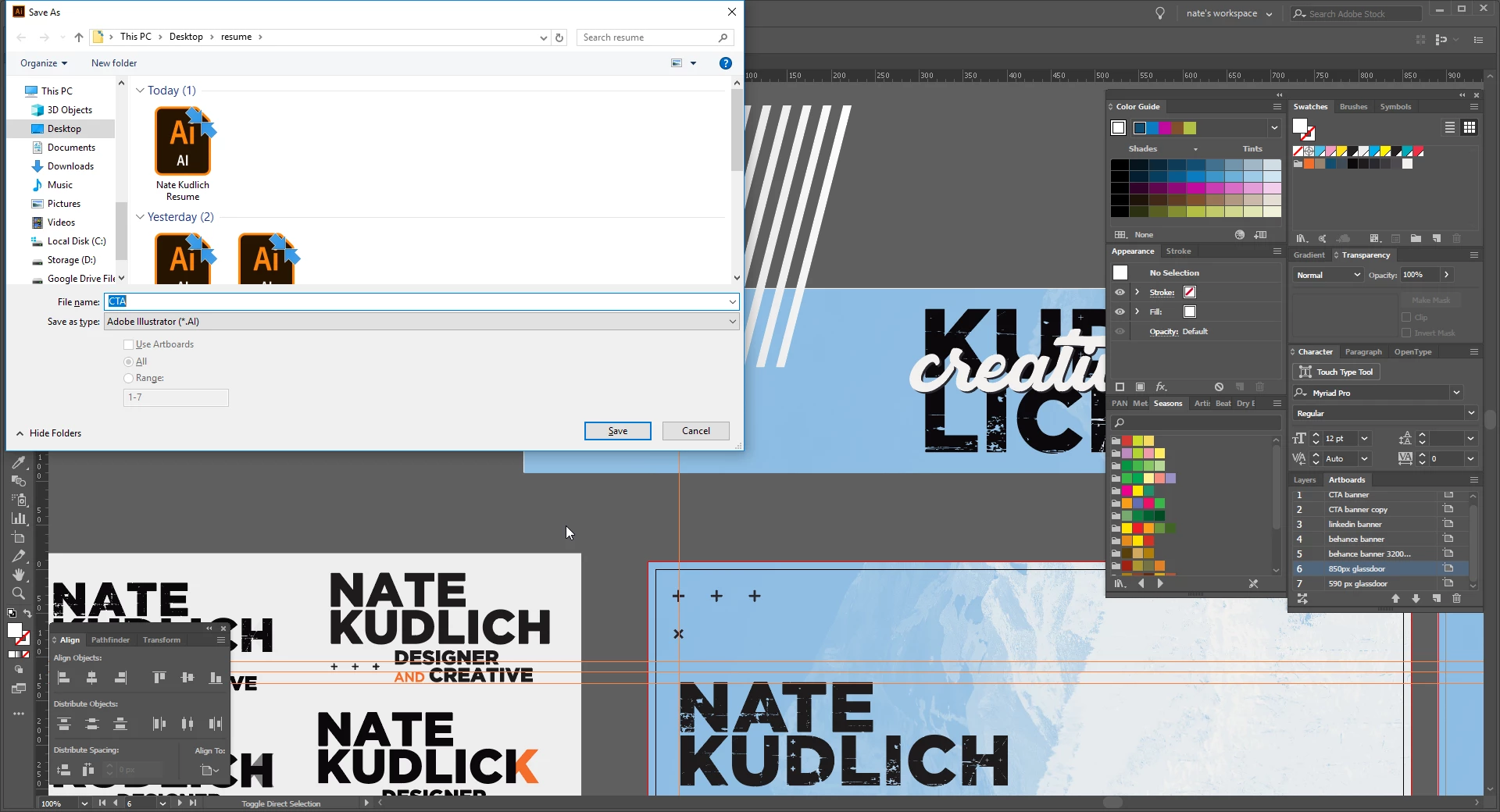
does anyone know why the save dialogue box would always be slammed to the top left corner? i try dragging it but it always resets and it's placement is just visually disturbing.

    This topic has been closed for replies.

    2 replies

    CarlosCanto
    Community Expert
    Community Expert
    March 12, 2019

    it suppose to remember your last position.

    try centering the window manually, do save something, then re start Illustrator right after.

    Bill Silbert
    Community Expert
    Community Expert
    March 12, 2019

    CarlosCanto  wrote

    it suppose to remember your last position.

    try centering the window manually, do save something, then re start Illustrator right after.

    I tested this on a Mac prior to my first post and it doesn't work for this dialog window.

    CarlosCanto
    Community Expert
    Community Expert
    March 12, 2019

    on windows, the weird positioning may be due to different scenarios ie, rotating or resizing screens, also having more than one monitor and moving windows around. It's kind of common, but once you reposition the dialog, it should stay put.

    Bill Silbert
    Community Expert
    Community Expert
    March 12, 2019

    Unless there is a script available, No. It appears that you are on a PC. I checked this on a Mac and, as it happens, the "Save As" dialog pops up dead center. If you like that better then start working on a Mac. Or find a way to make peace with it, visually disturbing as it may be.