Participant
August 10, 2020
Answered

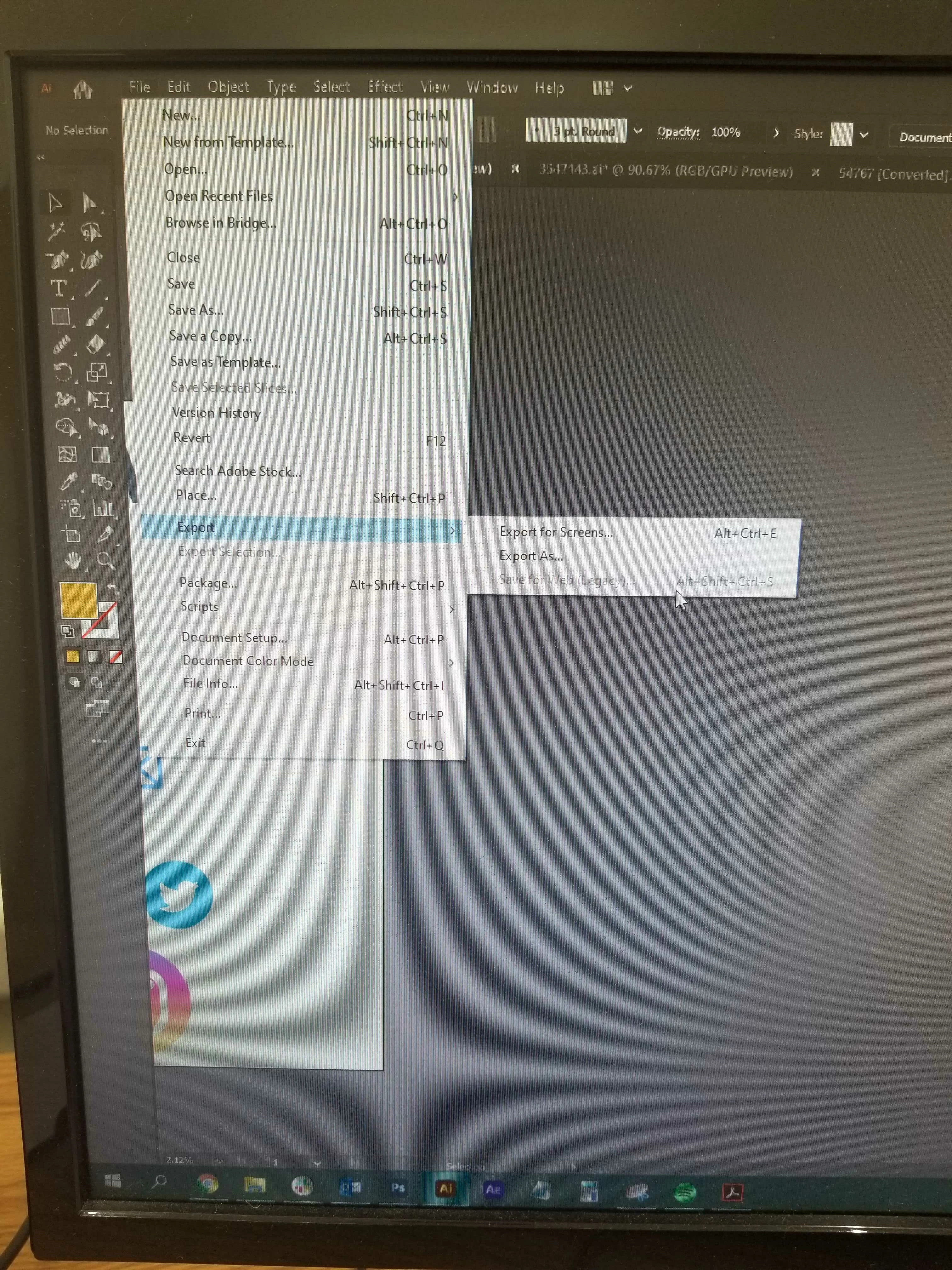
Save for Web grayed out as an option

  • August 10, 2020
  • 3 replies
  • 10376 views

Hello!

I'm working in Illustrator (24.2.3) and for some reason on a document I'm working on, the save for web option is grayed out and unusable, but works just fine in any other file. Any idea on a fix for this?


Thank you!

Correct answer Sean5C51

Okay, I figured out why Save For Web was greyed out. Apparently I had set up a Large Canvas document and upon further research, I found some documentation indicating that some export options are not possible from Large Canvas files. 

It would be nice if there was the ability to change this option AFTER a file has been created. Since it's not an option, I had to create new documents with the Standard Cavas size, then copy and paste artboards from this file to the new ones that do allow Save For Web. Hope this helps others who stumble upon this issue. 

3 replies

Inspiring
January 25, 2023

I too am suddenly now experiencing this same issue. And it suddenly occurred while I was working in a file in which I had been Saving for Web just moments before. 

Also, I did just update my Mac OS to latest version (Ventura 13.2) to see if that would fix it but alas it did not. And I did try with another ai file and it did allow Save for Web. Not sure why is suddenly stopped working in this one particular file. 

Sean5C51Correct answer
Inspiring
January 25, 2023

Okay, I figured out why Save For Web was greyed out. Apparently I had set up a Large Canvas document and upon further research, I found some documentation indicating that some export options are not possible from Large Canvas files. 

It would be nice if there was the ability to change this option AFTER a file has been created. Since it's not an option, I had to create new documents with the Standard Cavas size, then copy and paste artboards from this file to the new ones that do allow Save For Web. Hope this helps others who stumble upon this issue. 

Anshul_Saini
Community Manager
Community Manager
January 27, 2023

Hi @Sean5C51,


Thanks for reaching out and sharing the solution to your problem. It will definitely help someone else in the future.

Save for Web is a legacy option and is not actively updated by the engineers. However, you can share your feedback with them on our UserVoice here (https://illustrator.uservoice.com/).


Thanks,

Anshul Saini

huffenreuter
Participant
September 12, 2021

And did you find out what it was? I seem to have the same problem

Anshul_Saini
Community Manager
Community Manager
October 1, 2021

Hi there,


Sorry about the trouble and delayed response. I hope the issue is resolved by now. If not, I would request you to please share a few more details like:

  • OS and version of Illustrtaor
  • Is the issue related to a specific document? If yes, could you please share the document with us? You can upload it to the Creative Cloud (https://helpx.adobe.com/in/creative-cloud/help/share.html) and share the download link.
  • Where are you saving the files (Network Drive/ System HDD/ Shared Folder on System/ External HDD)?
  • When did this start happening? Are there any recent changes made to your system? For example, any antivirus, system updates, plugins, or web extensions installed recently.
  • Does resetting Illustrator Preferences ( https://helpx.adobe.com/illustrator/using/setting-preferences.html) help to resolve the issue?
    Disclaimer: Please note that resetting preferences will remove all the custom settings, and Illustrator will launch with default settings. You can also take a backup of the folders in case you want to. Location is mentioned in the article.


Kindly update the discussion if you still need assistance with it. We'd be happy to help.


Thanks & Regards,

Anshul Saini

Kurt Gold
Community Expert
Community Expert
August 10, 2020

Can you share this .ai file?