


Save on network drive bad issue (file damage)
Hello everyone
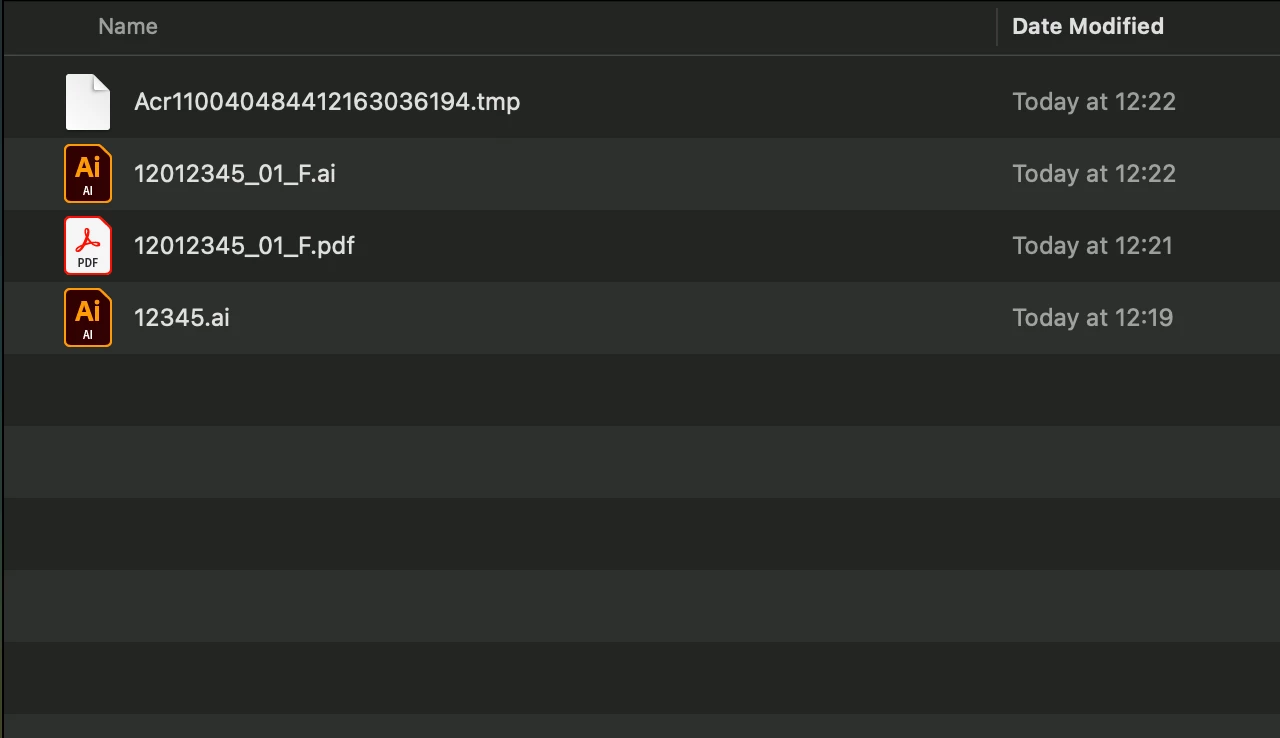
My serious problem is that when I open the file ‘12012345_01_F.ai’ and save it as a PDF and replace the PDF file ‘12012345_01_F.pdf’ it creates a temporary file but doesn't replace the PDF and ends up damaging the file. I can only solve this if I'm doing the work directly on my mac, but here we work on a network and we save everything on a Mac Pro Server with AFP protocol (it's the best for doing searches on our server). I know that Adobe advises against working on a network, but despite having 1 TB of storage in the creative cloud, we don't want to work there. We have 4 imac's with the previous operating system, with the same versions of adobe illustrator and they don't have this problem. And the performance of saving on the network is slowwwwww. Mac OS Sequoia solve this? anyone know that?
 AdChoices