





Question
Save to SVG corrupting files
I've been having this consistent issue when I save an SVG from an existing Illustrator document, there is always a shift in the image somewhere.
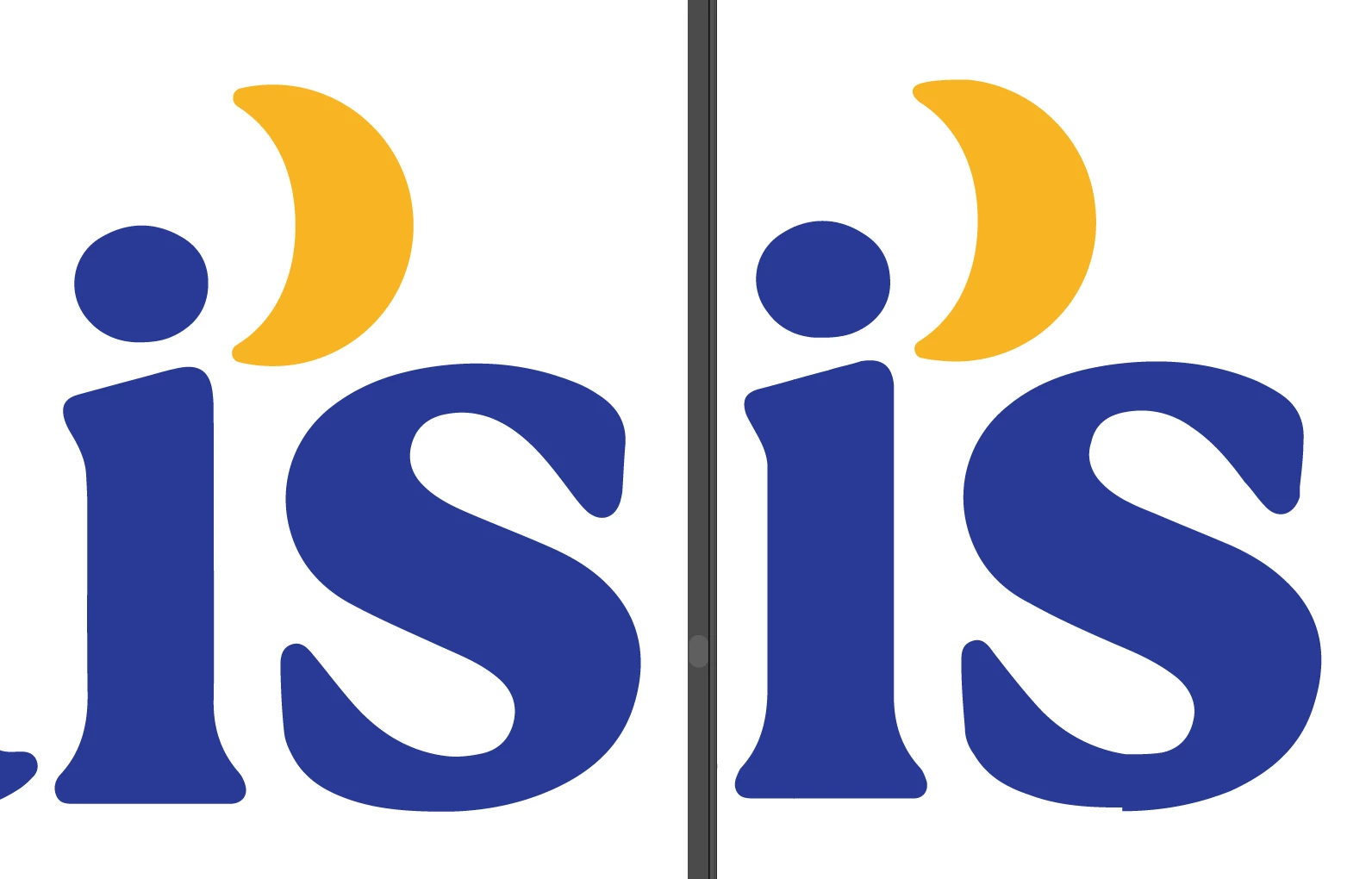
Notice the bottom of the S on the right side (the SVG), there's a shift in the outline.

Here I've zoomed into show the issue. In the AI document, this is a single point on a curve, but in the SVG it's two points and there's a dramatic shift.
Elsewhere there are issues with shifting points, on this D, you can see another example:

If I use Export for Screens instead of "Save As" or "Save a copy", there is no corruption.
Has anyone else encountered this?
 AdChoices