
Saving Illustrator 2024 File with Hidden Layers as a PDF
I have an Illustrator 2024 file that contains 16 individual builder floorplans, each on its own layer. In the past, I've been able to hide ALL of the layers I didn't need so I could save a single floorplan as a PDF that my client and their customers can print.
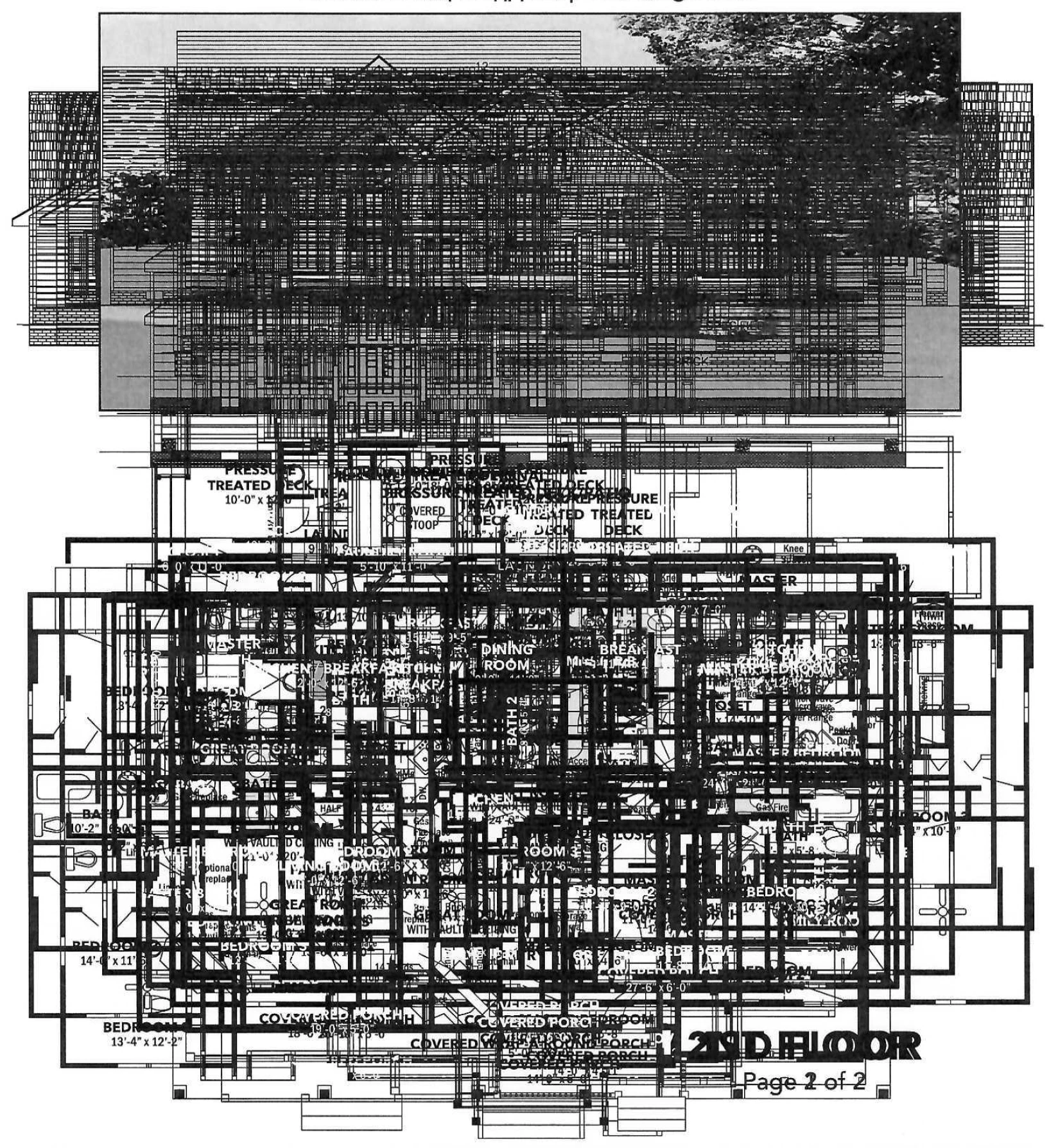
Now, when I do that, the opened PDF looks fine, but when my client prints it out, all of the hidden layers print, which ends up being a mishmash of floorplans. I'm assuming that they're using a Windows PC. I don't have this problem, but I'm on a Mac. I'm attaching a scan of the printed PDF, minus my client's info, for privacy purposes.
The other weird thing is, as a test, I physically deleted all of the unneeded layers and then saved the PDF again. When I did, the PDF file size was significantly smaller, which seems to indicate that the hidden layers are somehow making their way to the final PDF even though they're hidden.
Why is this happening? Is there something new in Illustrator 2024 that I'm unaware of? Any help is greatly appreciated.


 AdChoices