Participating Frequently
June 15, 2021
Question

Saving Illustrator file as a PDF mutes all the colors

  • June 15, 2021
  • 2 replies
  • 2215 views

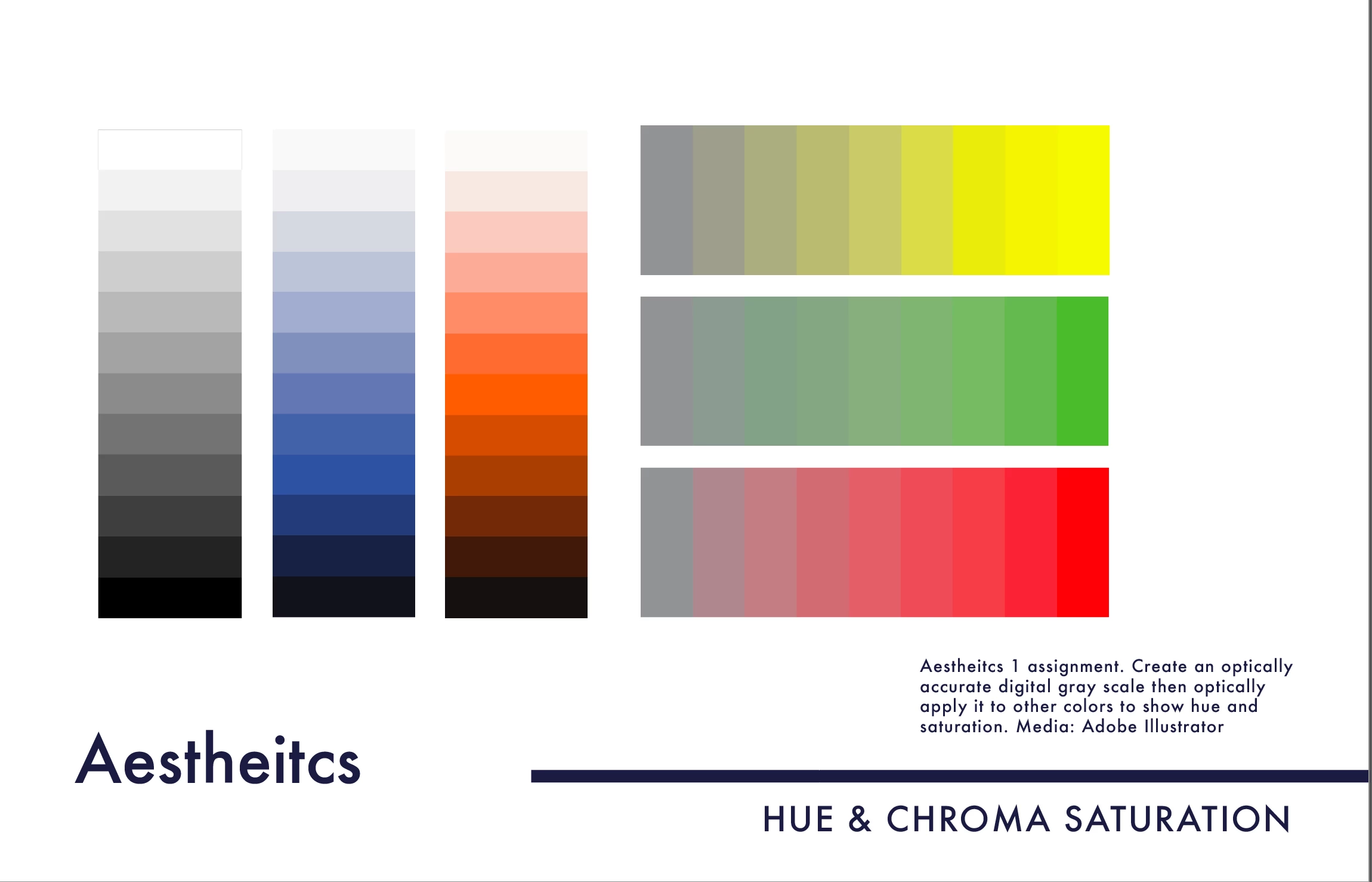
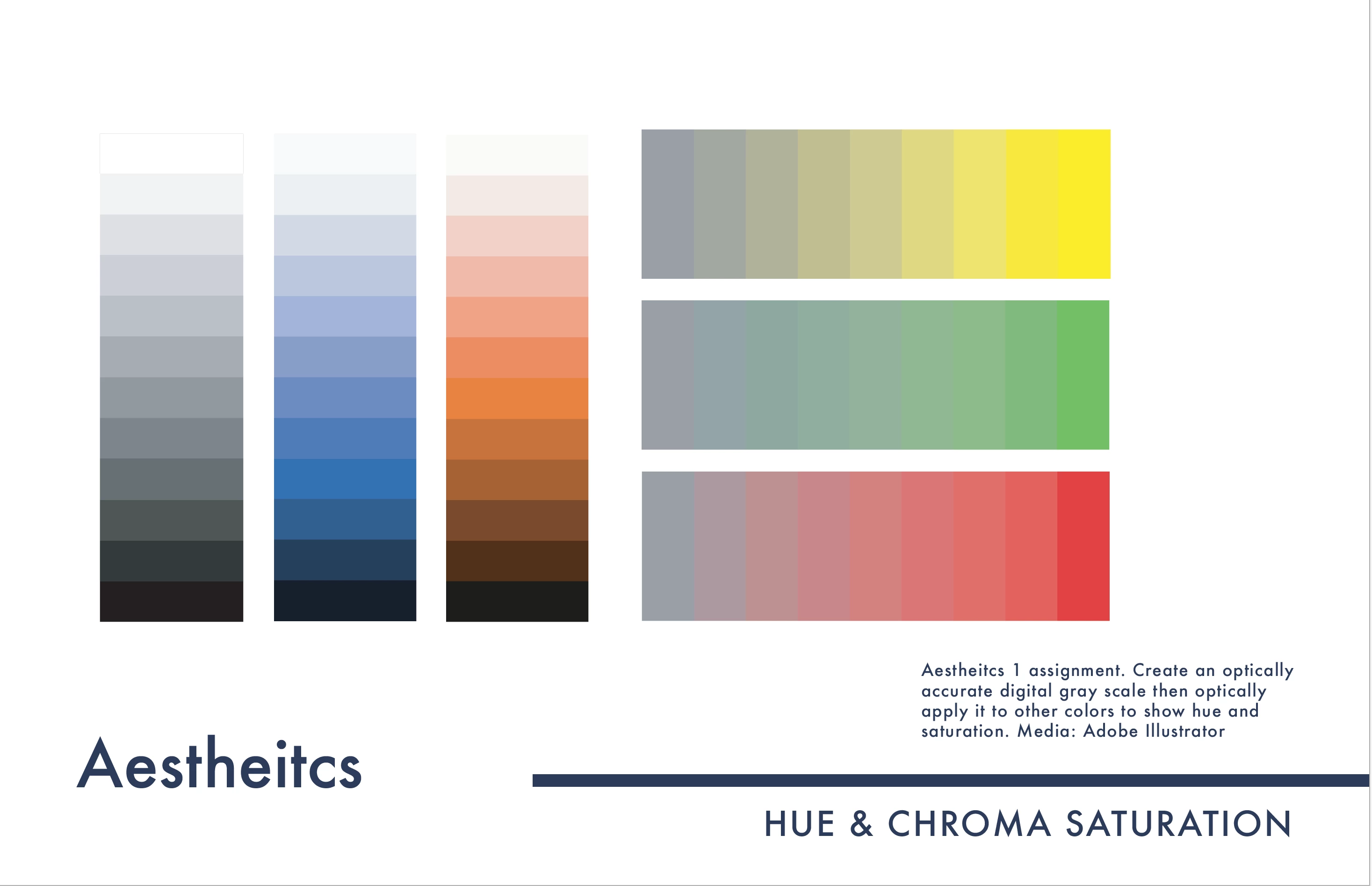
I have created my portfolio in Adobe Illustrator and it includes many embeded images which all look fine in illustrator. However, when I save the ai file as a pdf and view it in Adobe Acrobat, all of my colors ar emuted and messed up. I converted all my colors to cmyk and the problem persisted. 

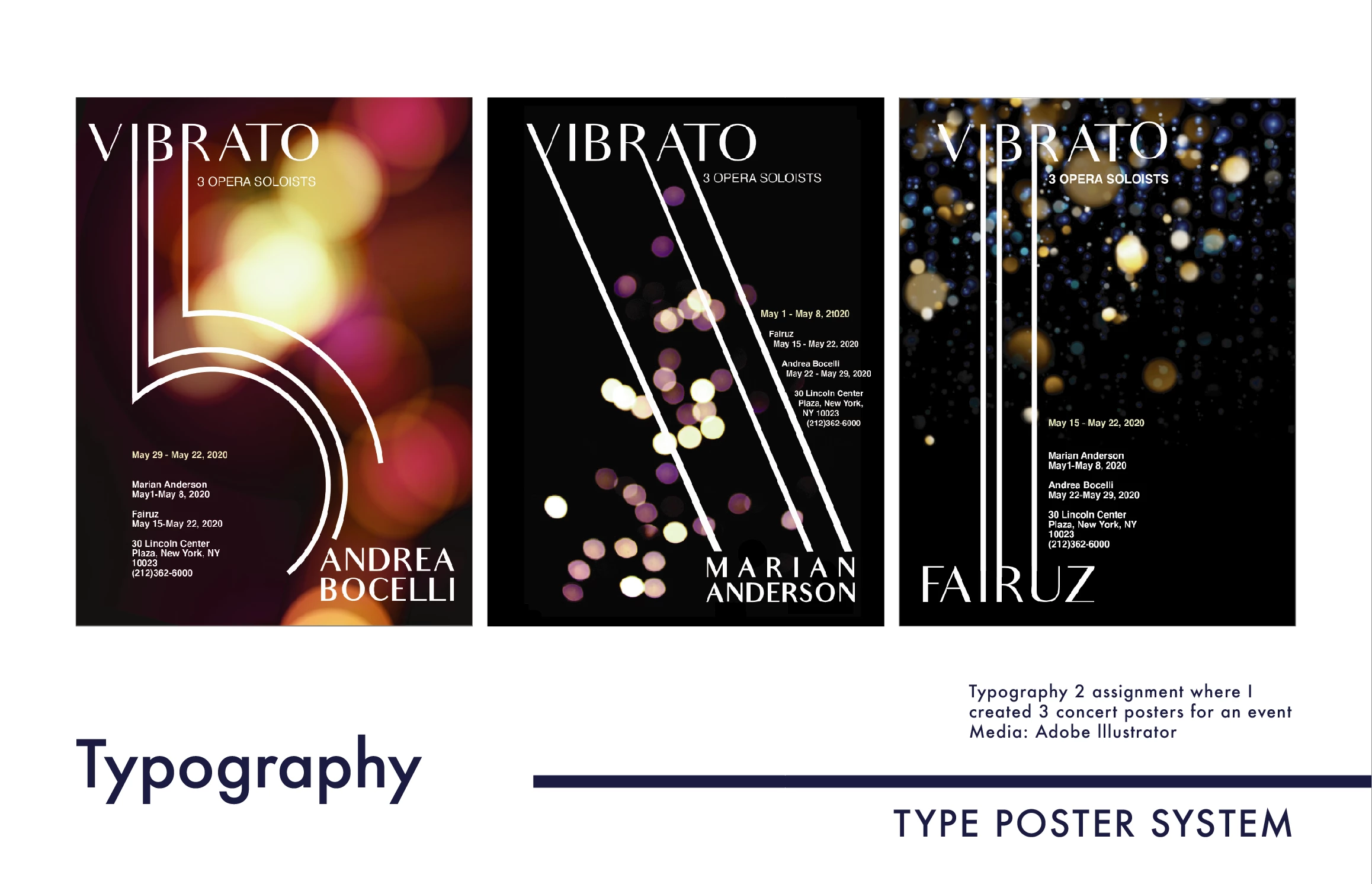
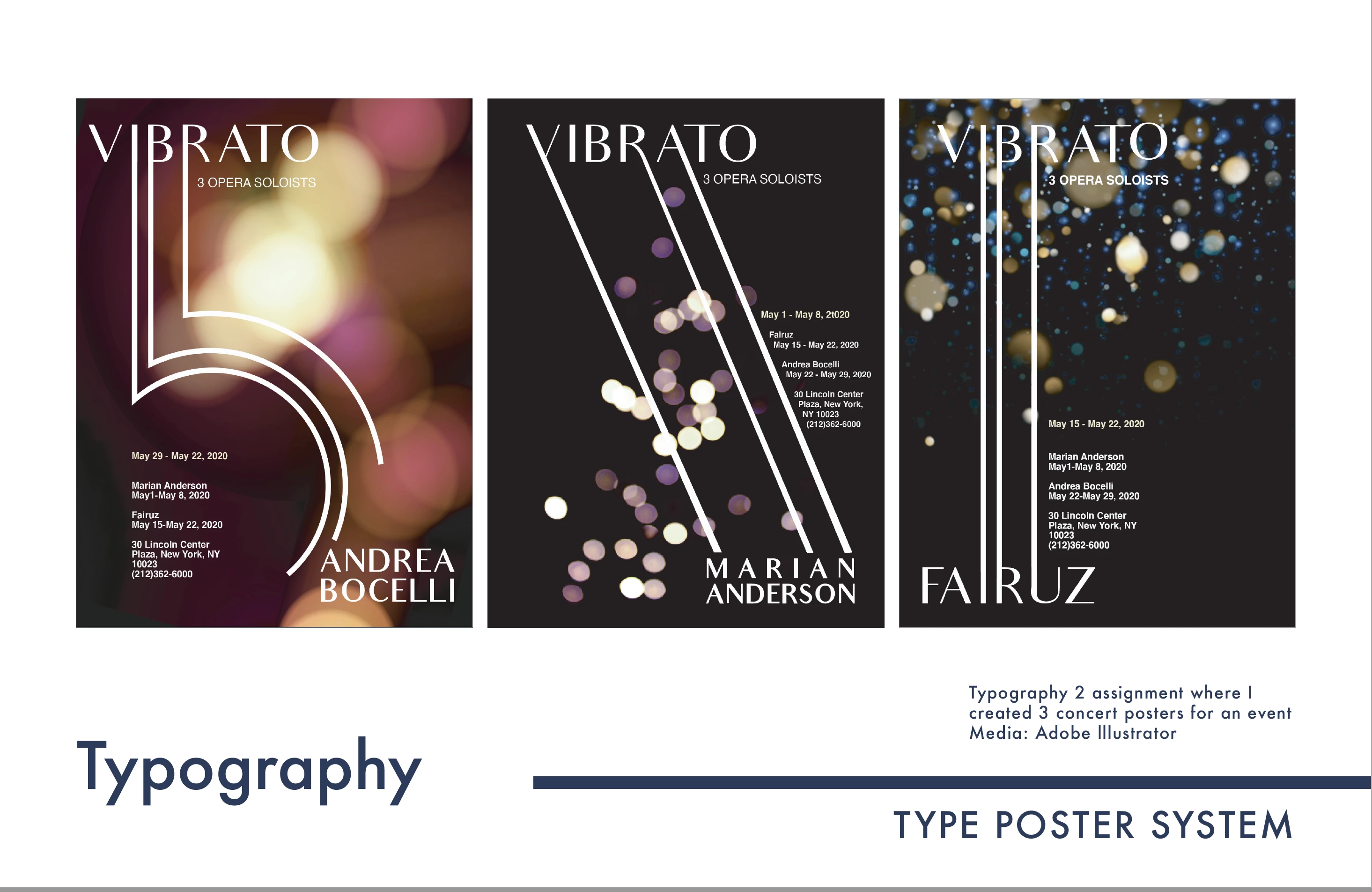
Here are some examples of the difference between what the image should look like, and what it looks like in the pdf.
This topic has been closed for replies.

2 replies

Ton Frederiks
Community Expert
Community Expert
June 15, 2021

Rebekah,

I hope you still have your RGB versions of your files, converting to CMYK when color management is off is not a good idea.

When you set up your Color Settings for your region, it is a good idea to turn on the checkboxes for missing profiles and mismatches. 

If you have saved your files when color management was turned of (like the Illustrator settings you showed) you will be warned (and giving options to correct it) when you open them and there is a mismatch with the new settings and your files.

You may also have a look at this page:

https://helpx.adobe.com/acrobat/using/keeping-colors-consistent.html

Monika Gause
Community Expert
Community Expert
June 15, 2021

Acrobat honors the color profile when viewing your file. How is color management set up in Illustrator and Acrobat?

How is your export set up?

Which color profile is set up in Acrobat for viewing the file?


Is your PDF for printing or for viewing on screen?

Participating Frequently
June 15, 2021

Monika Gause
Community Expert
Community Expert
June 15, 2021

Setting up monitor color in color management is wrong.


How is Illustrator set up?