
Scaling Bullet-Threaded Area type Text in Illustrator
Scaling Bullet-Threaded Text in Illustrator
I’ve tried several methods to scale bullet-threaded text in Illustrator, but I haven’t been able to achieve the desired result. Here are the methods I’ve attempted:
Scaling by 150%: When scaling, only the area boundaries scale, but the text itself does not scale.
Using the Free Transform Tool: The spacing and bullets are not correct after scaling.
Adding a Rectangle and Grouping with Area Text: When grouping the text with a rectangle and scaling, there’s some random movement, which creates an annoying result.
Using CTC: I can get the perfect result with CTC, but I’m wondering if there’s a way to achieve the same scaling without using CTC.
Is there a better way to scale bullet-threaded text without these issues?
@7121172 @9259294 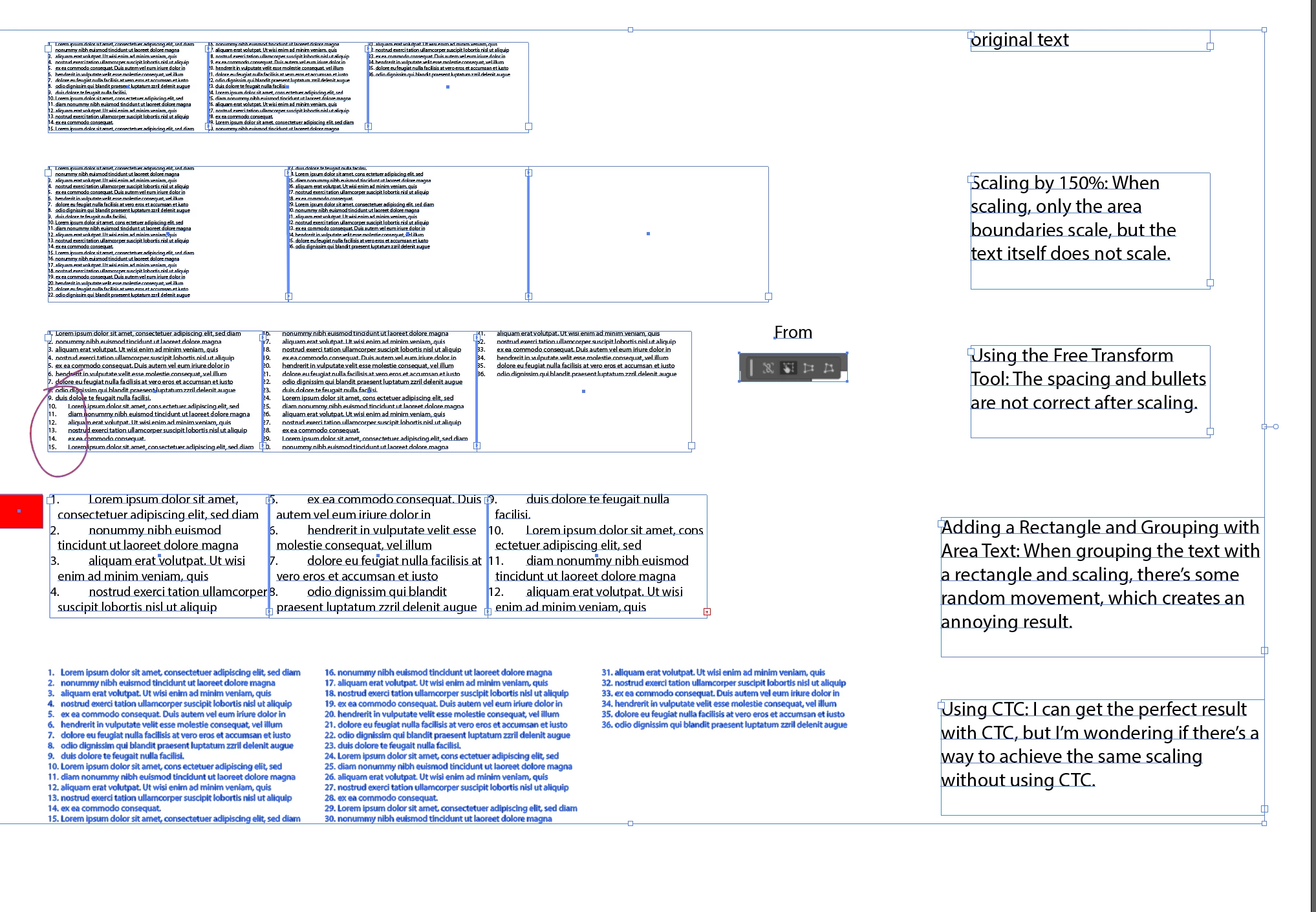


 AdChoices