Participant
February 6, 2024
Question

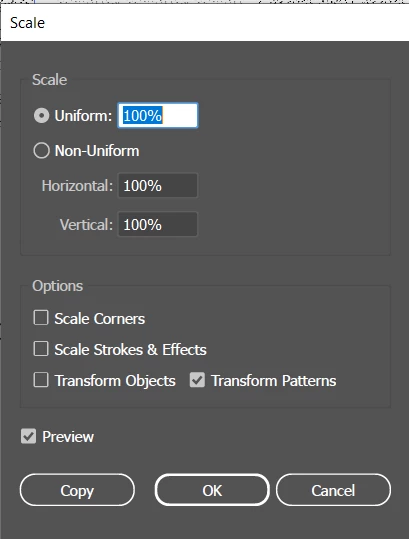
Scaling size of pattern but not the stroke/lineweight of linework inside the pattern
  • February 6, 2024
  • 2 replies
  • 400 views

If i uncheck the scale strokes & Effect it does nothing. There must be away of keeping them independent ?

This topic has been closed for replies.

2 replies

Ton Frederiks
Community Expert
Community Expert
February 7, 2024

As mentioned, that is not possible.

You may want to create variations of the pattern with various line weights or expand the scaled pattern fill appearance and reduce the line weight.

Monika Gause
Community Expert
Community Expert
February 6, 2024

So there are live strokes inside the pattern?


There's no way to separate that from the scaling of the pattern.


Can we perhaps see what you are doing? Maybe there is another method?

Participant
February 7, 2024

Thanks for the reply!
In picture below I am trying to scale the pattern so that the line spacing becomes smaller but keeping the strokeweight.

Is there away of creating patterns that aren't "live strokes"


Monika Gause
Community Expert
Community Expert
February 7, 2024

There is one thing that can be done. But it's kind of impractical. Anyway, technically it's possible, so ...


1. Apply Effect > 3D & Materials > 3D Classic > Rotate to the fill of the object. Set it to front, so nothing will be changed.

2. Target the layer by clicking on the circle in the Layers panel

3. Apply a stroke to the layer in the appearance panel. That new stroke is an outline of the pattern, so in effect it will make everything thicker. You can only make it thicker, not thinner.