



Scaling text blocks no longer working
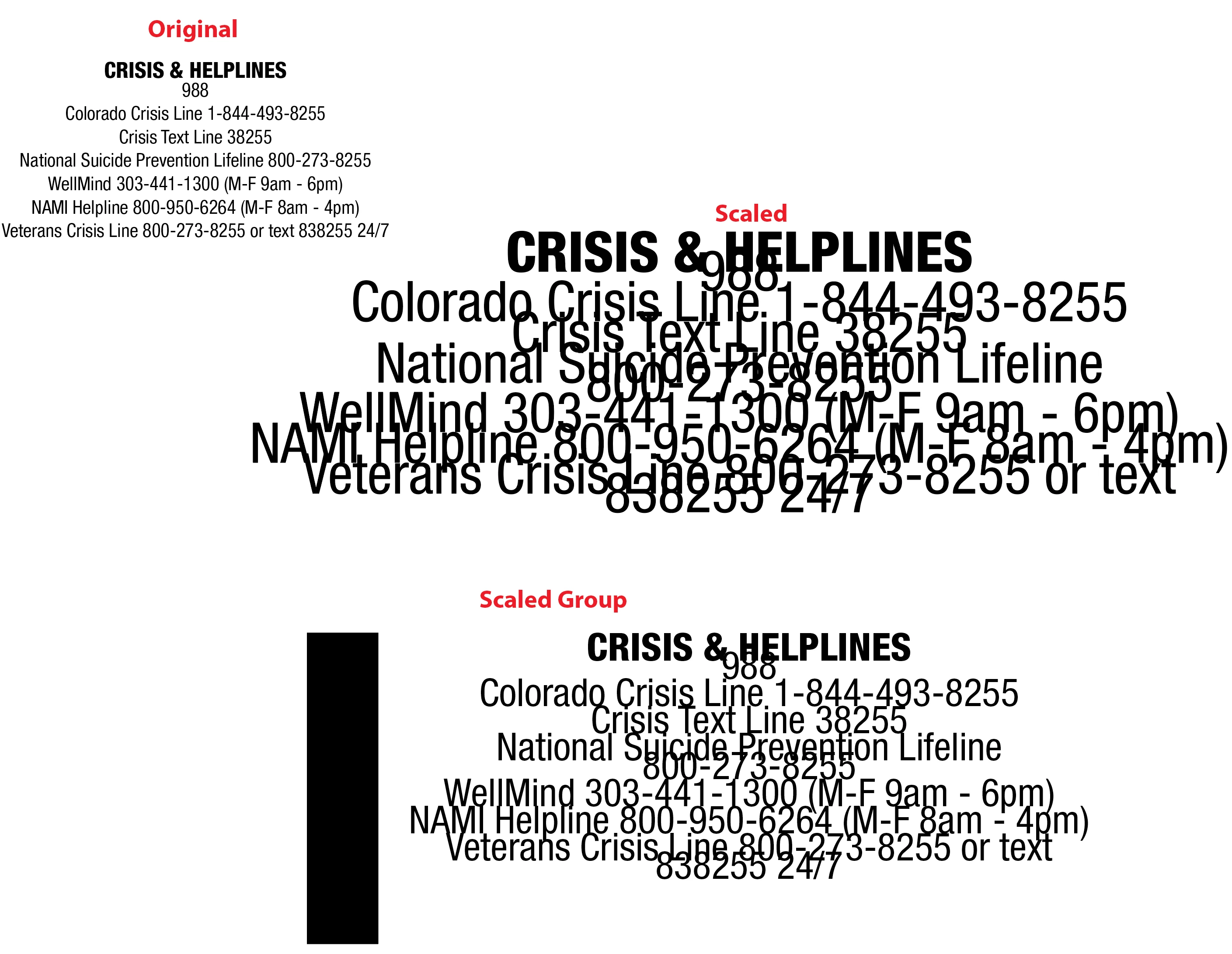
Ilustrator 30.7 on a M1 Macbook Pro - Create a text box, enter my type, adjust size and leading. Create a border around the text box with the rectangle tool, group both. Scale the group with the scale tool, and the type remains the same size.
Convert type to point type, redo the border, group, scale and now the type scales, but the leading does not scale.
I have another machine (intel based) that has no issue with multiple text blocks, grouped and scales with either the corner pin or the scale tool no issues at all. I can’t keep converting all my text blocks to point type just to scale….
What is going on?
Edit to add - I have 24 text boxes that were created to fit into a certain area, I used to be able to scale the entire sheet to fit another size, now it won’t scale the type properly at all.
 AdChoices