Inspiring
January 29, 2024
Answered

Scatter brush comes out angled. How can I make it soft? 산포브러쉬가 각지게나오는데 어떻게 부드럽게 바꾸나요?

  • January 29, 2024
  • 2 replies
  • 796 views


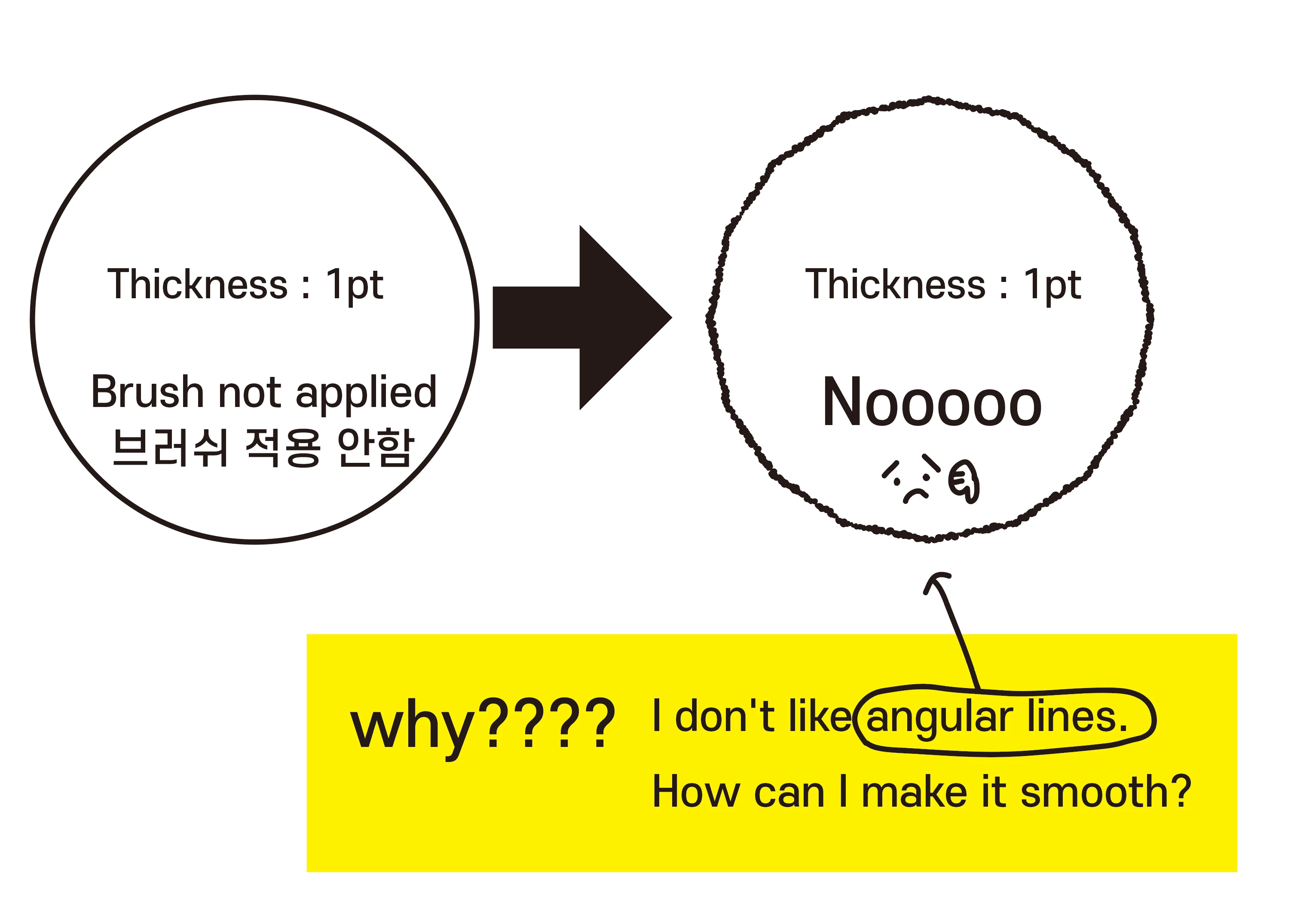
When I set the scatter brush to 1px, it comes out too angled. How can I make it smooth?

직접 만든 산포브러쉬를 1px로 하면 너무 각지게 나오는데요, 어떻게 하면 부드럽게 만들 수 있나요? ㅜㅜ

사진 첨부합니다.
 

This topic has been closed for replies.
Correct answer Brad @ Roaring Mouse

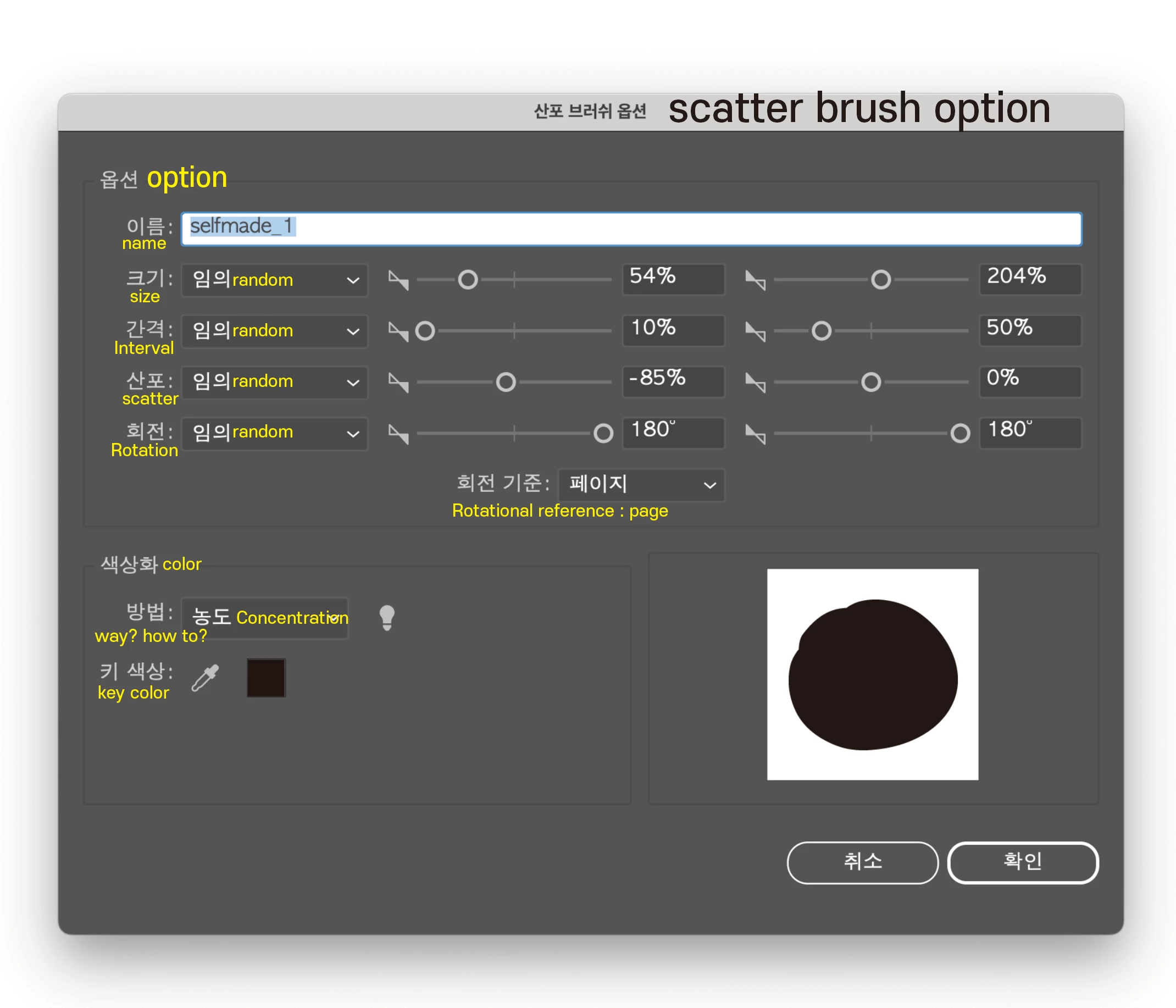
I couldn't attach the brush file 😞 so I took a screenshot 


I suspected the same as @Doug A Roberts .  

One thing that can help in the meantime, although not ideal, is to select your path and Add Anchor Points a couple of times

2 replies

Doug A Roberts
Community Expert
Community Expert
January 29, 2024

This is a long-term issue with scatter brushes at small scales.

https://community.adobe.com/t5/illustrator-discussions/problem-with-scatter-brush-on-curved-paths/td-p/10980787


You can work around it by applying a zig zag effect with a size of 0 and increasing the number of ridges until it looks right, or a roughen effect in the same manner (zero size and adjust detail).

tada47Author
Inspiring
January 30, 2024

Thank you so much! The problem has been solved😄😄😄

tada47Author
Inspiring
January 30, 2024

Brad @ Roaring Mouse
Community Expert
Community Expert
January 29, 2024

Which exact scatter brush are you using?

tada47Author
Inspiring
January 29, 2024

It's a brush I made myself. I don't know what to do. I'll attach it as a file.

tada47Author
Inspiring
January 29, 2024

I couldn't attach the brush file 😞 so I took a screenshot