


Script, rename swatch with decimal & change values color.
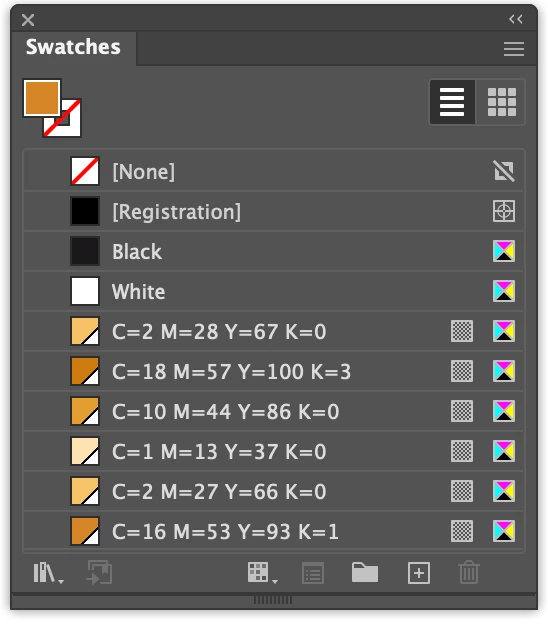
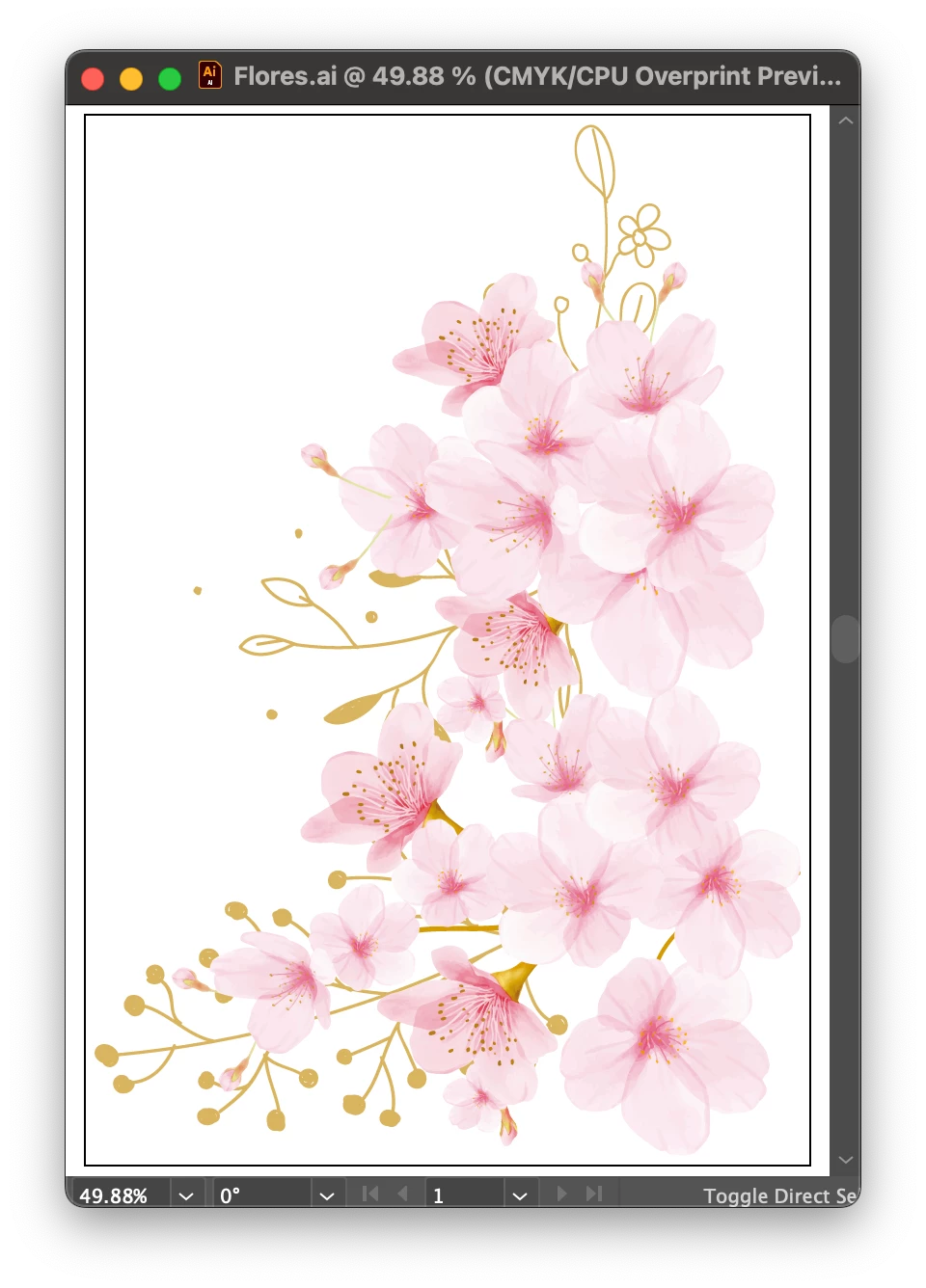
I have the following Ai file. // see image 01 //
I continually receive vector elements that are part of designs for flexo printing.
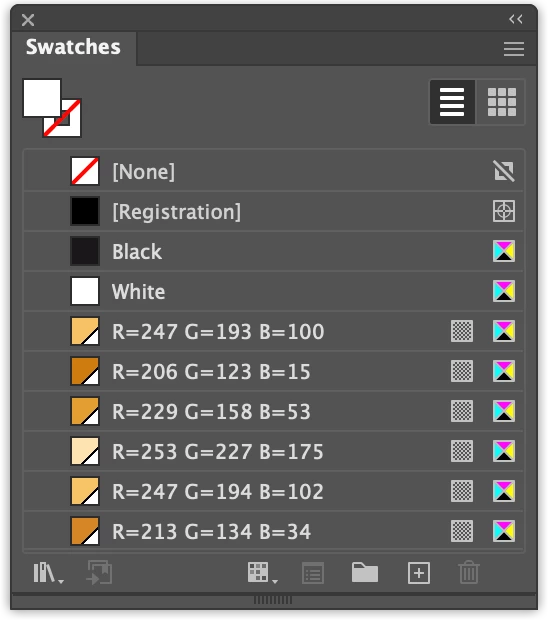
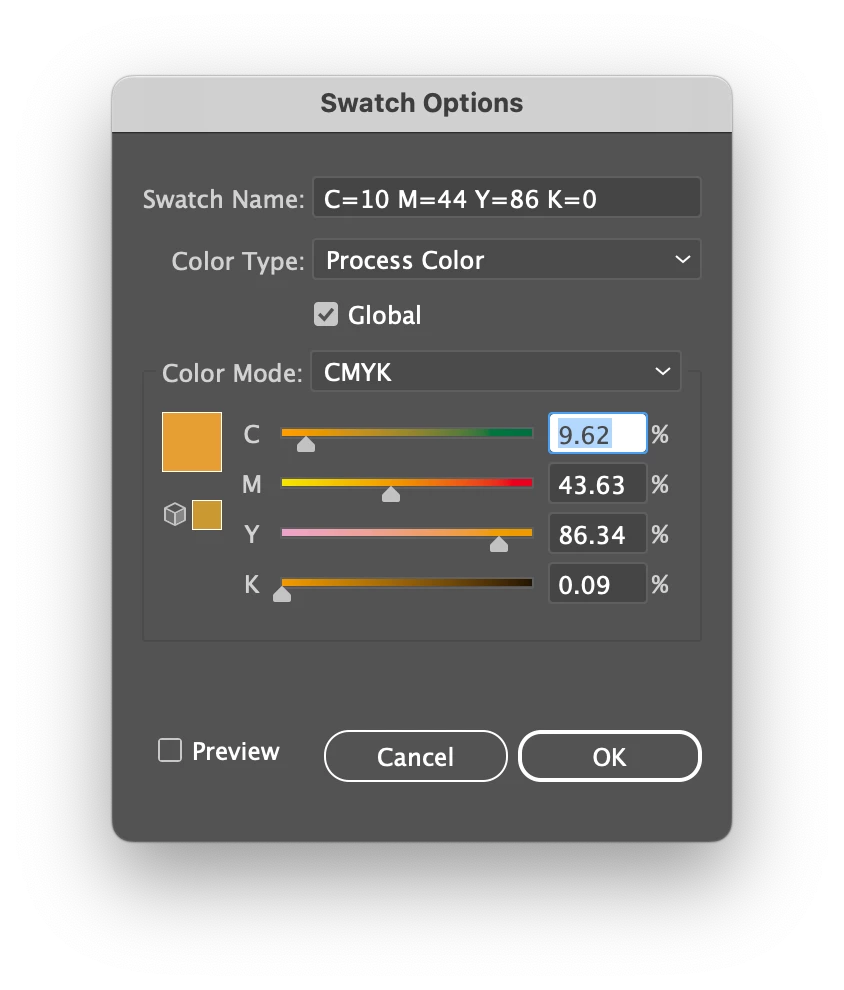
The problem I have is that the names many times or almost always come with the wrong names (I always work the files in CMYK). // see images 02 and 03 //
What I have to do is:
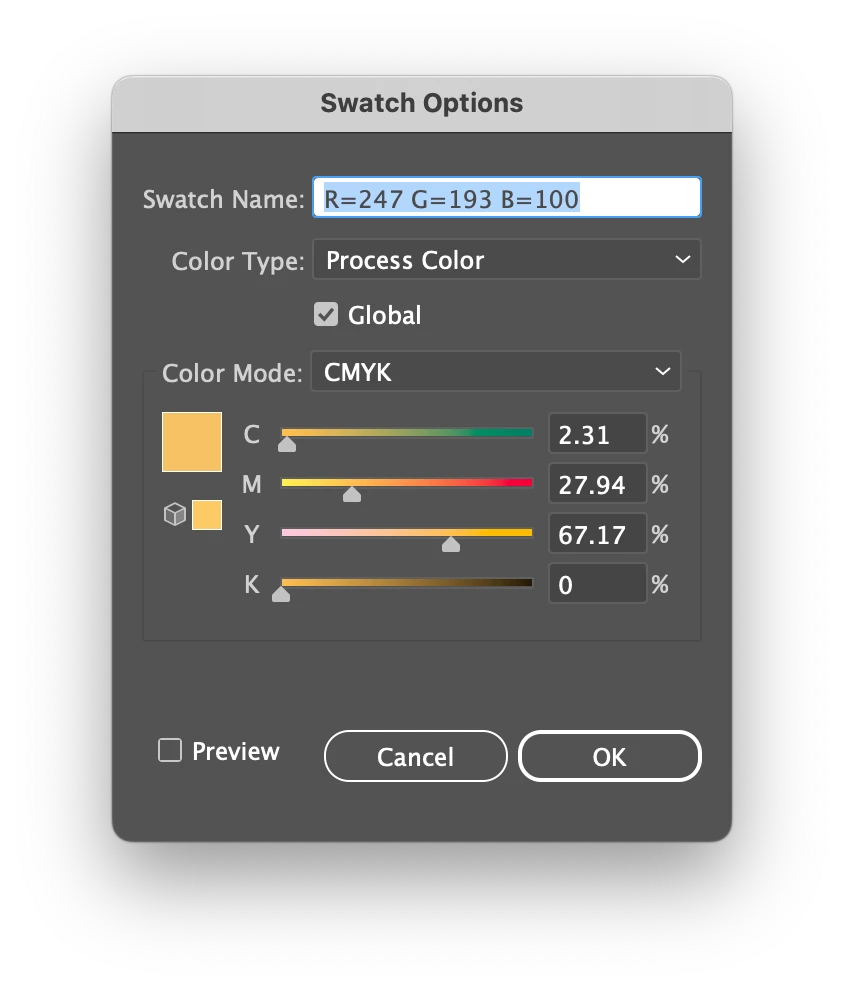
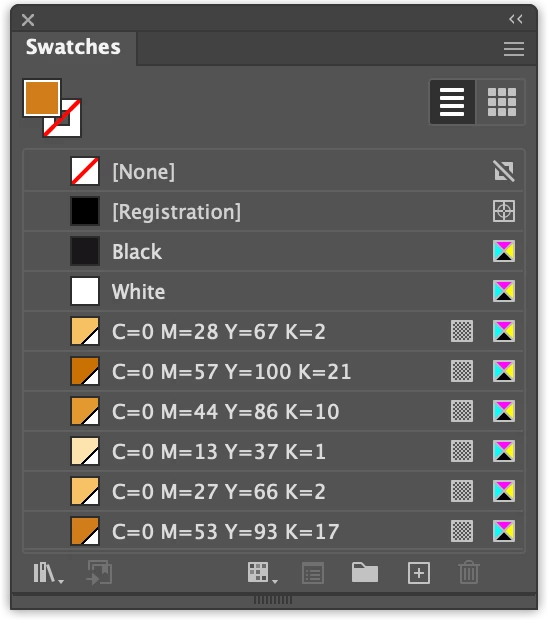
1- Open each swatch (one by one). // see image 03 //
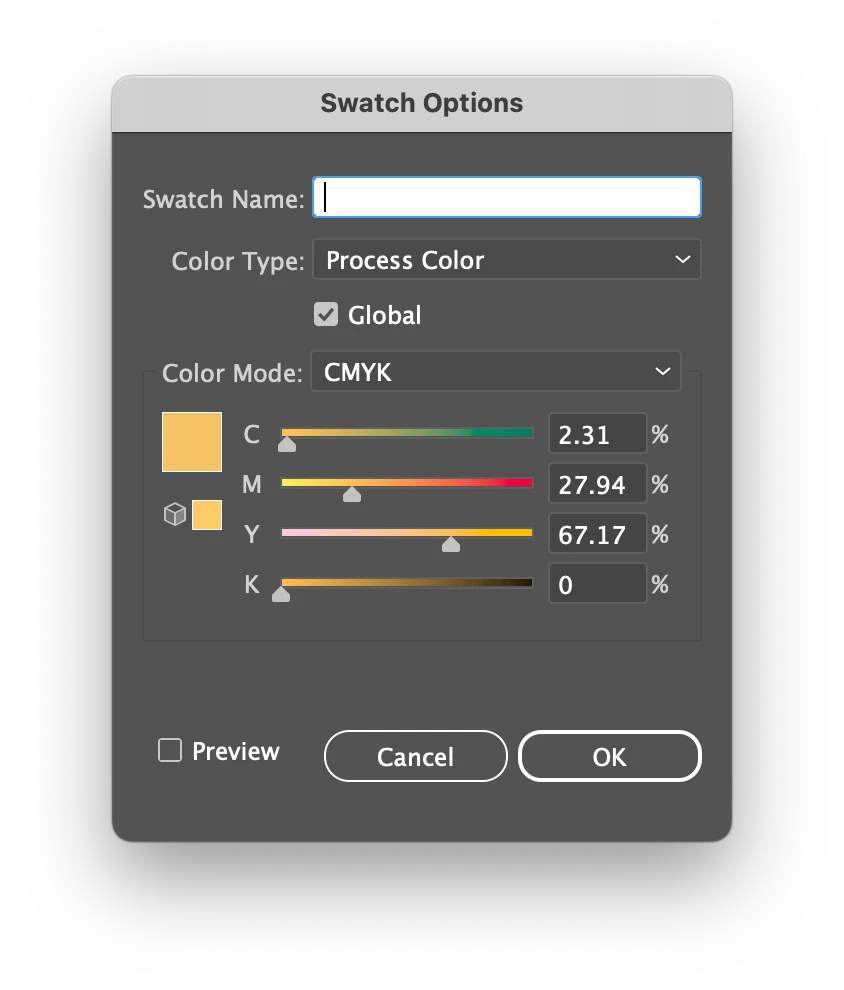
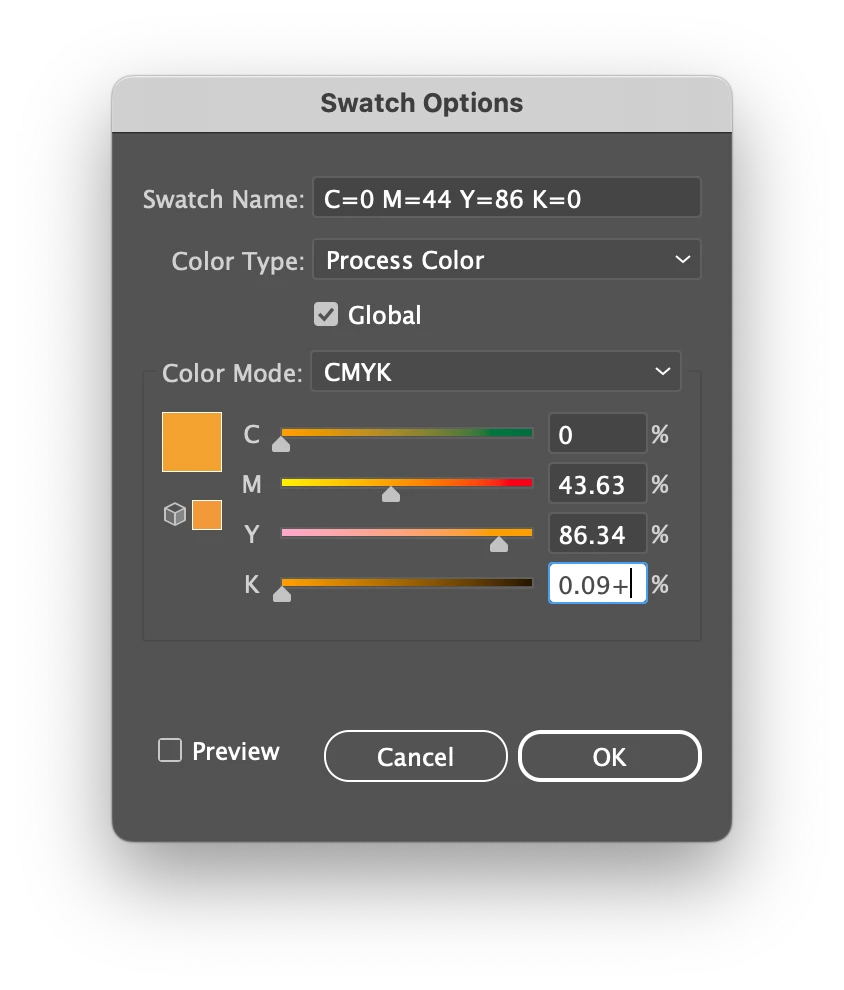
2- Delete the name and select OK. // see image 04 //
So that in the end each swatch can see the colors with the values in CMYK but it does not show the decimals. // see image 05 //
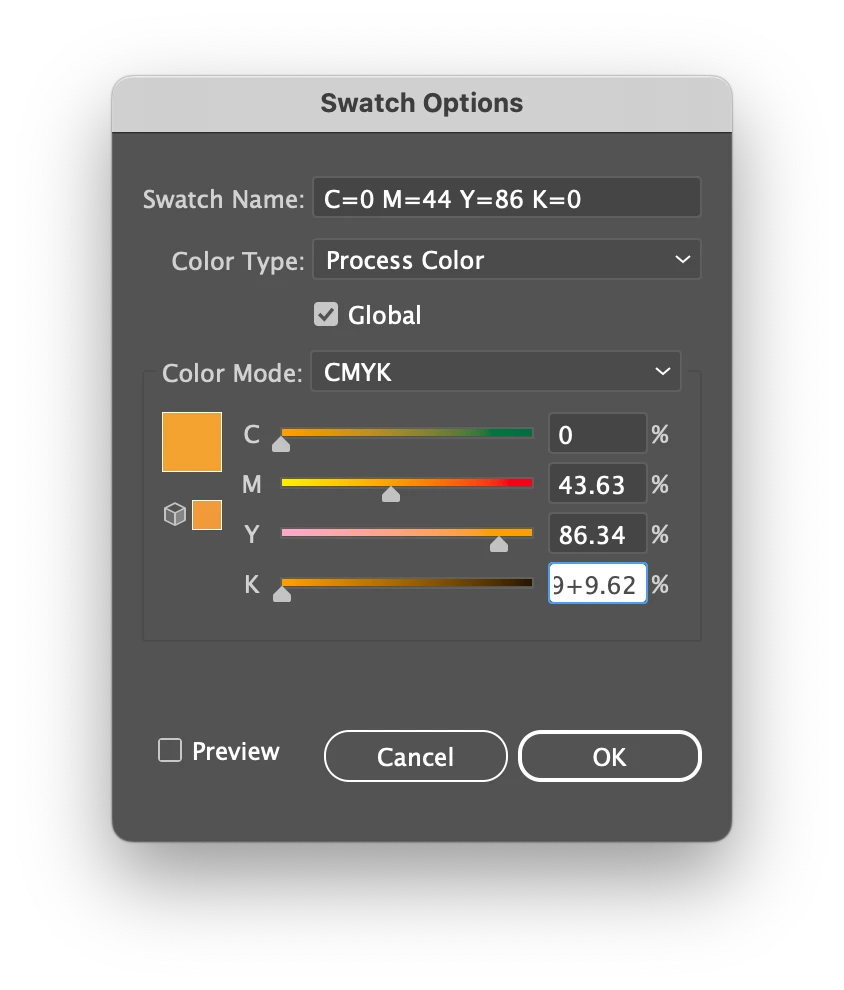
On the other hand, depending on the color, I have to pass the values of one color and add them to another; in the example of the spike I have to pass the values of the Cyan color "C" to the black color "K". see images 06 to 09.
And the color Cyan "C" leave it at zero value "0". // compare imagen 05 with image 09 //
In other cases I have to pass the values of magenta "M" to black "K" and others the value of yellow "Y" to black "K".
it depends on the design.
Added to this if the color is between 0.01% and 3.99% is "C", "M", "Y" or "K" leave it at 4.00% minimum.
Attached I add Ai files so you can see how the elements are made.
I have searched for scripts to see if I can adapt them to automate this but I have only found the script to name the last color but with a name not with the values it has and as I do not know Java programming I have not been able to adapt it for my process.
I know it's a lot to ask but I would like to know if you can help me or guide me with this.
I also know that if someone who works in the digital pre-press area sees this it will be very helpful and I think they will support and appreciate the help.
I have the following Ai file. // see image 01 //
I continually receive vector elements that are part of designs for flexo printing.
The problem I have is that the names many times or almost always come with the wrong names (I always work the files in CMYK). // see images 02 and 03 //
What I have to do is:
1- Open each swatch (one by one). // see image 03 //
2- Delete the name and select OK. // see image 04 //
So that in the end each swatch can see the colors with the values in CMYK but it does not show the decimals. // see image 05 //
On the other hand, depending on the color, I have to pass the values of one color and add them to another; in the example of the spike I have to pass the values of the Cyan color "C" to the black color "K". see images 06 to 09.
And the color Cyan "C" leave it at zero value "0". // compare imagen 05 with image 09 //
In other cases I have to pass the values of magenta "M" to black "K" and others the value of yellow "Y" to black "K".
it depends on the design.
Added to this if the color is between 0.01% and 3.99% is "C", "M", "Y" or "K" leave it at 4.00% minimum.
Attached I add Ai files so you can see how the elements are made.
I have searched for scripts to see if I can adapt them to automate this but I have only found the script to name the last color but with a name not with the values it has and as I do not know Java programming I have not been able to adapt it for my process.
I know it's a lot to ask but I would like to know if you can help me or guide me with this.
I also know that if someone who works in the digital pre-press area sees this it will be very helpful and I think they will support and appreciate the help.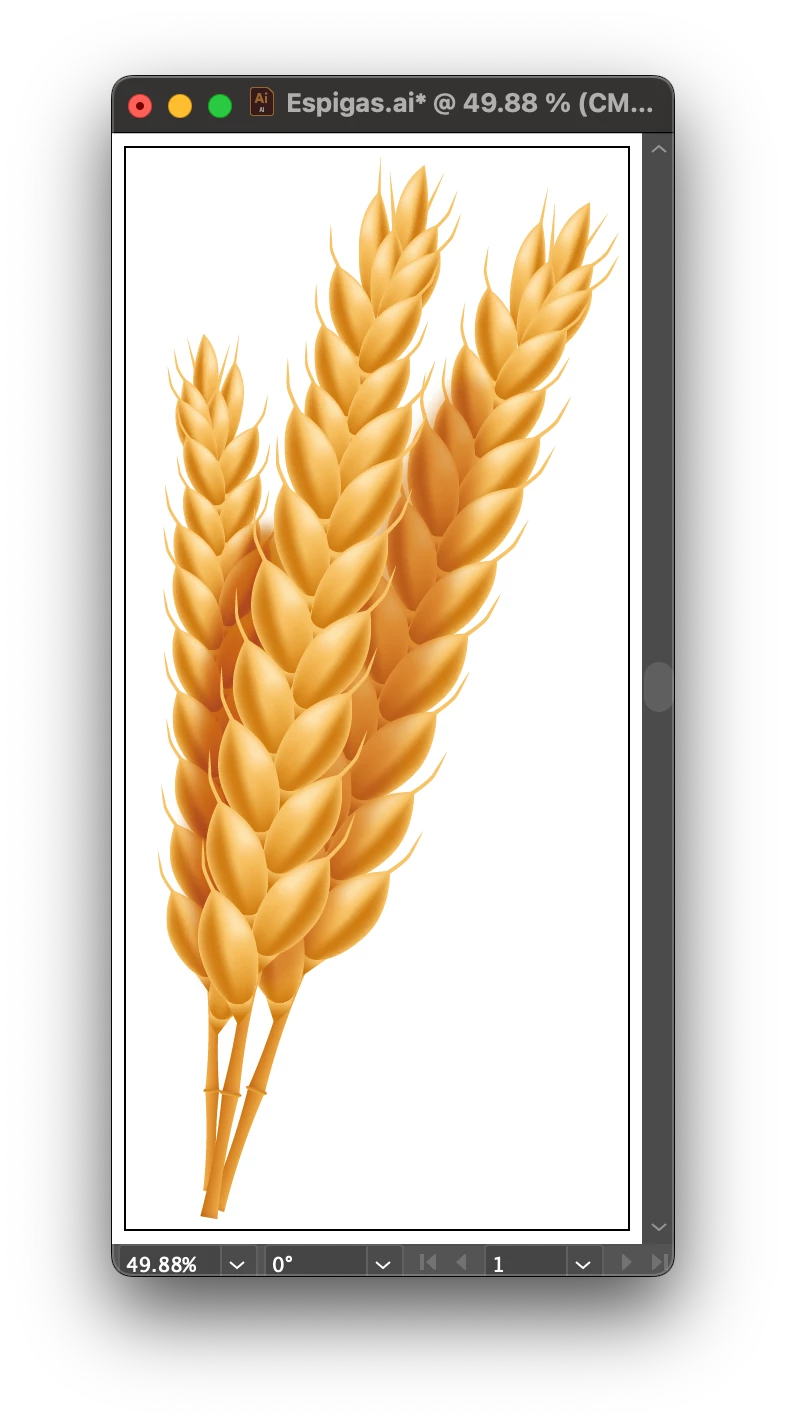
 AdChoices