
johndys
Known Participant
June 12, 2015
Answered

Script to change selected layer to one of the drop down colors within layers pallete

  • June 12, 2015
  • 1 reply
  • 2361 views

Hello!

I was wondering if anyone knows of a script that would allow me to change selected layers (either single or mulitple selection) to "Light Blue" or any colors within the drop down selection? (see attached screenshot)

I've found the following but it changes all the layers and it's RGB color.

-----

tell application "Adobe Illustrator"

  set current_Layer in current document

display dialog "In current document there are " & layersCounter & " layers." & "Recolor layers label?"

  repeat until (layersCounter = 0)

  set color of layer layersCounter in current document to {Light Blue}

  set layersCounter to layersCounter - 1

  end repeat

end tell

-----
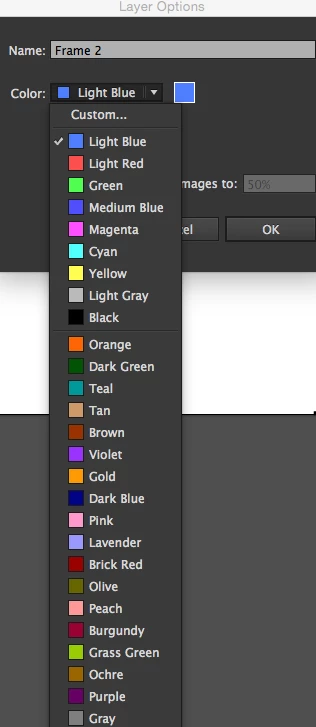
I don't know how to script so any help is greatly appreciated. Thank you in advance!

John

This topic has been closed for replies.
Correct answer Disposition_Dev

Hello williamadowling,

After running this script all the layers change to blue. Is it possible to change only the selected layers?

Thank you for your help!


as far as i can tell this is only possible with some other changes.. Since 'selected' isn't a property of 'layers' then javascript can't determine whether you see a layer as highlighted in your layers panel.

you could do this one of 2 ways. Depending on how many layers you want to change the color of, you can either make those visible or hidden (for example, if you want to change 80% of the layers to a specific color, hide the other 20%). then just add an if clause inside the for loop.

var doc = app.activeDocument;

var layers = doc.layers;

var blue = new RGBColor();

blue.red = 79;

blue.green = 128;

blue.blue = 255;

for(i=0;i<layers.length;i++){

     if(layers.visible == true){

          var aLay = layers;

          aLay.color = blue;

     }

}

1 reply

pixxxelschubser
Community Expert
Community Expert
June 14, 2015

Hi johndys‌,

e.g. with Javascript you can (only) do somthing like this:

// changeColorOfActiveLayer.jsx

var aLay = app.activeDocument.activeLayer;

var LightBlueCol = new RGBColor();

LightBlueCol.red = 79;

LightBlueCol.green = 128;

LightBlueCol.blue = 255;

aLay.color = LightBlueCol;

Have fun

johndys
johndysAuthor
Known Participant
June 15, 2015

Hello pixxxel schubser,

Thank you for your reply. I tried out the script and it's only changing one layer at a time. Is it possible to have more than 1 layer selected that gets the color change?

Again, thank you!

Disposition_Dev
Legend
June 15, 2015

var doc = app.activeDocument;

var layers = doc.layers;

     var blue = newRGBColor();

     blue.red = 79;

     blue.green = 128;

     blue.blue = 255;

for(i=0;i<layers.length;i++){

     var aLay = layers;

     aLay.color = blue;

}