Inspiring
March 30, 2024
Answered

Script to select same stroke color of path group ~~Adobe Illustrator

  • March 30, 2024
  • 1 reply
  • 1531 views

how to select path group with script ? if they are not group, I can select with script. pls help me, thanks
 

var doc = app.activeDocument;
var artb = doc.artboards;
var artLayer = doc.layers[0];
var s = artLayer.pathItems;

var colorObj = new CMYKColor();
colorObj.cyan = 100;
colorObj.magenta = 0;
colorObj.yellow = 0;
colorObj.black = 0;

var aLen = artb.length;
for(var i = 0; i < s.length; i++){
var pathItem = s[i];

if (pathItem.strokeColor.cyan == 100 && pathItem.strokeColor.magenta == 0 && pathItem.strokeColor.yellow == 0 && pathItem.strokeColor.black == 0){
pathItem.selected = true;
artb.add(pathItem.geometricBounds);
pathItem.remove();
}else{

}
}
 

This topic has been closed for replies.
Correct answer CarlosCanto

Your solution is great, but if you open my PDF to test the script code, it still be failed. I think it's because of the clipping mask.


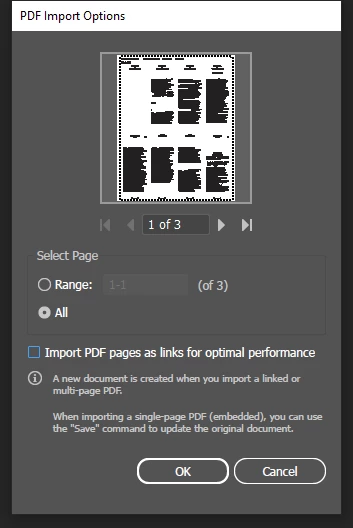
I had just opened page 3, it comes as I showed with no clipping mask


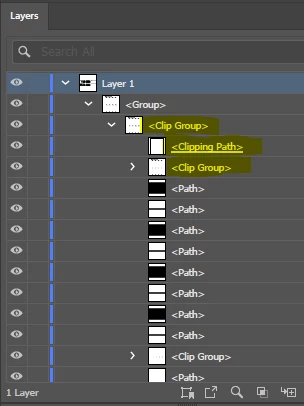
if you open the 3 pages, each page is a group. The group you're interested in is the top group or page 3.


all you have to do is target the clipping mask, which is also a group, 


try this

var doc = app.activeDocument;
var artb = doc.artboards;
var artLayer = doc.layers[0];

var topGroup = artLayer.groupItems[0]; // *** added
var clipGroup = topGroup.groupItems[0]; // *** added

var s = clipGroup.pathItems; // *** edited

var whiteRectangles = [];

// collect white rectangles
for (var i = 0; i < s.length; i++) {
  var pathItem = s[i];
  
  if (pathItem.strokeColor.cyan == 0 && pathItem.strokeColor.magenta == 0 && pathItem.strokeColor.yellow == 0 && pathItem.strokeColor.black == 0) {
    whiteRectangles.push(pathItem);
  } else {}
}   

for (var a=0; a<whiteRectangles.length; a++) {
    artb.add(whiteRectangles[a].geometricBounds);
    whiteRectangles[a].remove();
}

1 reply

rui huangAuthor
Inspiring
March 30, 2024

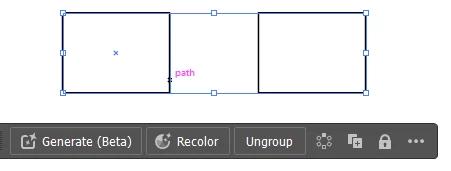
Additional explanation, actually I want to open PDF with AI and select the path object of the PDF,  if it is rectangle, then change to artboards. but I can't selected.

renél80416020
Inspiring
March 30, 2024

for(var i = s.length-1; i >= 0; i--){