
Scripting a cut line & bleed layer
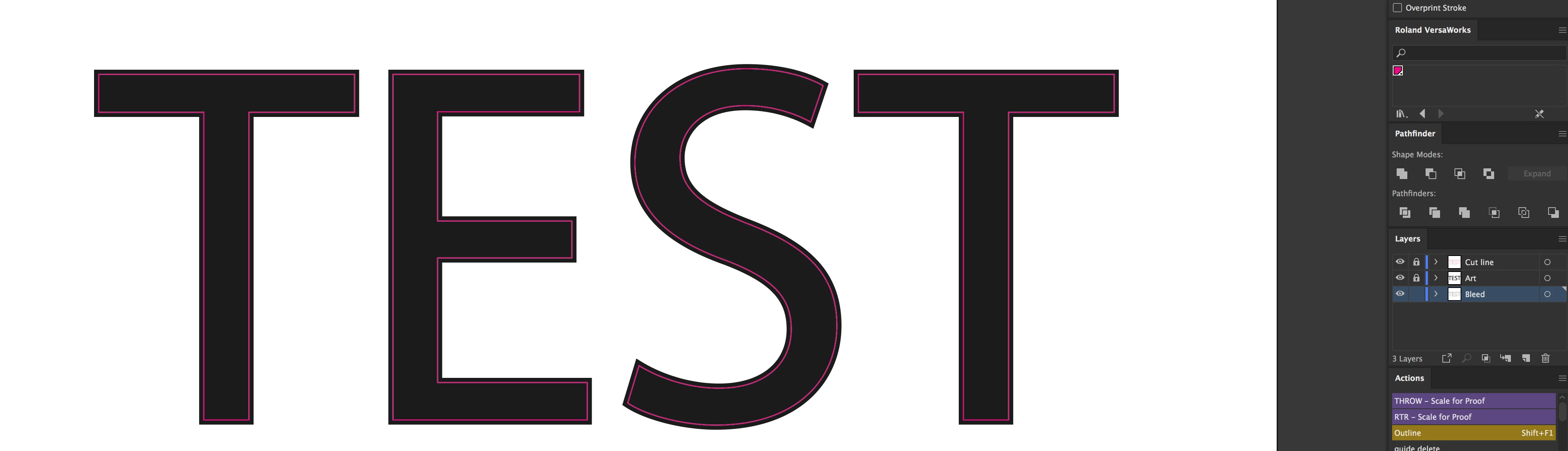
I'm new to scripting and was hoping some people can give me a head start in making this happen. This is all for thermal printing, we cut out the art and iron it on to a material. I'm hoping to simplify our steps to create a quicker workflow.
I have attached a photo of a reference to what I am trying to achieve.
1. I need to make sure everything is outlined, divided and ungrouped.
2. Make sure only the colors that need to be cut out are still on. (Usually, I use the magic wand on every color separately, hide that color, and continue till all colors are hidden and delete the remaining "art").
3. Copy art layer with all colors united and make them a spot color. We use a pink for our cutlines.
4. Copy art layer with each color switched to a 10 point stroke for our bleed.
Please let me know if any clarification is needed.
 AdChoices