

Answered
SDK: How to display the top-level menu in Keyboard Shortcuts?
Hello everyone,
I'm using the following code:
ASErr AIalignPlugin::AddMenus(SPInterfaceMessage* message)
{
	ASErr error = kNoErr;

	SDKAboutPluginsHelper aboutPluginsHelper;
	aboutPluginsHelper.AddAboutPluginsMenuItem(message,
		kSDKDefAboutSDKCompanyPluginsGroupName,
		ai::UnicodeString(kSDKDefAboutSDKCompanyPluginsGroupNameString),
		"AIalign...",
		&this->fAboutPluginMenu);

	AIMenuItemHandle dummyItem;

	AIPlatformAddMenuItemDataUS menuData;
	menuData.groupName = kOtherPalettesMenuGroup;
	menuData.itemText = ai::UnicodeString("AIalign");
	error = sAIMenu->AddMenuItem(message->d.self,
		nullptr,
		&menuData,
		kMenuItemWantsUpdateOption,
		&this->fShowAiAlignMasterDialog);
	if (error) goto error;

error:
	return error;
}
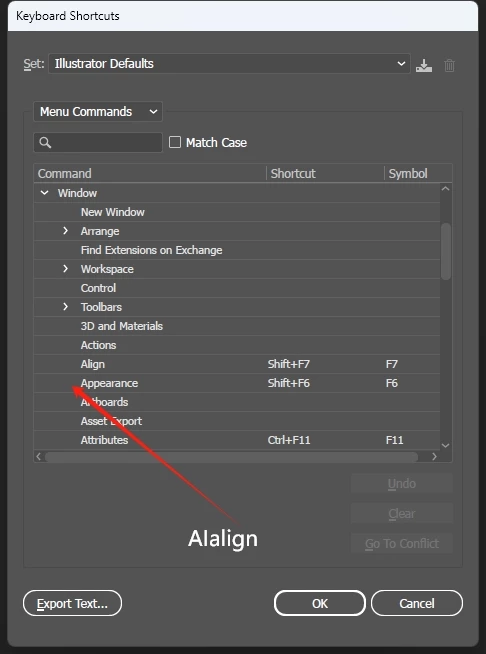
I successfully added the AIalign menu item as a top-level menu item under the window menu, but this menu cannot be found in the Keyboard Shortcuts. If set as a submenu, it can be found. So, I kindly ask for everyone's help and guidance on this matter. Thank you all.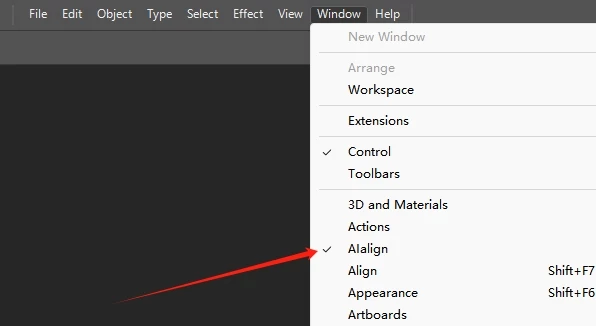


 AdChoices