dbuhl
Participant
March 16, 2017
Answered

Search option in replace link dialog box not working with server

  • March 16, 2017
  • 2 replies
  • 531 views

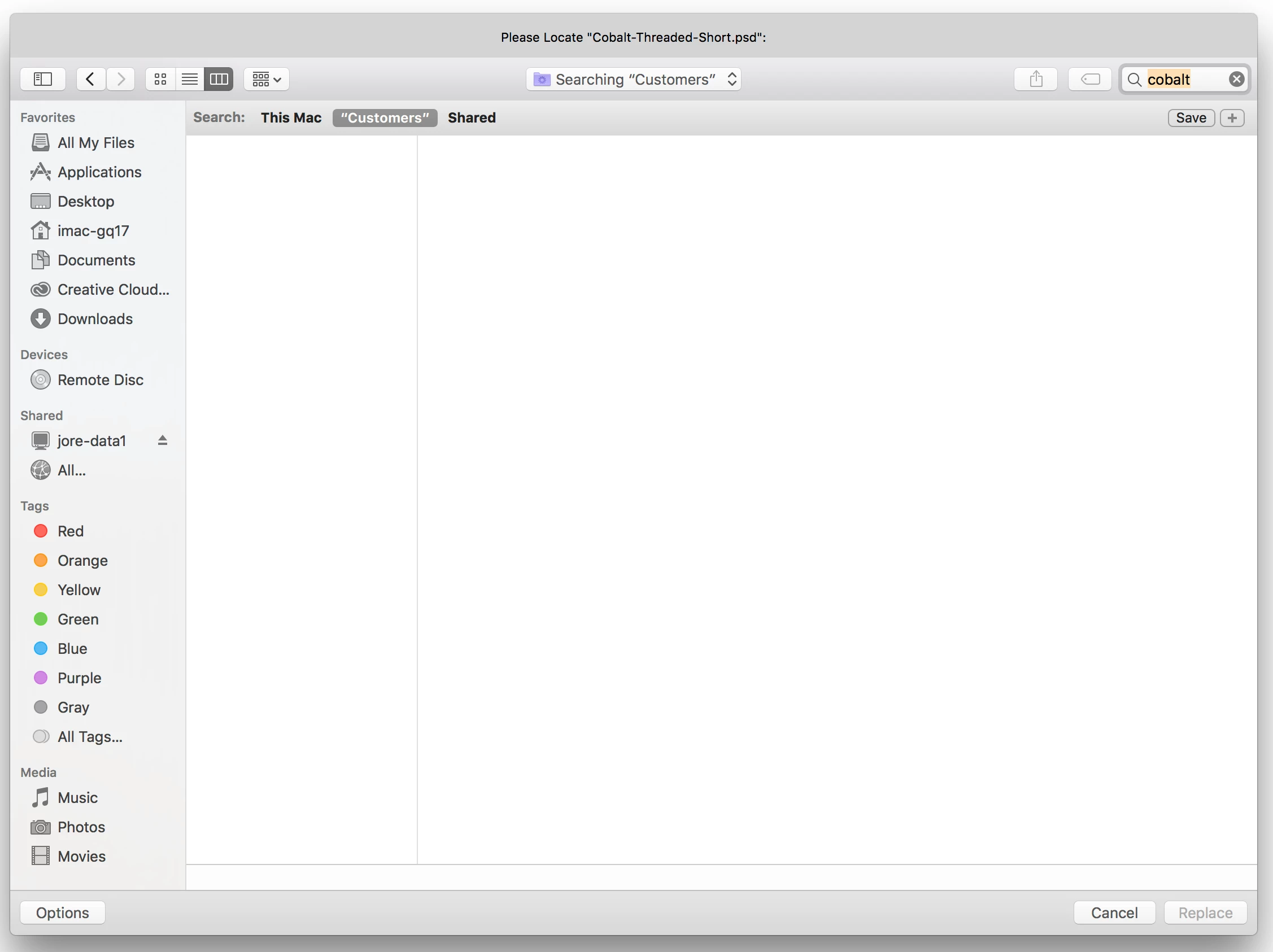
When trying to relink files in Illustrator I have always used the search option (in the replace file dialog box) to search our server at work to find the files that I need to replace. I can manually hunt through our server to find files and replace them but there are thousands of files on the server. If I type a file to find in that search field it automatically defaults to searching the Mac that I am on. If I click on the button to search on the server it just stays blank. We recently upgraded to the creative cloud and also got new computers and were moved to a newer server and now I am unable to search for files that are located on the server.

Any help would greatly be appreciated since now that we moved servers every file that we have has had all of its links broken.
    This topic has been closed for replies.
    Correct answer Mike_Gondek10189183

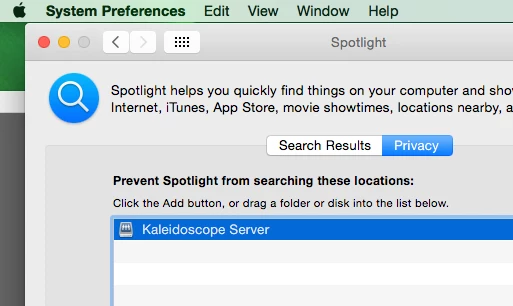
    That search is coming from spotlight. Spotlight often does not play nice with many servers, so an IT Dept  often adds your server under privacy so that is not being indexed.

    More likely though sounds like since you recently moved servers, spotlight may be indexing this.

    To force this to index add this and then use the mines sign to remove. Lengthier explanation here:

    Rebuild the Spotlight Index

    2 replies

    Mike_Gondek10189183
    Community Expert
    Mike_Gondek10189183Community ExpertCorrect answer
    Community Expert
    March 20, 2017

    That search is coming from spotlight. Spotlight often does not play nice with many servers, so an IT Dept  often adds your server under privacy so that is not being indexed.

    More likely though sounds like since you recently moved servers, spotlight may be indexing this.

    To force this to index add this and then use the mines sign to remove. Lengthier explanation here:

    Rebuild the Spotlight Index

    Om Nath Jha
    Legend
    March 20, 2017

    Hi dbuhl,

    It seems to be related to permissions on the server. I believe you should consult your IT and ask them for the exact settings which used to work earlier. If they can replicate it and check.

    Regards,

    Om

    dbuhl
    dbuhlAuthor
    Participant
    March 20, 2017

    Ohmnath,

    I have already checked with the IT department and I have full permission to the server. I am starting to think it might be an OS/Spotlight issue because my co worker is using an older OS version and his works just fine.

    Mike_Gondek10189183
    Community Expert
    Community Expert
    March 20, 2017

    Yes this is most likely a spotlight issue.

    For example  Microsoft Outlook email browser for mac has a search, and if you search for email you know exists that is not coming up, is because spotlight has not indexed yet.

    https://support.microsoft.com/en-us/help/2741535/outlook-for-mac-search-returns-no-results,-and-task-items-are-not-displ…