Participating Frequently
June 15, 2020
Answered

Segments of circle in Illustrator

  • June 15, 2020
  • 4 replies
  • 12177 views

Why Illustrator doesn't have an especific tool to draw segments of circle in a way more intuitive. It sucks to make it in the current way. Take a look at CorelDRAW way. In there it´s so easy!

This topic has been closed for replies.
Correct answer Jeff Witchel, ACI

Try clicking and dragging with the Arc tool, while holding down your Shift key.


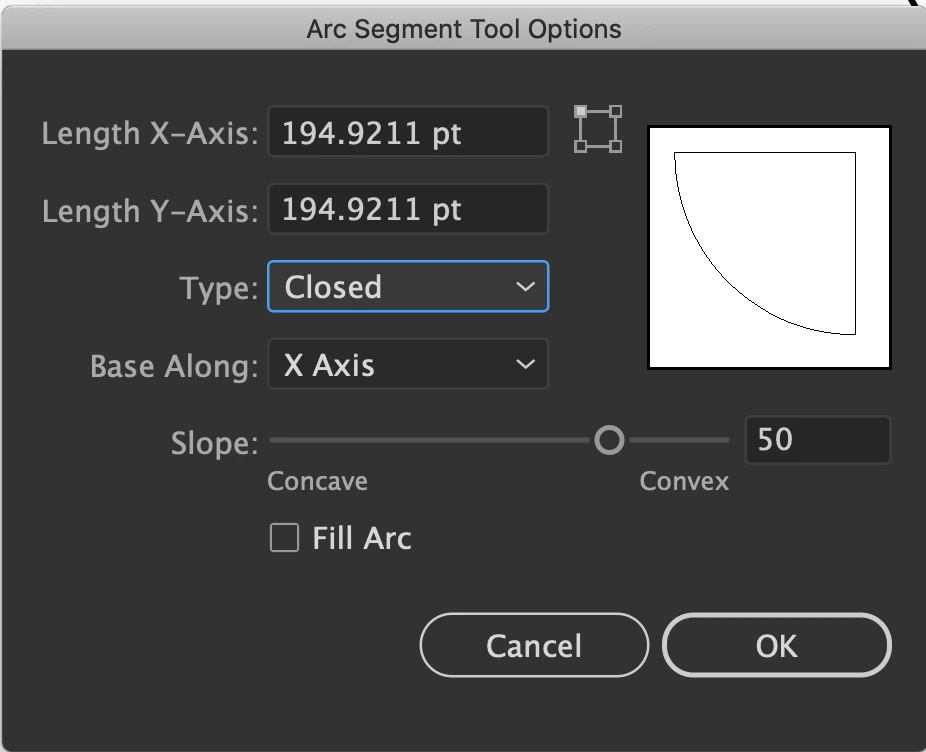
If you're looking for a quarter of a Pie Shape, double-click on the Arc tool and change to a Closed shape. Then hold down your Shift while clicking and draging with the Arc tool.
4 replies

Known Participant
April 27, 2023

Indeed, CorelDRAW has been doing that for more than 15 years (the last time I used it)… It’s mindboggling that Illustrator still cannot do it! 😞

Monika Gause
Community Expert
Community Expert
April 27, 2023

@Astronomie-Québec  schrieb:

Indeed, CorelDRAW has been doing that for more than 15 years (the last time I used it)… It’s mindboggling that Illustrator still cannot do it! 😞


Maybe you want to tell the developers that you need this:

https://illustrator.uservoice.com 

Known Participant
April 28, 2023

Thank you very much, but I wonder if Adobe will act upon the suggestion… If this feature is still not available after 15+ years of CorelDRAW having it, I’m not very optimistic.

Kurt Gold
Community Expert
Community Expert
June 28, 2020

The Arc tool is a very good tool, Jeff, but unfortunately it only creates "dead" paths which cannot be adjusted as desired by Bereh (as far I understand it).


Something that was possible in FreeHand about 20 years ago (and some other applications) ...

Kurt Gold
Community Expert
Community Expert
June 28, 2020

Thanks for the clarification.


I do know how Corel Draw works in this matter, but I was not quite sure about your request, because strictly speaking circular segments are not what you are looking for (you are looking for circular sectors which can be drawn easily in recent versions of Illustrator).


Nevertheless, I am also a bit disappointed that there is still no way to draw and control arcs in the same way (and especially that their handles are not smart guides sensitive). I once provided a workaround based on Live Paint, but unfortunately cannot find the link to the topic right now. Moreover, I can imagine that you won't like that workaround too much.


ILDENAuthor
Participating Frequently
June 28, 2020

Hello Kurt!
You're right, making arcs in Illustrator still needs a tool that works easily with more precision and freedom. It is a pity...
Thank you for your contribution!

Kurt Gold
Community Expert
Community Expert
June 15, 2020

Which version of Illustrator are you using?


Also, are you really talking about circular segments or rather about arcs or circular sectors?

ILDENAuthor
Participating Frequently
June 28, 2020

Hi, Kurt!

I´m using 2020 version.

When I talk about to draw segments of circle I mean a tool that give you control on the extent of a segment of circle in a free way. In CorelDRAW, for instance, together with the tool 'elipse' there are the options 'pie' and 'arc' with wich you just need pull a point to determine where you want to finish a segment into the 360º circle.

Thank you for your attention!


Monika Gause
Community Expert
Community Expert
June 28, 2020

While you can't draw arcs with the circle tool easily, you can draw pies: https://helpx.adobe.com/illustrator/how-to/live-shapes.html