
Inspiring
November 4, 2022
Answered

Select Spot color using given CMYK values

  • November 4, 2022
  • 3 replies
  • 372 views

Hi community good afternoon, can anybody help me with this? I have the following code:


var doc = app.activeDocument;
function SelectSpecificColor () {
doc.selection = null;
var cmykCol = new SpotColor();
cmykCol.cyan=2;
cmykCol.magenta=100;
cmykCol.yellow=2;
cmykCol.black=2;
doc.defaultFillColor = cmykCol;
app.executeMenuCommand("Find Fill Color menu item");
app.redraw();
//alert(doc.selection.length)
// }
}
SelectSpecificColor();


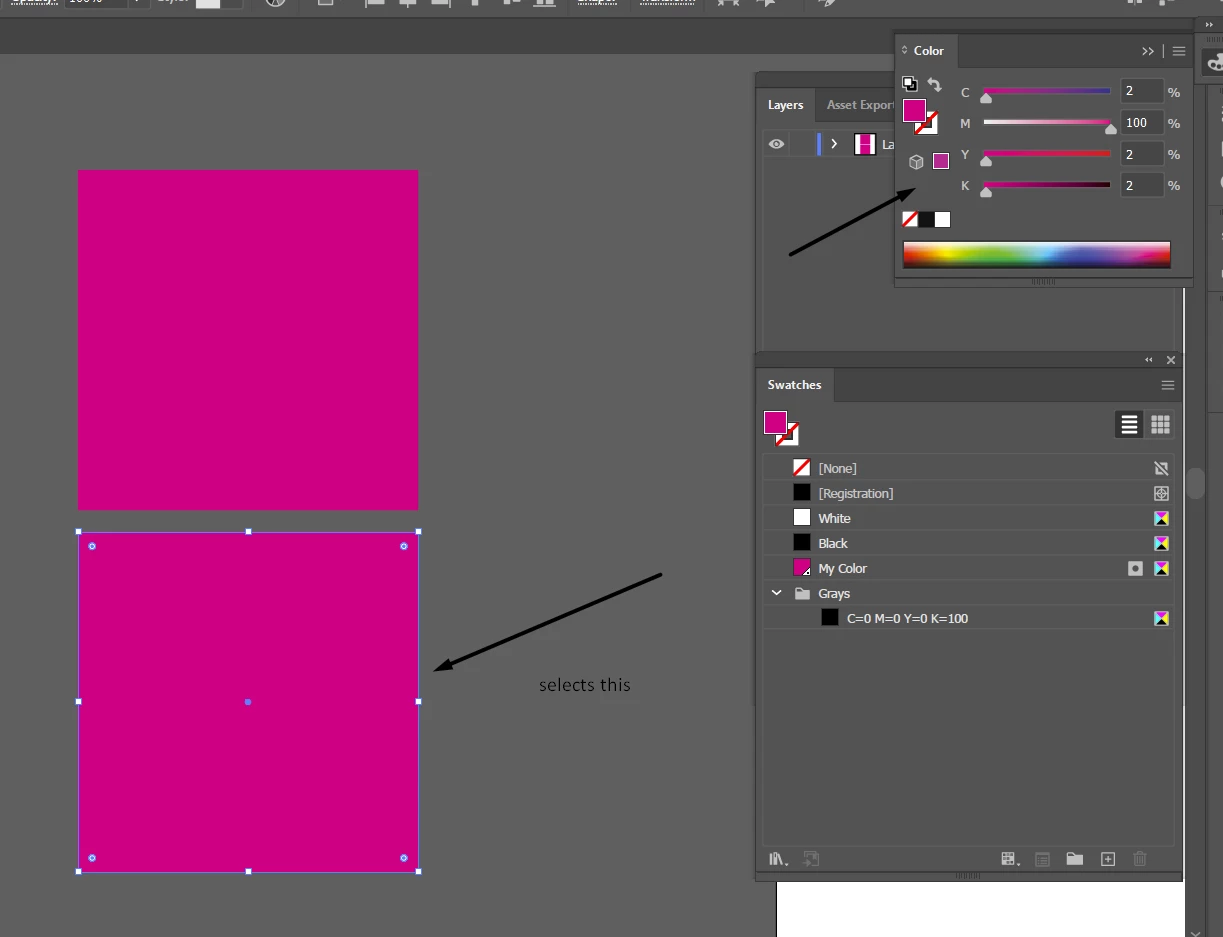
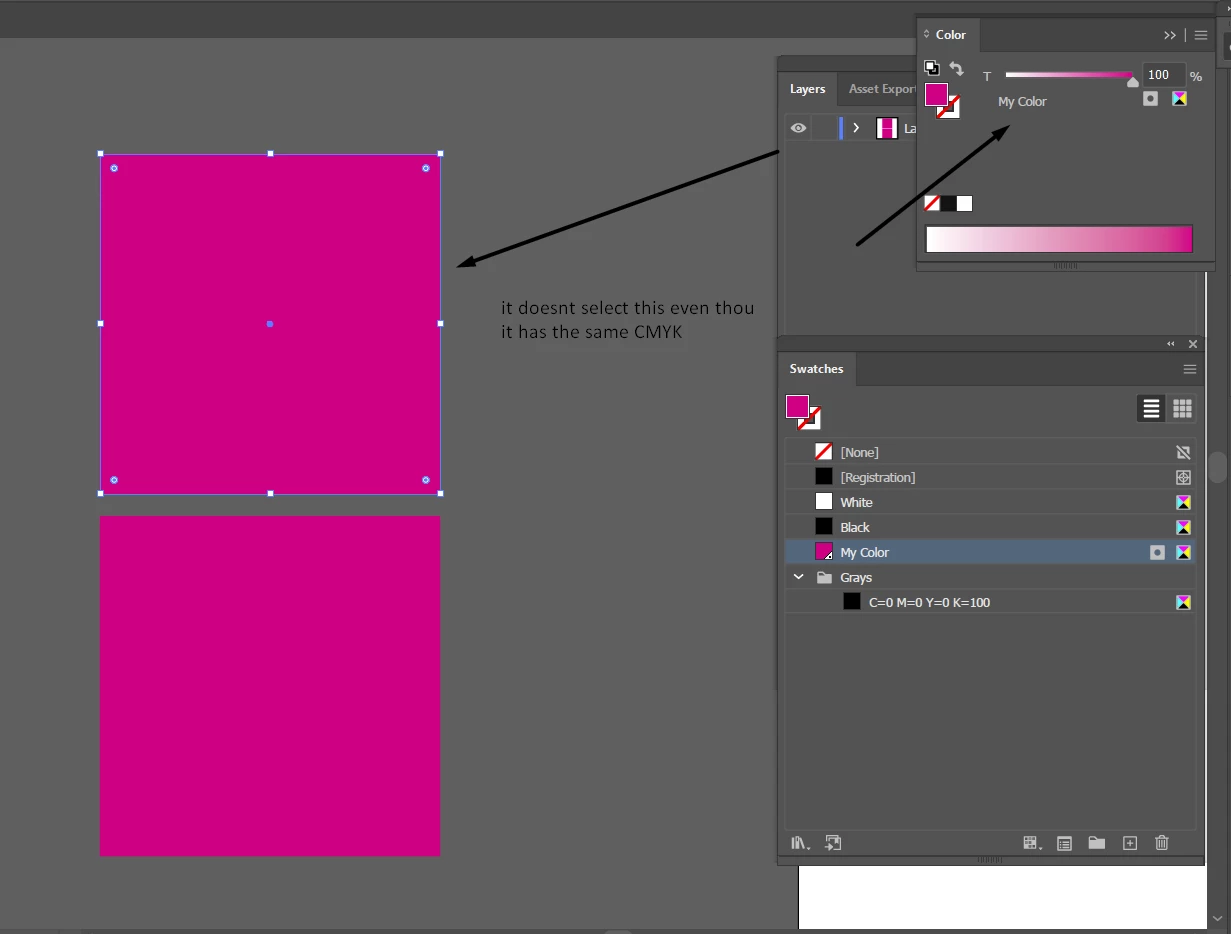
which looks for a CMYK value to select all objects/items in the document with that values, BUT when I turn that object into spot color it is not selecting it anymore, maybe cause it changed to spot, but still that new spot color keeps the values of CMYK, is there any way to select that new created spot color with given CMYK values in the code? Thank you


This topic is closed to new replies. Start a new post to keep the conversation going.
Correct answer AntonioPacheco

I found a way to do it, I will look for a swatch name that contains a "key word" then I will select that color as teh default fill color to select, here is the code, thank you all!


var doc = app.activeDocument;
var name =  "";
var searchName = "";
for(i=0 ; i<doc.swatches.length; i++){
    name = doc.swatches[i].name;
    searchName = nombre.match("Black");
    if(SearchName == "Black"){
        alert("found at index " + i);
        alert(searchName);
        app.activeDocument.defaultFillColor = doc.swatches[i].color;
        app.executeMenuCommand("Find Fill Color menu item");
        i=30;
    }
}

3 replies

AntonioPachecoAuthorCorrect answer
Inspiring
November 4, 2022

I found a way to do it, I will look for a swatch name that contains a "key word" then I will select that color as teh default fill color to select, here is the code, thank you all!


var doc = app.activeDocument;
var name =  "";
var searchName = "";
for(i=0 ; i<doc.swatches.length; i++){
    name = doc.swatches[i].name;
    searchName = nombre.match("Black");
    if(SearchName == "Black"){
        alert("found at index " + i);
        alert(searchName);
        app.activeDocument.defaultFillColor = doc.swatches[i].color;
        app.executeMenuCommand("Find Fill Color menu item");
        i=30;
    }
}
Legend
November 4, 2022

According to the documentation SpotColor — Illustrator Scripting Guide 0.0.1 documentation (docsforadobe.dev) the SpotColor class has properties: spot and tint. If you set other made up properties like cyan or magenta it won't do anything at all.

Inspiring
November 4, 2022

Does it mean it is not possible to select a spot color? That's too bad 😕😕 Can anybody help me with a different code maybe to select that spot color? thanks!