Participant
June 28, 2023
Answered

Selecting correct colors for cmyk

  • June 28, 2023
  • 3 replies
  • 1192 views

Hello I am creating this business card below:



So the green color I used for the icons is the same as of the logo which has these values below:
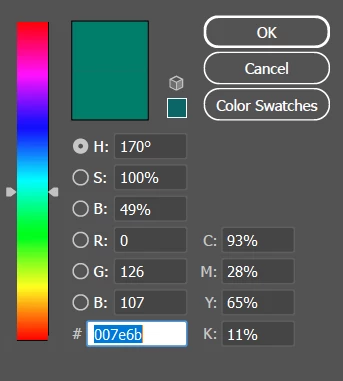
My question is, are the CMYK values used ok? Will they cause any problem when printed?


I will be creating the business card using CMYK and offset printing. 


And my second question is about the qr barcode.


The qr barcode is PNG, and the values of it are like this:
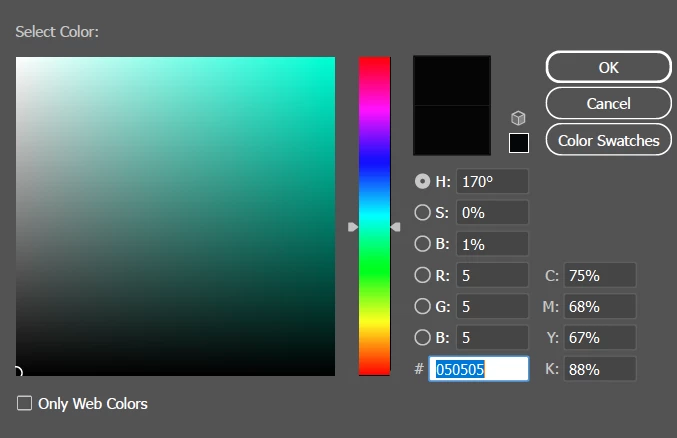
Would these values of CMYK cause the barcode to be not readable?


  [1]: https://i.stack.imgur.com/oBQrk.png

  [2]: https://i.stack.imgur.com/fkkn5.png

  [3]: https://i.stack.imgur.com/iQFdF.png

This topic has been closed for replies.
Correct answer Ton Frederiks

If you want to print your png file as black only, you can select the image and choose Edit > Edit Colors > Convert to Grayscale.

You can check the result in the Separations panel

3 replies

Legend
June 29, 2023

Also, by thge way, PNG files are never in CMYK. It's impossible.

Participant
June 29, 2023

@Test Screen Name 

Thank you very much for your answer


why some designers in tutorials would say that, it's better for the colors to be distributed more in two channels of CMYK, than to be distributed in all of the four channels? Which in my case the color is distributed largely in all four channels and not just in two.

Would this casue a problem.


And for the qr barcode

I downloaded it as PNG from website.


But the document that I'm working in is of course CMYK. So after I put the PNG qr code in the CMYK document does it mean the png turns automatically to CMYK? 


And the qr code is not pure black like

C 0%, m 0%, m 0©, k 100%. It consists of all colors distributed in the four channels like I mentioned in the picture. Would this cause the qr code to be not readable?


Ton Frederiks
Community Expert
Ton FrederiksCommunity ExpertCorrect answer
Community Expert
June 29, 2023

If you want to print your png file as black only, you can select the image and choose Edit > Edit Colors > Convert to Grayscale.

You can check the result in the Separations panel

Legend
June 29, 2023

When something is printed on an offset press, the paper/card used and the brand of ink will affect the colour. So the same CMYK colours will print differently according to where you have it printed. This is why you need to get a CMYK profile from your print provider, and install it, and use it. You also need to calibrate your monitor, since the same RGB colours look different according to the monitor (and the lighting in the room).... 

Monika Gause
Community Expert
Community Expert
June 28, 2023

You should get a printed color chart for comparison and for color selection, because nobody knows how you see the color on your monitor.

As for the QR code: you need to do test runs with it.