
Selecting Object doesn't select whole layer
Hi all,
I should preface this by saying I'm still relatively new to Illustrator.
I've got a document I update from time to time - it contains a group shot of avatars representing real people.
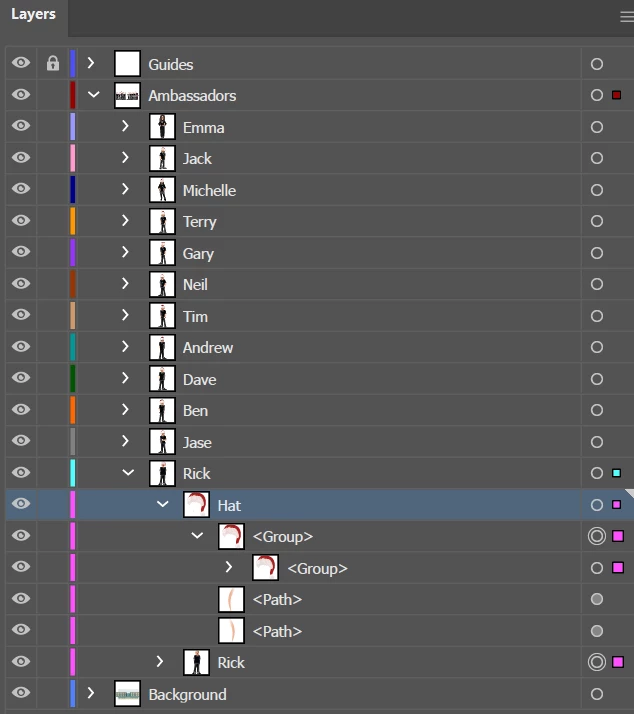
I did a Christmas variation and added Santa hats in November, which was fine - though a rush job so I did all the hats in a separate layer.
Now - I've realised it would be easier to put the hats in the same layers as the avatars so it's easier to move them together when the order changes etc.
However, when I click one of the avatars, it only selects the avatar and not both layers with the main layer.
I've tried grouping them, but that seems to throw the order of the objects.
It seems different to how I've done things before, and I can't put my finger on why.
It's similar to the option in Photoshop to select the layer rather than the group.
I've also just noticed that when I click on the hat to select it, it doesn't select all the objects in that layer - so I'm assuming that's related, but as they're not locked I can't understand why.
If anyone can point me in the right direction I'd be very grateful!
Thanks,
Rick

 AdChoices