Participant
September 29, 2017
Answered

Seperating cards

  • September 29, 2017
  • 3 replies
  • 1676 views

Hi, I am literally just using illustrator for my business cards so I am a total noob haha. I am trying to upload my designs to Vistaprint, but only the front will show up because my file contains both sides. How do I separate each side into a different file?

    This topic has been closed for replies.
    Correct answer Debbie Keller

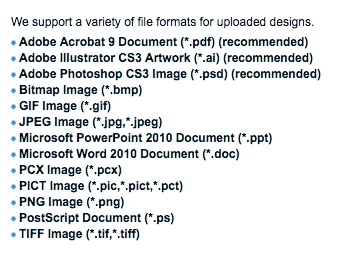
    Here are the file types recognized by Vistaprint:
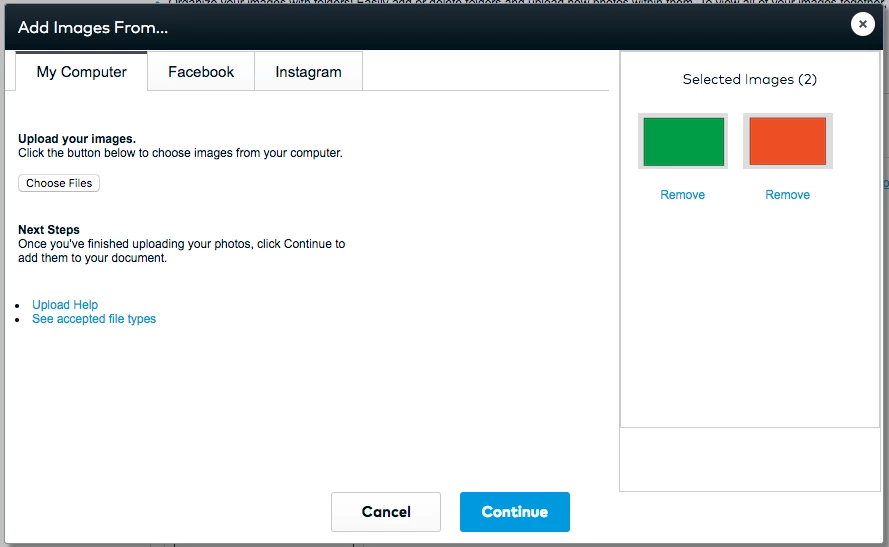
    VistaPrint does not recognize multiple Artboards in Illustrator documents, you can either save your Illustrator to separate files and upload them individually or you can save your file as a PDF and it will recognized multiple pages (PDF files work although they are not listed on the supported file formats list). Here is a screen shot of a PDF test file I created from Illustrator.
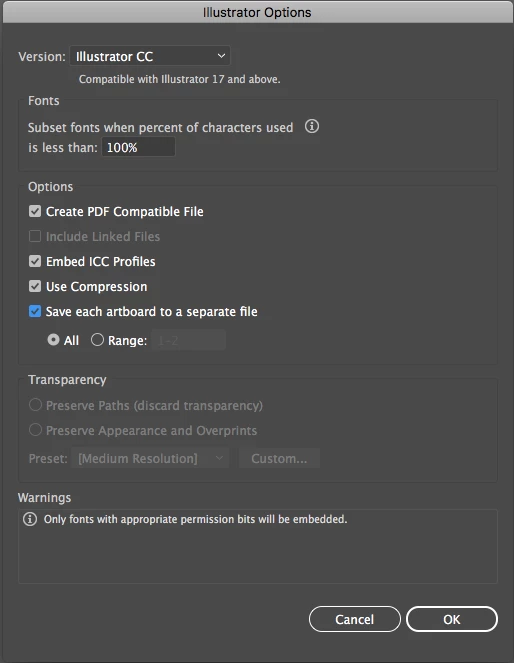
    If you choose the multiple Artboard option choose the "Save each artboard to a separate file" in the Illustrator Options dialog box (the box that pops up after you click Save).

    3 replies

    Debbie KellerCorrect answer
    Participating Frequently
    September 30, 2017

    Here are the file types recognized by Vistaprint:

    VistaPrint does not recognize multiple Artboards in Illustrator documents, you can either save your Illustrator to separate files and upload them individually or you can save your file as a PDF and it will recognized multiple pages (PDF files work although they are not listed on the supported file formats list). Here is a screen shot of a PDF test file I created from Illustrator.

    If you choose the multiple Artboard option choose the "Save each artboard to a separate file" in the Illustrator Options dialog box (the box that pops up after you click Save).

    Monika Gause
    Community Expert
    Community Expert
    September 30, 2017

    Did you save a PDF out of Illustrator?

    In that case you will have to do a "Save as" for each page separetely. So first save page 1 into a PDF, then save page 2

    jane-e
    Community Expert
    Community Expert
    September 30, 2017

    You have given incomplete information, so I am going to guess that you have multiple artboards.

    If so, select "Save each artboard to a separate file" when you do a Save As.

    If not, write back and tell us more.