Participant
April 22, 2025
Answered

Setting spot color to screen percent

  • April 22, 2025
  • 2 replies
  • 371 views

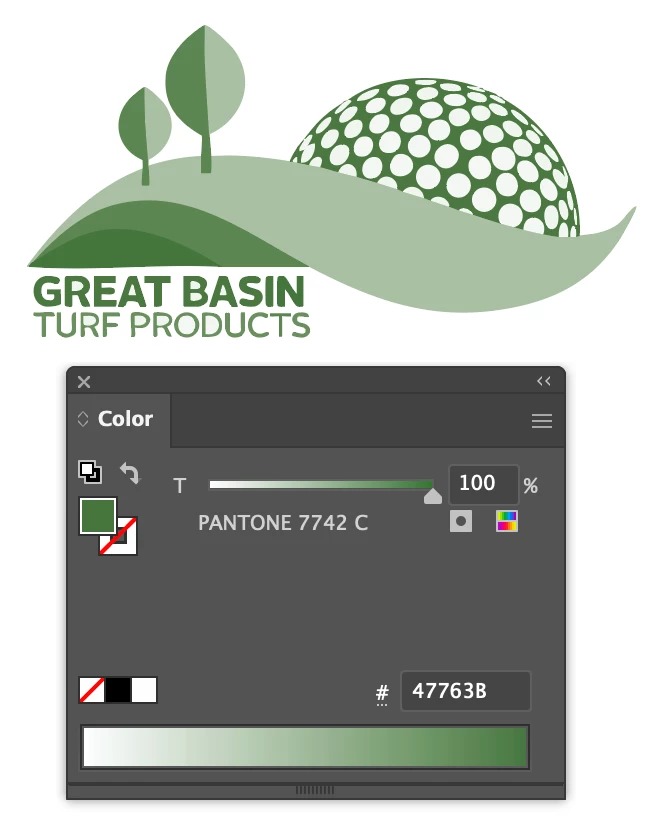
I'm having issues with a spot color. I need to print something on a press.  It was advised that I change the logo colors to all one shade of green and then set the green to a different color percentage so that my press guy only has two screens to burn (one for red and one for green). But I'm not sure how I acheive the correct colors of green when I change the color percent. 


The logo is attached below. It was advised that I change it all to the darkest green and then change the percentage but I can't get the correct colors of green when I do that. 


Help!!

 

Correct answer Ton Frederiks

Play a little with it, here is anothe one:

2 replies

Ton Frederiks
Community Expert
Ton FrederiksCommunity ExpertCorrect answer
Community Expert
April 22, 2025

Play a little with it, here is anothe one:

Participant
April 23, 2025

Thank you! I appreciate it

Ton Frederiks
Community Expert
Community Expert
April 23, 2025

Thanks, hope that works for you.

Ton Frederiks
Community Expert
Community Expert
April 22, 2025

You could try Recolor Artwork, choose Single color and select the Pantone Solid color book (if you still have it).

You wont get the yellowish light green, but this is probably as close as you can get with a single ink.