
TheApexCaliber
Participant
September 10, 2014
Answered

Setting Up a Document for a Billboard - Need Help

  • September 10, 2014
  • 1 reply
  • 18211 views

Hope someone can help me out with this.

I'm trying to design a billboard. I'll be working primarily in Illustrator.

My issue is that I'm having trouble setting up my document due to the format and size. I know that it's going to be made to scale, perhaps 1:10 but I still can't figure out how to set it up.

Here are the specs:

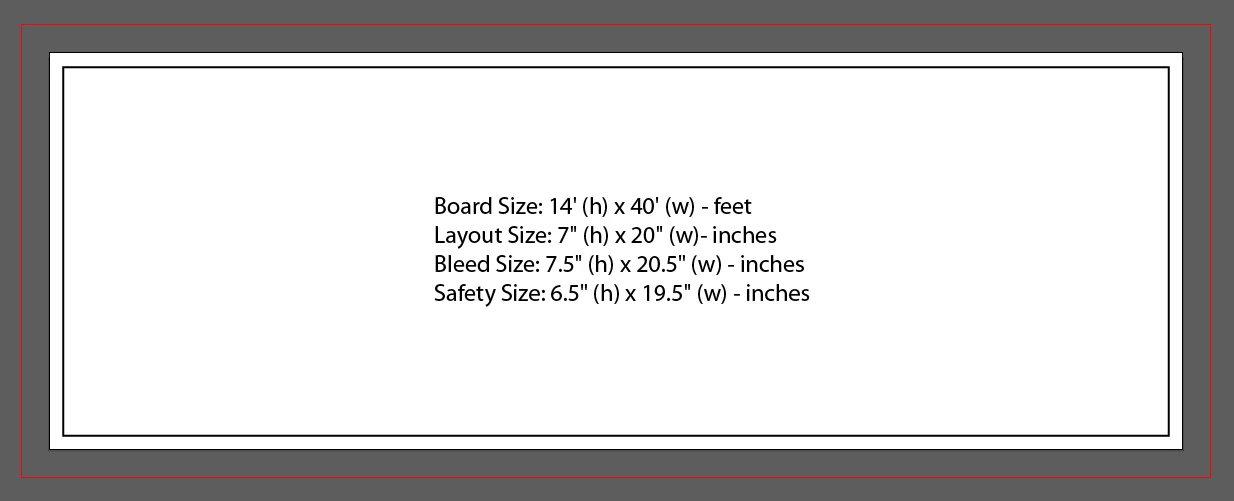
Board Size: 14' (h) x 40' (w) - feet

Layout Size: 7" (h) x 20" (w)- inches

Bleed Size: 7.5" (h) x 20.5" (w) - inches

Safety Size: 6.5" (h) x 19.5" (w) - inches

What I don't understand is how, take for instance the bleed's height x width, translate to top bottom left right?

Also, how do I set the safety size, layout size? Do these also translate into top bottom left right specs?

Can someone please help!!
This topic has been closed for replies.
Correct answer SJRiegel

Layout is the art board size. Subtract the art board size from the bleed size and divide by 2 to get the bleed amount. (in this case, 1/2 inch on each size)

The Safety Size (also know sometimes as the Live Area) is the part of the billboard that your text should stay within.

Like this

1 reply

Monika Gause
Community Expert
Community Expert
September 10, 2014

Subtract Layout from Bleed size and divide each dimension by 2.

In addition I would always contact the service provider when in doubt. It's better to ask than to do double work.

TheApexCaliber
Participant
September 11, 2014

This doesn't answer my question really. Either that or I don't understand your answer. When I subtract the layout from the bleed size, what does that result in? The Safety Size?

I was hoping someone could just help me with exactly how to set it up because I've been trying to figure it out for four days now. Please help.

SJRiegelCorrect answer
Legend
September 11, 2014

Layout is the art board size. Subtract the art board size from the bleed size and divide by 2 to get the bleed amount. (in this case, 1/2 inch on each size)

The Safety Size (also know sometimes as the Live Area) is the part of the billboard that your text should stay within.

Like this