
Shades of Gradient on Parametric Shapes
I am sorry if my title is not easily understandable but I will try to be as clear as I can.
I am creating some parametric shapes using different programs and then import them to illustrator for coloring.
Let me explain with an example. This is one of the shapes.
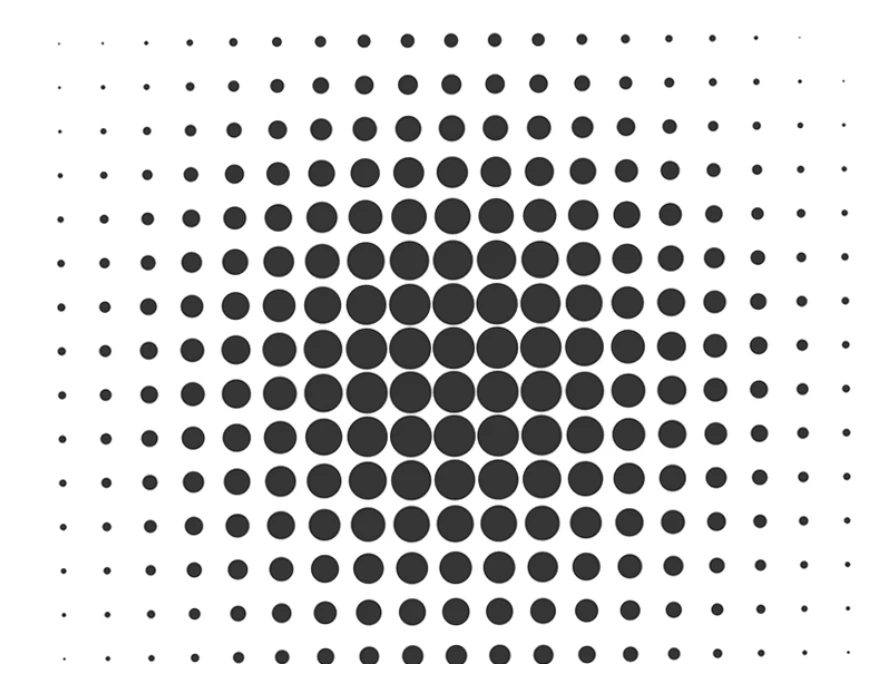
I want to apply shades of colors to the shape. For example, circle in the center will be orange, and smaller circles on the outer diameter will be purple. Circles in between will be in shades of blended colors from orange to purple in each step. I don't want them to be in gradient so making shapes to compound path and clipping them with a gradient will not work. I also don't want this to be done manually because not all shapes will be regular shapes like above, and it would take a lot for every color combination to be updated manually.
I hope I made my request clear. Is it something possible?
 AdChoices