Participant
October 17, 2017
Answered

Shadow effect in Illustrator

  • October 17, 2017
  • 1 reply
  • 1305 views

Hello patient and talented people,

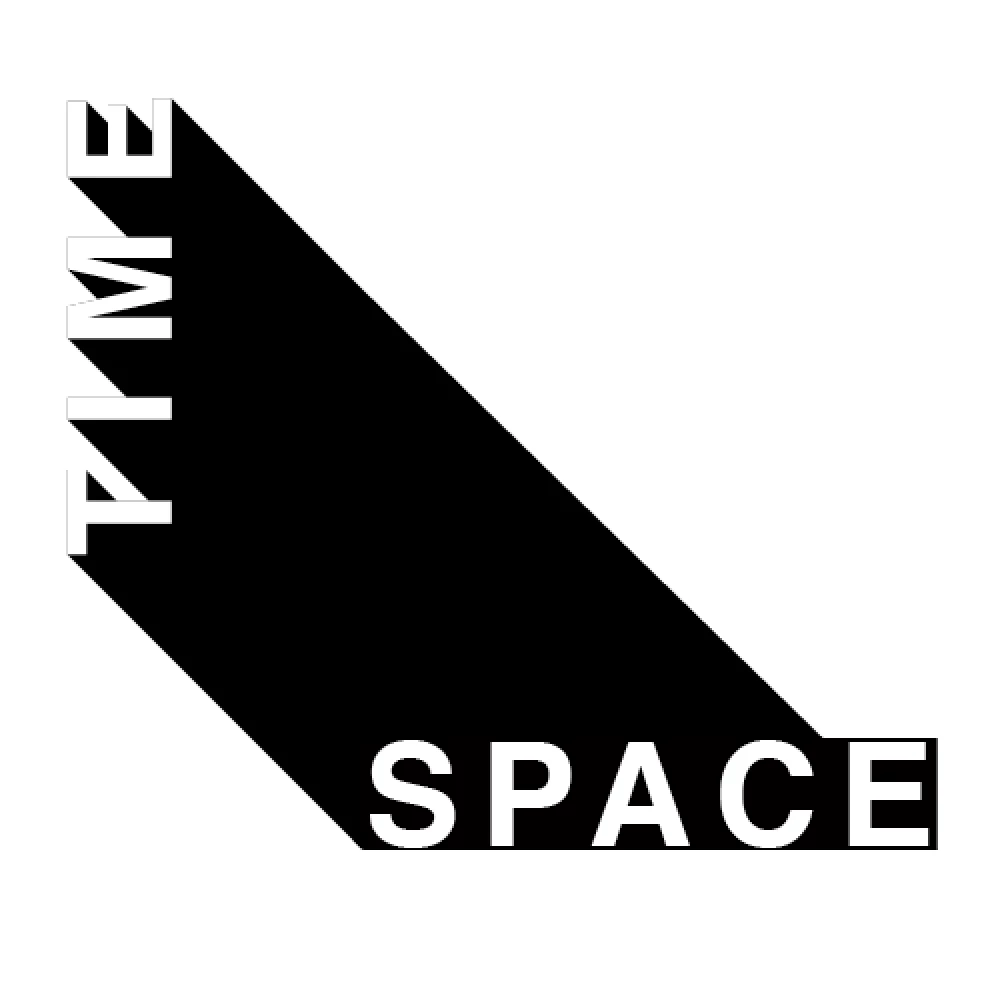
I'm very, very, very new to illustrator.  Currently I'm trying to create a simple graphic which will eventually be printed/cut-out on vinyl, and then used as a stencil for painting text on a wall.

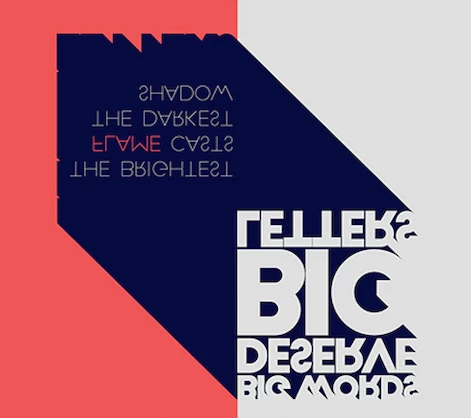
I've given an example of the effect I'm trying to create. Basically I want to create text with the negative space of the wall I'm painting on (as you can see in the first image...with the large greyish text).

Two questions:

1) How do I extend the long shadow to go from the 'E' of TIME and the very edge of the 'E' in SPACE? Do I need to turn "SPACE" into an object? I'm still pretty rusty at manipulating any paths or anchor points.

2) How do I create the shadow effect that's in between the large grey letters in the example below? I suppose it would look similar to the last line of text that says "big words" (backwards...sorry...figured it was best to show both images moving in the same direction etc).

Will check in the morning. Brain fried trying to figure this out. Will check in morning. Thank you.
    This topic has been closed for replies.
    Correct answer Doug A Roberts

    Thanks Doug. I agree. Another artist had suggested it would be easier to create a stencil...but I'm more of a hands-on kind of person. I've spend so many hours trying to figure out illustrator...when I could have just freehanded it onto the wall. Should have gone with my gut...hahaha.


    you could still make a stencil in illustrator if you want. what i meant was, use the pen tool in illustrator to draw the shadow.

    1 reply

    JonathanArias
    Legend
    October 17, 2017

    Here is a tutorial to help you achieve that effect:

    https://m.youtube.com/watch?v=gcdyiIQu4GY

    Monika Gause
    Community Expert
    Community Expert
    October 17, 2017

    JonathanArias  schrieb

    Here is a tutorial to help you achieve that effect:

    https://m.youtube.com/watch?v=gcdyiIQu4GY

    No, it won't. Because with a blend effect you can't make a stencil (too many points in between)

    In order to get a clean shape you need to do it like this:

    Vektorgarten - Long Shadows with Illustrator

    THere's also a plugin available: opo. But I haven't seen it in a long time. So don't know if it is still there.

    Participant
    October 17, 2017

    Thanks. The Vektogarten link helps. I'm still getting a bit lost with refining the 3D shape so it lines up with the word "SPACE". How do I alter the shapes between the letters? Also, how do I clean up the shadow so it's one long, clean line?